


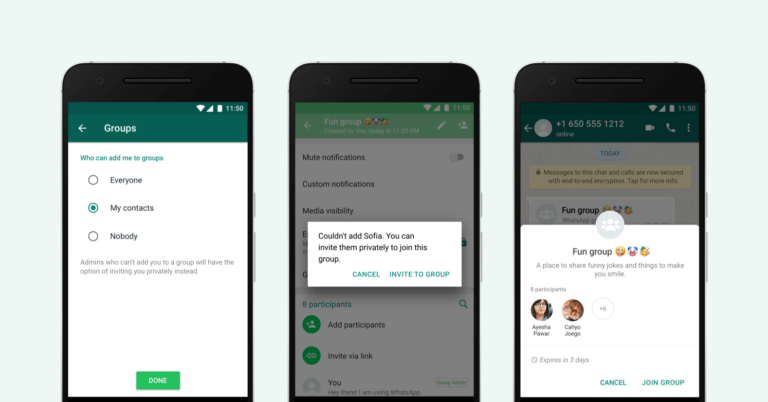
 WhatsApp just introduced a new privacy settings for groups to connect people. This function allows you to decide who can add you to groups. Go to Settings, Account>Privacy>Groups then select either Nobody, My Contacts or Everyone. Choosing Nobody means you have to approve joining any group you’ve been invited to while My Contacts means only users you have in your address book can add you in a group.
The contact that added you to the group will be prompted to send a private invite through individual chat where you have three days to accept the invite. These features let users take charge of what group messages they receive and these feature will be available to the world in the next coming weeks.





