


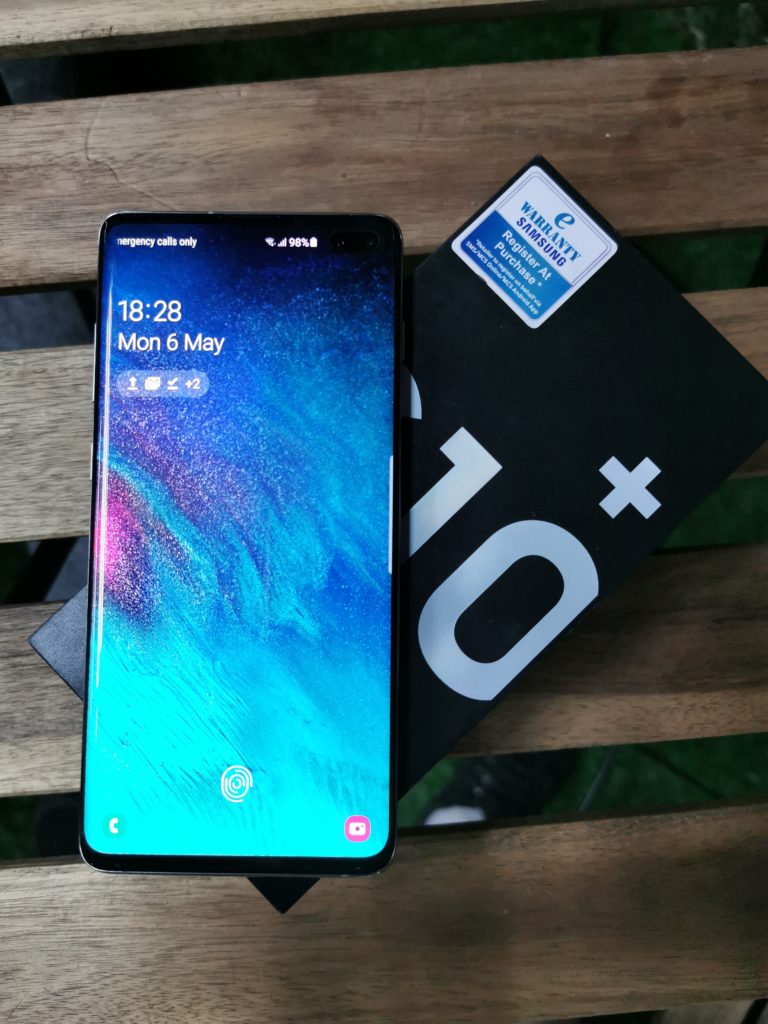

Okay let me just get this out of the way; I’m an iOS user. I’ve been using an iPhone for the better part of two years now and have never looked back. Previously, I had a Samsung S6. Yes, yes I know you swear that Androids are much better and that you’ve just put me in the outgroup, that i’m a sheep merely caving in to societal pressure. Heck, i’ve even met some people who swear there are only two types of people in the world; Apple & Android users. The amount of vague, ominous “that explains alot” responses i’ve gotten upon telling people I use an iPhone is in the dozens. That being said, i’ve never actually hated on Android devices, so when the Samsung Galaxy S10 Plus came in, I was really excited. Finally! The best that Android has to offer ( at least next to the Pixel 3). So let’s get to it then, shall we?
Design
- Dimensions: 74.1 x 157.6 x 7.8mm/ Weight: 175g
- In-screen fingerprint sensor
- 3.5mm Headphone Jack
- Glass back


When it comes to the design of the device, the S10 Plus is a looker. Pretty much every Android flagship has the same look, not the S10 Plus though. The aluminium band that surrounds it is thinner than that of the S9 Plus, and looks just as good. The 93.1% screen-to-body ratio makes the front of this device look even better, with the triple camera set up on the back placed horizontally in the middle of the device to complete a killer look in the back.
While “Prism White” might not look very nice in photos, the colourway looks great in real life and really makes the S10 Plus stand out compared to its android competitors mainly because the fingerprint trail it leaves behind is minimal. On the left side of the device, you get the volume control buttons along with the much maligned Bixby button, which is honestly easy to confuse for the power button. On the right, the power button. The good news here is that Samsung finally caved in to pressure and now allows users to remap the dedicated Bixby button to open pretty much whatever app you want. However, in a very anti-consumer move, though, Samsung actually blacklisted any other assistant apps from being used for this button. So that essentially means that your genius plan to remap the Bixby button to open Google Assistant just isn’t going to happen.
Given the dimensions, the device isn’t really a one handed phone and due to the nature of the design with the curvature at the edges and all, i did find myself accidentally opening a bunch of apps here and there but that’s either a problem with all curved screens or a problem with me.
You won’t find any fingerprint sensor on the back of the device as it’s in screen, and its worth noting that the S10 Plus has the world’s first phone with an ultrasonic fingerprint sensor. It’s supposed to give you better security than the conventional.. um.. normal fingerprint sensor, yeah. Regardless, i’ve read some less than favourable reviews about the fingerprint sensor and I have to say, i’ve not had an issue with it thus far. Even when my thumb was wet, it still managed to unlock so I don’t quite understand what all the fuss is about.
THE best thing about the design for me, is at the bottom of the device. The phone famously still comes with a headphone jack, which makes it one of the only flagship smartphones still packing the universally compatible 3.5mm audio port, sparing users from a lifetime of misplaced dongles and the choice between charging and listening to music. There shouldn’t be a choice, period. Kudos to Samsung for keeping it real.
Display
- 6.4″ Quad HD+ Dynamic AMOLED
- Infinity-O Display (3040×1440)
- 522 ppi
- HDR10+ certified
- 625 nits of peak brightness
- 19:9 aspect ratio
- Corning Gorilla Glass v6
- Punch hole display


The display on the S10 Plus is by and large the most gorgeous display i’ve seen on a smartphone. The 6.4″ Quad HD+ Dynamic AMOLED display is a thing of beauty. Dynamic Tone Mapping delivers enhanced brightness and a wider color range and Samsung even worked to reduce blue light emission. While Samsung’s Infinity-O display may not be perfect, I eventually got used to the two punch holes at the top right of the screen. While Samsung’s punch hole display is unique and distinctive, if the goal is “have a front camera while minimally interfering with the screen,” there are better options out there.
That being said, Samsung is doing everything they can to make sure you don’t notice it. All their wallpapers darken towards the top right so its like as if the punch holes aren’t even there! Couple this with Samsungs Night Theme, which basically makes everything black to lessen the strain on your eyes, and you won’t even remember that there were punch holes to begin with.
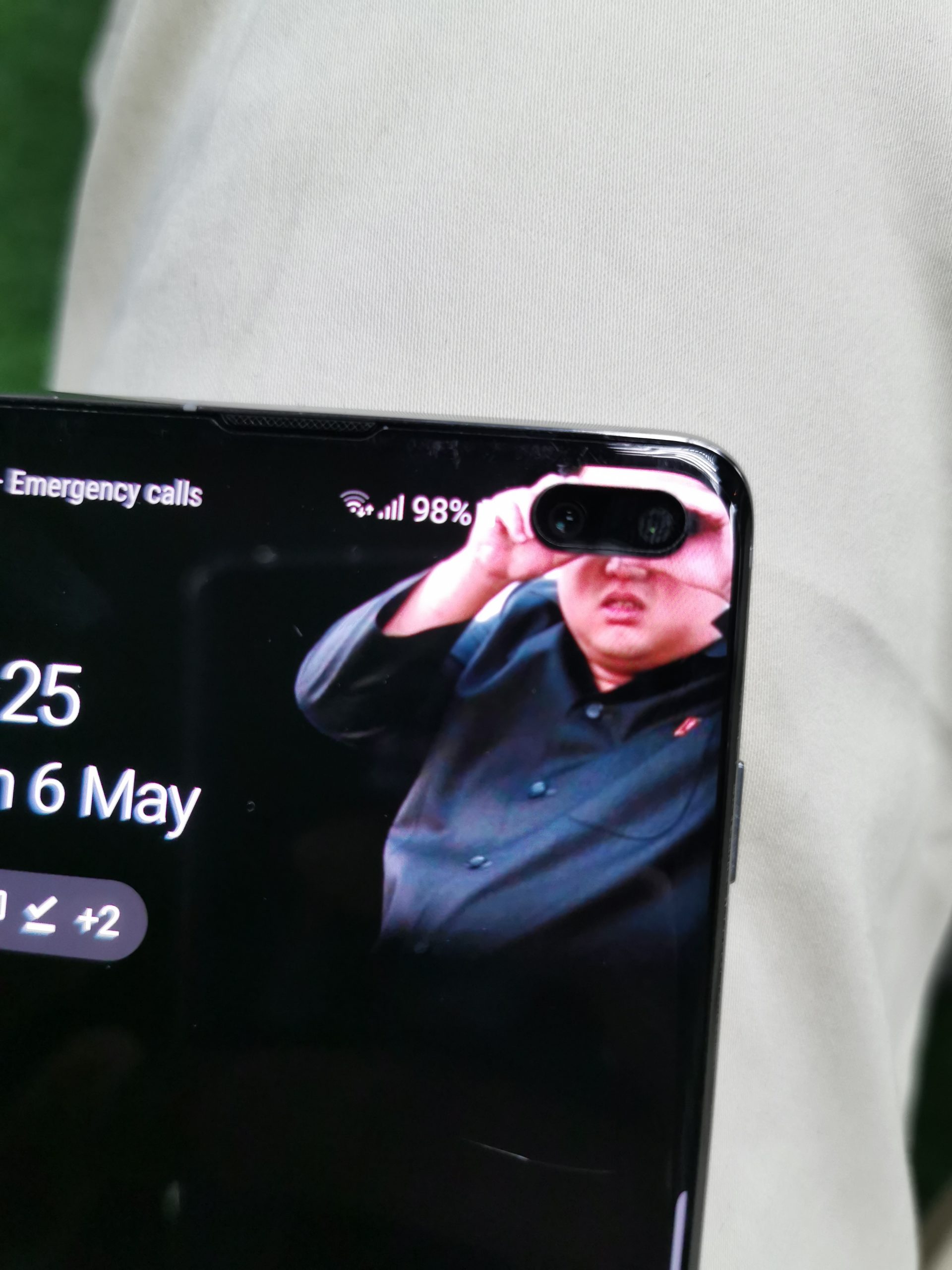

One of the unique advantages of the punch hole display over a notch is that you get pixels all the way around the camera cutout. This is showcased when you switch to the front camera and treated to a quick swirl of white pixels around the camera hole. It’s pretty cool. There are also a bunch of wallpapers that allow you to creatively make use of the punch holes. There are even apps that wrap a battery indicator or a notification ring around the hole punch. Of course, I couldn’t resist messing around with it, as you can see in the pictures above.
Performance
- OS: Android 9.0 (Pie); One UI
- CPU: Octa-core
- Chipset: Exynos 9820 Octa (8 nm)
- Internal: 8GB RAM, 128/512GB or 12GB RAM, 1TB ROM
- External Memory: microSD, up to 512 GB (uses SIM 2 slot) – dual SIM model only
- Battery: Non-removable Li-Ion 4100 mAh battery
In terms of performance, the S10 Plus looks extremely good on paper. But how exactly did it perform on a day to day basis? Well maybe not as good as the stats say but still a very good performance nontheless. There was barely any lag whatsoever when i was switching between apps and the time it takes to boot up apps was pretty much what you would expect from a phone that costs RM3699. Even when I opened Snapchat and recorded videos with the filters on, the S10 Plus didn’t lag when the video started recording. I bring this up because on the Huawei P30 Pro, the video was rather choppy and laggy so, in that department, there is a clear winner.
The battery life on this phone is AMAZING. I’m just gonna straight up say it. The phone lasted me a day and a half, and i wasn’t trying to save battery either. I took a bunch of pictures, went on Snapchat a lot and of course was on Spotify and not once did I have to turn on any of the battery saver modes available on the device. This is probably my favourite part of the phone behind the fact that it has an audio jack as often times, companies tend to go on and on about the latest features but totally disregard if the battery can last you a full day of heavy usage or not. It’s 2019 people! Why is this still an issue.
The Samsung Galaxy S10 Plus launches with Android 9 Pie and has the new Samsung One UI installed. This is my first experience with this UI and I have to say, I really like it. It’s very different from the other Android UI’s i’ve experienced and the change is very much welcome. That being said, not everything about One UI is perfect. Some of the default Samsung application icons are a little gaudy, and there are still some duplicates between Samsung and Google apps – why do I need two stores and two calendars? The clash between Google and Samsung is visible all over the phone, and mostly it will manifest in having two competing version of every basic phone feature. It’s almost like as if you have two competing ecosystems in one phone. If you can get over all of that, Samsung’s latest UI is actually quite nice.
Camera
- Dual front camera’s: 10MP selfie camera, 8MP RGB Depth Camera
- Triple camera rear setup: 12MP Telephoto Camera, 12MP Wide-angle Camera, 16MP Ultra Wide Camera
- New ‘Live Focus’ portrait filters

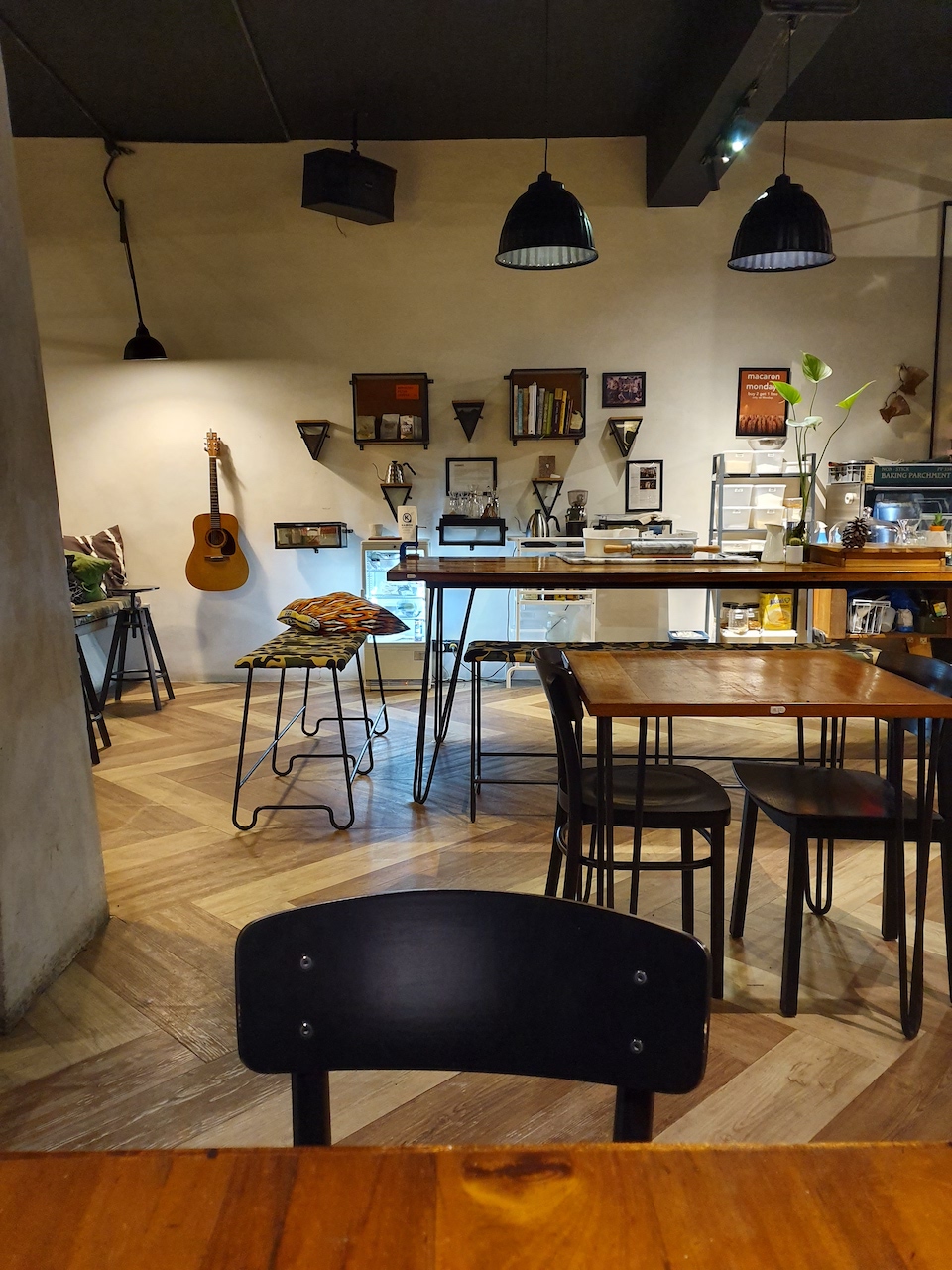

Sporting 5 cameras, you can imagine that the Samsung S10 Plus would be quite the sharpshooter. The three cameras on the back do a well enough job at snapping photos. This new rear-mounted system includes a 12MP wide-angle camera with Optical Image Stabilisation (OIS) and a variable aperture that can switch between f/1.5 and f/2.4.
One thing I really like about the camera is the ultra wide angle mode, which really allows you to capture more, as well as giving you the ability to capture dramatic-looking photos, giving you a more captivating view of almost any scene.
As with most phones these days, Smart AI is on the agenda for the S10 Plus, with a “scene optimizer” button that will use AI to optimize the photos you take, supposedly producing better results. To be honest, I couldn’t always see the difference in picture quality, but then again i’m no expert. The only time I noticed a difference is when the optimizer was in night shot mode. The Samsung S10 Plus is quite capable of capturing great images in low light. In fact, while the Huawei P30 Pro captured a brighter picture in low light, Samsung’s cameras managed to make my low light shot look more natural.



On top of that, the new Live Focus effects Samsung has added to the mix is a big bag of fun. With options ranging from Blur, Spin, Zoom and Color point, you’ll be sure to have fun messing about with the effects. You can also apply these effects to portraits or selfies after you shoot.
Verdict
With everything the Samsung S10 Plus has to offer on paper, I had some pretty high expectations for the device. And i have to say, it sure delivered, for the most part at least. With a premium price of RM3699, I expected premium features and it didn’t disappoint. The phone looks great on the outside, performs day to day tasks without any faults and also packs a good camera. It’s definitely the best Android phone i’ve tested thus far, but then again i’m still very much new to the whole phone review thing so it’s still early days. If you want a good Android flagship that actually looks different, then this is the phone for you. Has it changed my opinion of the Android ecosystem in general? Not really, but it sure as hell came close.




