 Affordable NAS Performance
By Amir Rothman
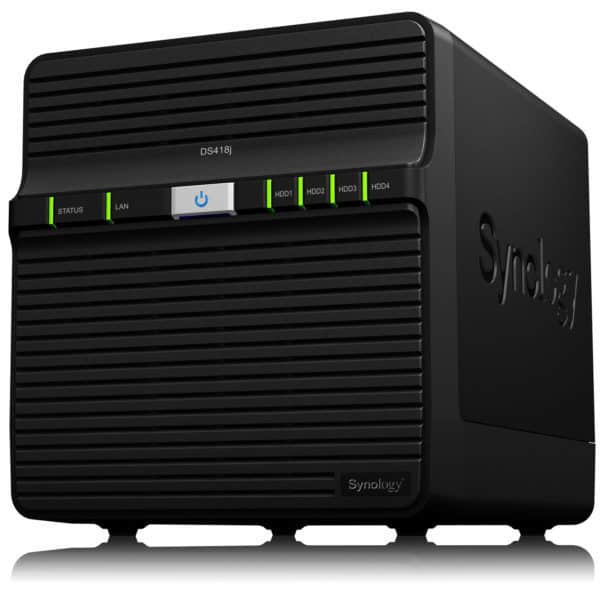
The Synology DiskStation DS418j is a budget-friendly 4-bay NAS server, designed for home or small businesses. It the perfect solution for users who like to keep a lot of data on tap. It is also for those who require a centralised storage with backup that caters to multiple users.
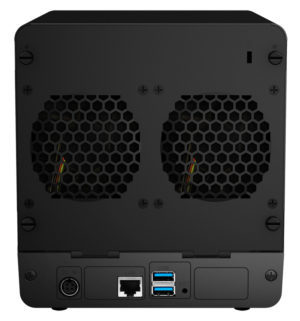
This particular model is a replacement for the DS-416J. It now sports a new 64-bit Realtek dual-core processor at 1.4GHz. It also houses a 1GB DDR4 RAM, which allows for a whopping 40TB of raw storage in a single volume. Synology claims it has a read speed of 112MB/s and write at 87MB/s in a RAID 5 configuration on a Windows machine. This makes for more than adequate speed for the home and small business user. The case also has a single RJ-45 1GbE LAN port and a pair of USB3.0 sockets with support for wireless access via a dongle.
Simple and Robust Architecture
The DS418j operates on DiskStation Manager 6.1, the operating system that you’ll find across all of Synology’s products. Through its QuickConnect feature, you can access the NAS over the internet. This eliminates the hassle of setting up port forwarding rules, DDNS or other complicated network settings.
[Best_Wordpress_Gallery id=”5″ gal_title=”Review: Synology DiskStation DS-418J”]
You’ll be able to customise your NAS to your preference by installing apps to manage different aspects of your NAS. This includes media streaming, remote file access and seamless integration with your mobile devices. Other features include a surveillance solution, desktop backup and a full featured file management and sharing service. You can even turn your NAS into a home media hub via your favourite devices and stream your digital content.
 Effortless Setup
The DS418j can support three types of drives, namely 3.5-inch SATA HDD, 2.5-inch SATA HDD, 2.5- inch SATA SSD. For this review, we used two Western Digital 10TB Red NAS 3.5-inch hard disk drives. That leaves two more bays to fill in.
Do bear in mind that you can’t hotswap your drives without powering down the DS418j. You would need to take off the rear panel to slot a new hard disk drive in.
That said, the overall setup was a breeze. The trays are easy to manage and requires minimal effort to slot in. The total time taken from installation of drives to having a fully running NAS on a RAID 1 setup was under an hour.
Thanks to its Synology Hybrid RAID, its automated RAID management system, novice users can easily manage their preferred configuration. Tasks like up-scaling and volume management become effortless. Paired with the mobile apps like DS Audio, DS Photo and DS Video, it was possible for us to consolidate all the data into one central server.
At a Click of a Button
We’ve always purchased our NAS units from brick-and-mortar stores. Concerns of authenticity and quality of service are just some of the many reasons why we avoid buying such devices online.
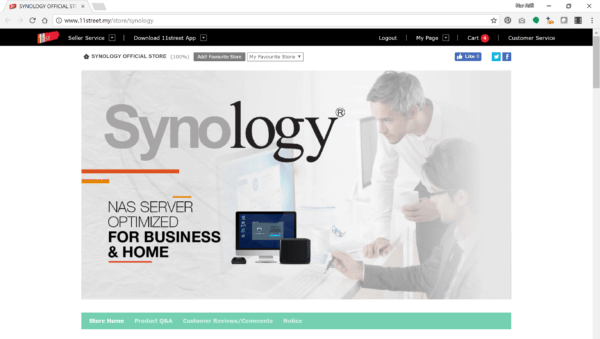 However, Synology has recently launched its online store on 11street – a very convenient way to have the DS418j delivered right to your doorstep. You can purchase the 4-bay NAS server on its own, or bundle it with your choice of Seagate hard disk drives for an additional fee.
Verdict
A full-featured 4-bay NAS for the budget home or small business user that’s easy to setup and even easier to manage.