As I travel a lot in my line of work, I usually pack as minimal as I can so I can get away quickly between locations. This also includes my work machine, the Microsoft Surface Pro 4 (Microsoft SP4). It’s lightweight, yet powerful enough for me to do quick video-editing jobs as well. It does come with one caveat – it can’t operate like a normal laptop, where it sits still on one’s lap. This is due to the kickstand design it uses as it requires a solid surface.

Without it, the device is unstable and tends to wobble about when it’s placed on the lap. It’s This is even with the keyboard attached. The top gripe for the Microsoft SP line. This became the inspiration to develop the new Microsoft Surface Laptop.
Immediate Impressions
When Microsoft sent over its new toy PC.com Tested Labs, it’s a no-brainer as to who voluntarily sign-on to take this ultra-comprehensive review. First impressions are an odd mix, due to how this review unit comes without proper commercial packaging. Strange as it sounds, this Microsoft Surface Laptop review unit has been sent over in a nice delivery bag, along with its tiny power brick.

That odd moment aside, this premium laptop is as impressive as it claims to be. Physically, the superbly slim chassis is mind-boggling astonishing. It’s not the thinnest around, yet it feels classier than most. In fact, it looks and feels like a premium product. As for the first five minutes of use, everything is speedy. From boot time to loading apps, it all responds like lightning.
Sturdy All Around
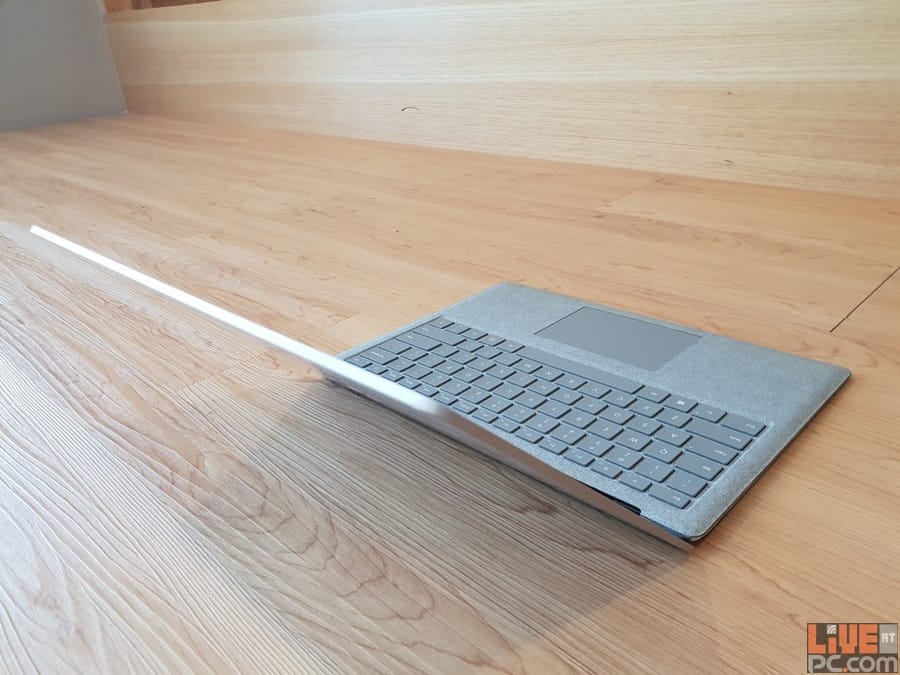
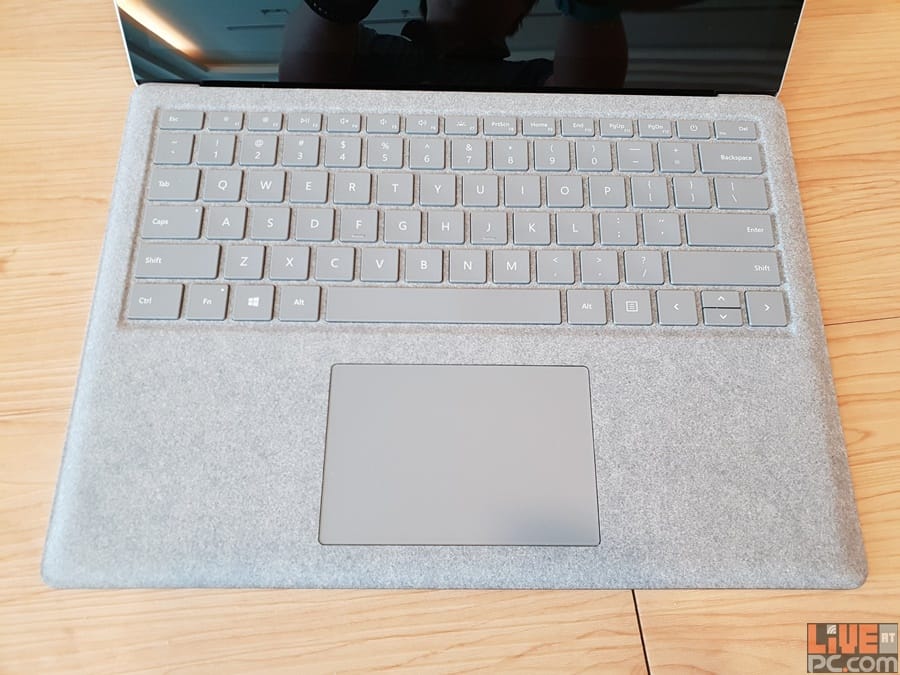
The chassis is well built as it refuses to flex – in fact, I did what I could to bend but it will not budge. This is all thanks to the polished all-metal chassis that encases the chassis. The keyboard, which uses hardened plastics inside, comes wrapped in Italian Alcantara material that is fitted perfectly to the entire keyboard panel. Not only does this give it a classy look, the palm-rest feels comfortable too.
Personally, iy is especially handy when one has to type documents for prolonged periods. Minor gripes: it gets warm after a while where the wrists rest and grimy if the palms sweat too much. The laptop closes with a satisfying soft thud and magnet-embeds will keep the laptop closed until it is ready for deployment again.
Powered Specs
Looks wise, the Microsoft Surface Laptop looks like as if the Microsoft Surface Pro has been slit through the middle lengthwise and has put on some extra meat. Most obvious is how the display feels larger than what is present on the slimmer Microsoft 2-in-1 flagship. This could be due to the thicker bezel design the screen uses.
As the device now has proper separation from the monitor and base, it means that it has the added benefit of more space to fit in better hardware and a more powerful cooling system. Specs are decent too, with this particular entry sporting mid-range innards. This includes the Intel 7th Generation Core i5-7200U processor, 8GB RAM (16GB max) and 256GB SSD storage (up to 1TB). Graphics processing responsibility falls to the internal Intel HD 620 GPU, powering the 3:2 ratio, 2256×1504 13.5-inch touch-screen panel.
Short on Ports
In terms of connections, there is only one full-sized USB 3.0 jack and a single mini-DisplayPort slot with 3.5mm headphone/microphone mini-jack. Just like the Microsoft SP4, this conceptual laptop uses the magnetic linked charging port as its power source. My expectations are a little higher than that and seeing as there is only ONE USB port; it is a little bit of a let-down.

On the flip-side, those who love accessories will love the fact that the Microsoft Surface Pen and Surface Dial can pair with this straight-up laptop from Redmond. One thing I love about the design is how Microsoft hid the speakers in the keyboard itself. While one might imagine the sound to be distortion, Microsoft somehow manages to make it exceptionally punchy with little to no muffling.
Starts with Windows 10 S
Personally, this would have been the end of this review. If I must use the Windows 10 S operating system that comes with, then the user experience will not be at 100%. This Windows 10 variant, simply put, is a lock-down type, where use of apps is limited to what one can find only in the Microsoft Windows Store.
It’s clear as day as to why Microsoft has bundled the Surface Laptop with Windows 10 S. Not only is it lightweight, no rogue software can be go in and cause security issues. Plus, it’s better for battery life. However, with my work needing third party software that are not available on the Windows Store for Windows 10 S. Take for instance, *cough* Adobe *cough*. Hence, this compact operating system is certainly not for me. Thankfully, a free upgrade to Windows 10 Pro solves all that.

Key Differences
This is a must-have for such an in-depth review – comparing the design basics and usability of the Microsoft SP4 and Surface Laptop. In terms of weight and convenience of handling, the 2-in-1 owns the advantage as it is not as heavy. Since the convertible device can operate as a tablet, it comes with a microSD slot to expand storage when necessary. The laptop entry doesn’t come with a memory card reader. That is a bummer fact right there.
It’s the complete opposite with battery life as the Microsoft Surface Laptop promises around 14.5 hours of use time. The Microsoft SP4 only chugs out nine hours. No surprise there since the larger chassis means the laptop sports a bigger battery. Other innovations that comes with the Microsoft Surface Laptop include Windows Hello Sign-On Camera and the Omnisonic Speakers.
Responsive Feedback
Microsoft is famous for putting out input peripherals that are truly innovative. Case in point, the Bluetooth Mouse range with Blue Track technology or the once popular keyboards that Redmond use to make. This pedigree carries over onto the keyboards that come with the Microsoft Surface series of devices.
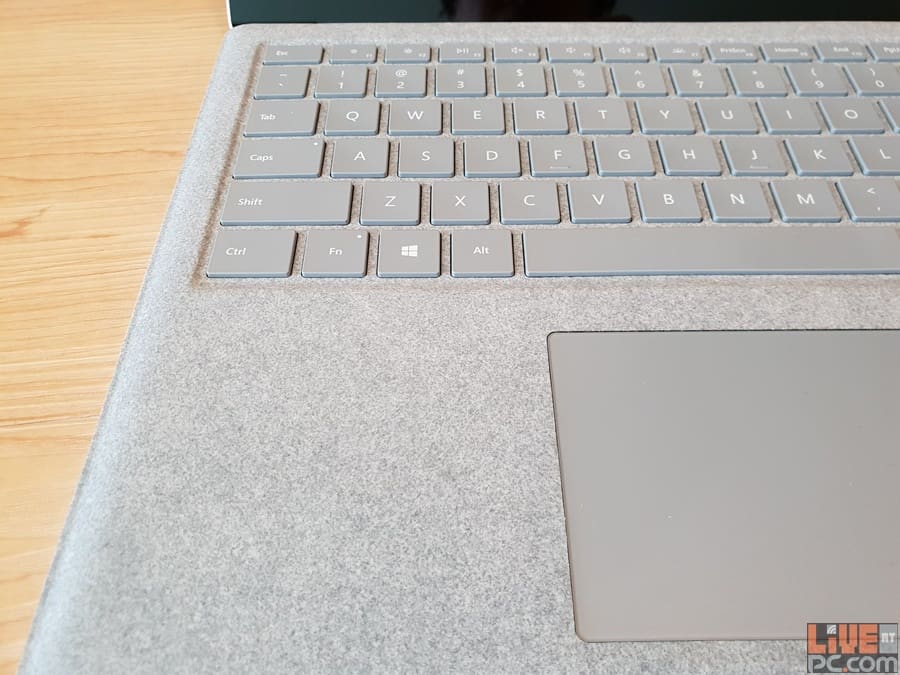
In wanting to maintain the same delivery of quality, Microsoft makes doubly sure the keyboard for the Microsoft Surface Laptop offers the same tactile and key-travel experience. Typing out this lengthy review has been a dream as the keys respond nicely, giving a nice spring-back whenever the actuation occurs.
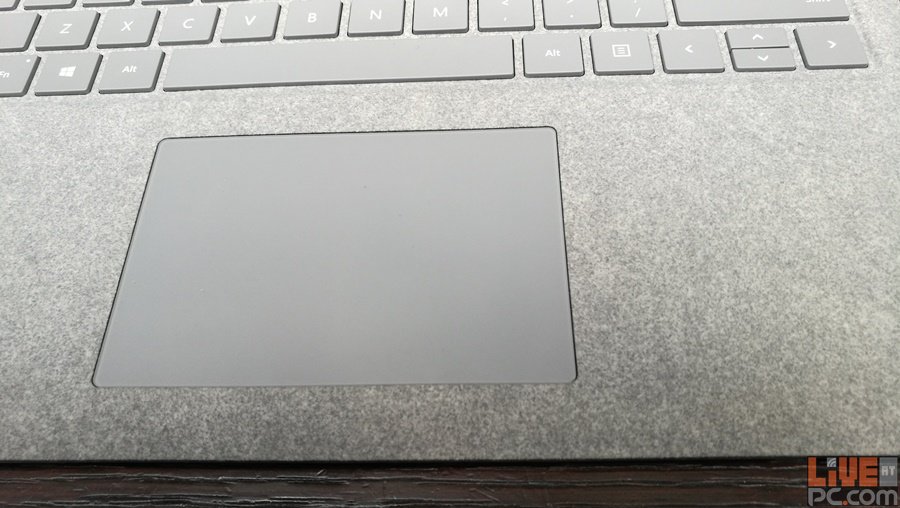
Cool bit: the touchpad is equally as responsive, providing smooth gliding controls and a nice ‘click’ sound. The biggest change – the power button – being part of the line-up of keys is odd, at first, but becomes a very nice touch.
Snappy and Long-Lasting
With day-to-day usage, the Microsoft Surface Laptop is an extreme speedster. From sleep, I can instantly access the Windows operating system and just start working on it without any delays. As per what it states on paper, the battery life for this laptop is exceptionally long.
On a full charge, it easily lasts a full day and more and, keep in mind, this is without shutting down the laptop. The decent hardware also means that, very much like the Microsoft SP4, I manage to make short work of these daily image and video editing. It’s that easy even when I’m on the go. Of course, now there is the additional bonus of being able to use a more stable device. The bonus, of course, is not worrying about it toppling over while it renders rich content.

Last Word
If I had to choose between a 2-in-1 or a laptop, it is an obvious choice – the Microsoft Surface Laptop is the way to go. It has the right heft and build and packs in loads of high performance specs. This guarantees an awesome user experience for those who tap on the full potential it has to offer.
With just the right balance of key-travel and tactile feedback, along with the proper display optimisations and battery life management, I really can’t think of any reason Microsoft would take so long to come up with this concept.
Truly, whatever Redmond has an as excuse, it is worth the wait time. I’d go and get one now if not for the equally as impressive price-tag the Microsoft Surface Laptop asks for.