



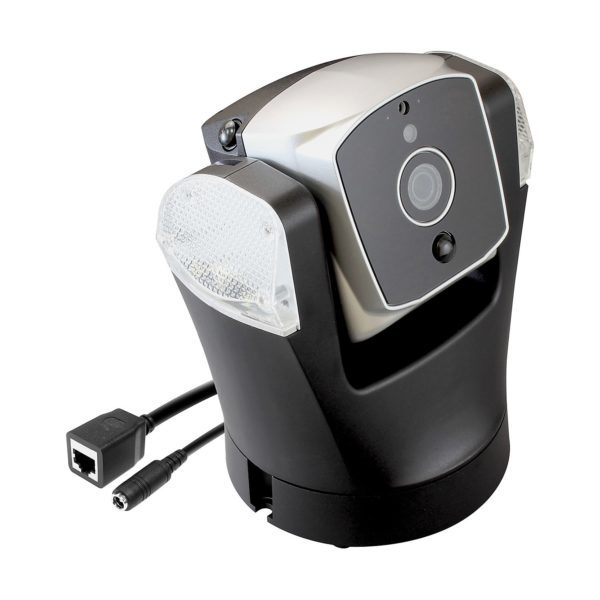
OK, so I didn’t mount the Atom security camera on the ceiling like it was meant to and I decided to just put it on the table. Well, the camera was talking but it took me ages to connect and figure out how to get it to detect my network and link up to the app. Once it’s connected though, everything was fine and dandy. Except the video is still flipped – upside down. It probably won’t detect which way is up – it’s defaulted as a ceiling mount.
Straightforward App
The application has a straightforward interface that does what it says on the tin. Watch your stream live, manually pan the cameras, sound the alarm – all at your fingertips. You could set facial recognition so the camera recognises who is on the safe list. Besides that, there are quite a lot of customisation for home positions, notifications etc.
Alert! Alert!
You could set the motion and audio sensors to send you notifications. Keep in mind it’s really sensitive so if it’s a busy area, you’re going to get a lot of snapshots taken because it detected sound or motion. For added security the camera can also be set to follow motions – which freaked a few people in the office out when the camera tracks and pans, following them around! One thing I couldn’t figure out is why you couldn’t record video on this?
Points
SHhhhhh
Too much notifications? You could set it to private mode so it won’t disturb you in your sleep
Let there be light!
The light automatically turns on when it gets dark. So you definitely can see the visuals on the live stream even if it’s in a dark room.
Easy access
The app allows you to access the camera anytime wherever you are. Once you managed to get it connected that is.
Byline: By Satoko Omata
Price: n/a
Dimensions (LxWxH): 130x110x160mm
Weight: 800g
Wireless: embedded MIMO 2×2 Wi-Fi 802.11 b/g/n; Ethernet RJ-45 (10/100BASE-T)
Network protocol: TCP/IP, UDP/IP,HTTP/HTTPS, DHCP, NTP, WPS
Audio: built-in mono microphone and speaker
Local storage: build in 8GB memory
OS requirements for app iOS: 7.0 and up/Android: 4.1 and up
App/PC browser support app: Amaryllo PC browser: Amaryllo Live Privacy protection yes NAS support SMB/CIFS
Image sensor: 1/2.7″ CMOS, Day/night vision professional ICR module with 4 IR LEDs
Video compression: H.264, MJPEG Video resolution 1080p, 720p, 480p, 360p
Frame rate: 1920 x 1080 up to 30 fps
Ingress protection rating IP66
Ambient operating temperature: -30°C~50°C
Auto-tracking range: 360 degree
RATING – Out of 10 points
Value: 9
Features: 8
Performance: 8
Design: 7.5
Usability: 7.5
Verdict: Apart from a slightly fiddly initial setup – it was easy and straightforward monitoring, with many interesting features. A solid IP camera
Total Score: 8





