


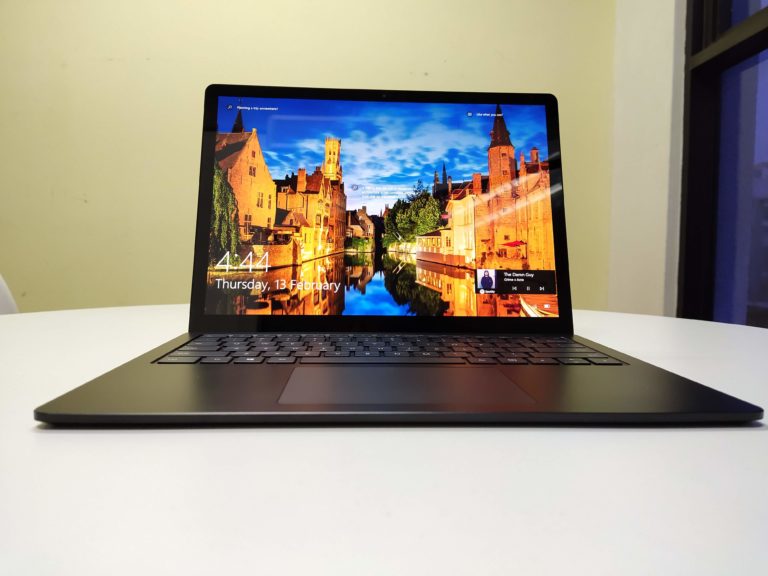
 The debate against Mac and PC users have stood the test of time and has fans debating amongst the two since its inception. In recent years, Microsoft started developing their own hardware to showcase the proper way a Windows laptop should perform. And before I even get started on this review, I’m going to say that this was the right way to do it. The Surface Laptop 3 is what every laptop should aspire to be, and I’ll get to why in just a few moments. That being said, let’s get into the review of Microsoft’s Surface Laptop 3!
Design & Display-

First thing that really caught my eye when I opened up that Surface Laptop box was the overwhelmingly dark matte black body of the notebook. It was as if something had emerged from the depths of hell, and landed in my lap. It was that black. Not like it’s a bad thing, in fact, I think the Surface Laptop 3’s colours and aesthetics has been my all time favourite among any of the laptops I’ve used, or reviewed. It was just that beautiful to me. The aluminium lid was smooth, sexy, and just felt like a well-built machine.

The Surface Laptop 3 comes with a 13.5-inch PixelSense display and a 2256 x 1504 resolution. It does however, come with some kinda thick bezels, but I don’t mind or even notice them half the time. Because of the chassis colour and the screen being black, it all starts to blend it after a point so you won’t really be able to distinguish between the screen and when the bezels start half the time. The screen otherwise is crisp and bright, and things just look amazing on screen. It’s display also a touchscreen so there’s that but I didn’t really use it considering, well, I didn’t see the point to. But the few times I did, it was responsive, accurate, and well, a touch screen.
Overall, I personally loved the design because it was so simplistic, but sleek at the same time. The 13.5-inch Surface Laptop 3 weighs in at just 1288g for their Matte Black variant, but it also comes in a Platinum colour which for some reason weighs in at 1265g. Not sure why, but it’s a thing I guess.
Performance & Battery Life- 
The variant of the Surface Laptop 3 I received came with a Quad-core 10th Gen Intel Core i5-1035G7 Processor and 8GB of LPDDR4x RAM. This I feel, was more than enough considering what I was using the laptop for; work. It was more than enough for that. It also comes with 1 USB-C port, 1 USB-A port, a 3.55mm headphone jack, and their (arguably) unique Surface Connect port, which charges the laptop.
Speaking of charges, the Surface Laptop 3 comes with up to 11.5 hours of battery life with typical usage, and I’d say that’s a fair assumption. I’d probably get maybe 5-6 hours in daily use, and overnight while streaming YouTube and Netflix, maybe a bit longer than that. The battery life is good enough that you wouldn’t need to lug around their small charging cable and brick.
Even if I had to, it wouldn’t be too much of a hassle either way. It is also capable of Fast Charging, and they claim to be able to charge up to 80% in about an hour, and I’ll say that was pretty true. I didn’t measure it, but it definitely felt like it charged up relatively quickly.

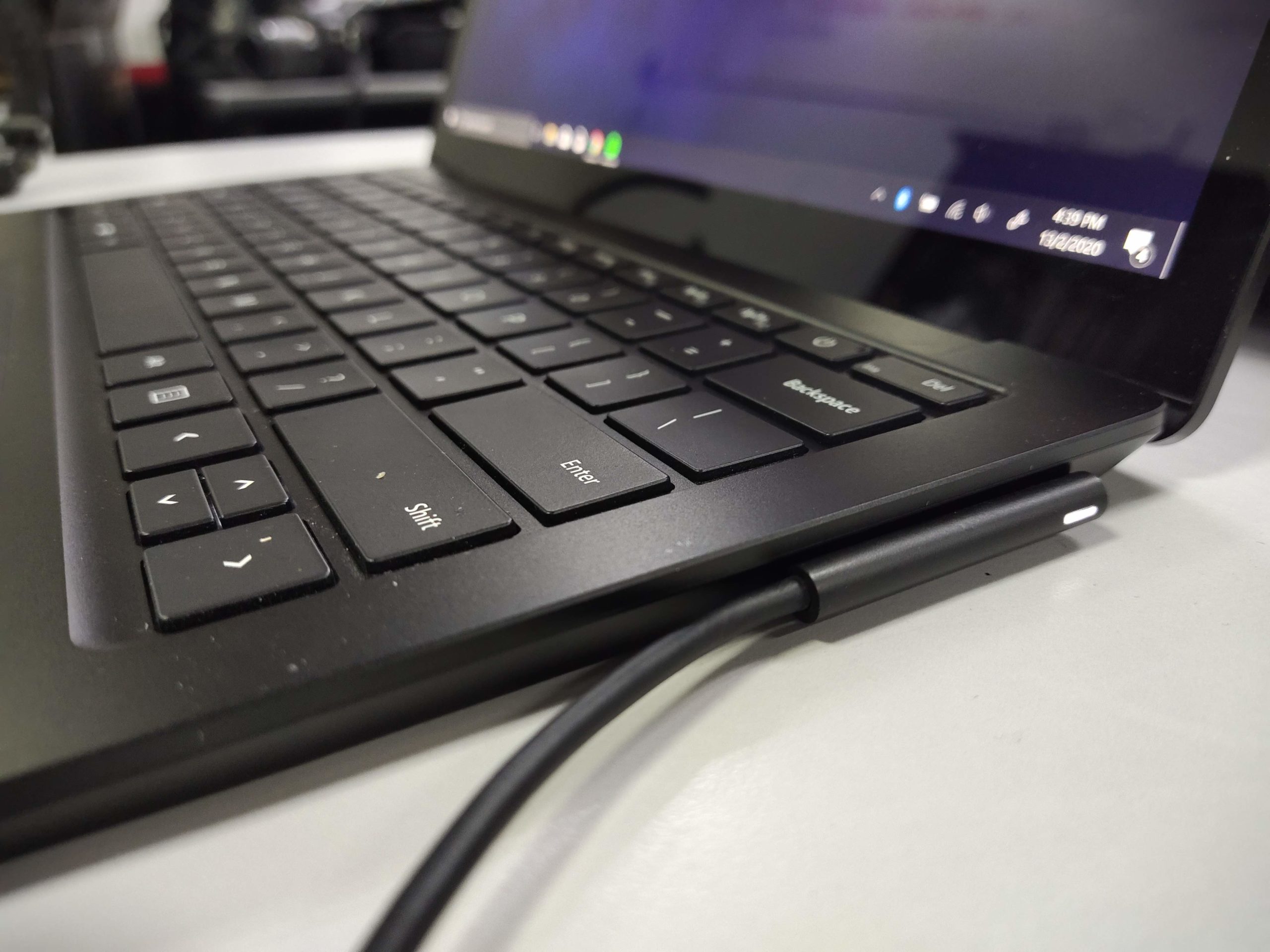
However, I did have some difficulty at first when I tried to connect the charging cable to the laptop. As it’s a magnetic connector, and the charging port is on the right, and at a weird angle. I noticed that if I didn’t get it exactly in the right position, it would be hard to find the port and I’d have to fidget around a bit. That’s probably why there’s a magnetic connector, but sometimes it just wouldn’t go in.
But one major flaw that I feel could be a problem is the heat it emits. The lower casing of the laptop can get quite hot, even to unbearable levels while charging. It made for some unpleasant times, but it is something to think about if you use your laptop on your lap a lot. It’s most probably due to the metal body of the device, but just be careful in that regard.
The Experience –

The experience of using the laptop, to me, is the most important aspect of something like the Surface Laptop 3. Because if I didn’t have a good time with the laptop, then it wouldn’t be a good review, would it? But anyway, back to the experience. Frankly, my experience with the Surface Laptop 3 was great. I loved carrying it around, bringing it home, checking emails, writing stories, Netflix, and virtually anything I use my laptop to do. Gaming or design work wasn’t a part of the routine, so I can’t attest to that, but for a work or even everyday laptop, I’d say this would be my first pick in a lineup.

Purely because the aesthetics combined with its functionality made for a seemingly perfect fit for me. Yeah, I liked it that much. Some of my favourite features of the Surface Laptop 3 would have to be the trackpad and keyboard. The trackpad is a big slab implanted in the centre, which to me, was the best I’ve ever used. The trackpad was increased to be 20% larger, and it was well worth it. It was functional, smooth, and just felt good. There’s something to be said about a device that feels good to use, and that is definitely the case when you talk about the Surface Laptop 3.
That being said, don’t get me started on the keyboard. It had the right amount of travel to ensure a smooth, easy typing experience and everything you wanted is where you want it to be. It wasn’t that loud as well, which is nice, and it made for some quick typing for me.
Final Thoughts –

Thus far, Microsoft’s Surface Laptop 3 is my favourite out of all the laptops I’ve tested. It just did something right for me, and it did everything I needed to. At its very core, the laptop is functional. But the added on aesthetics, experience, battery life, and fast charging, just made for a complete experience. It’s everything I ever wanted in a laptop, and more. If I was in the market looking for a laptop to browse the web, stream, write, reply emails to, I’d look no further than this. With a starting price of RM4,499 for their base model, it’s not a bad deal. But if you had the money, trust me, just go with this. You won’t be disappointed.





