


Adobe Photoshop has just turned 30! That makes for 10,950 days of artists, designers, photographers and many more inspiring the world with their imaginations using the practical magic of Photoshop.
On this milestone, Adobe celebrate the evolution that brought them here, from the first use of Photoshop (before Photoshop 1.0) to create visual effects for James Cameron’s movie, The Abyss … to the invention of the healing brush in Photoshop CS2 … to the wizardry of Content-Aware Fill … and all the amazing innovation in between.
And what better way to celebrate than to release even more great features? Here are all the new new features that are coming to Adobe Photoshop for desktop
Content-Aware Fill Workspace Improvements
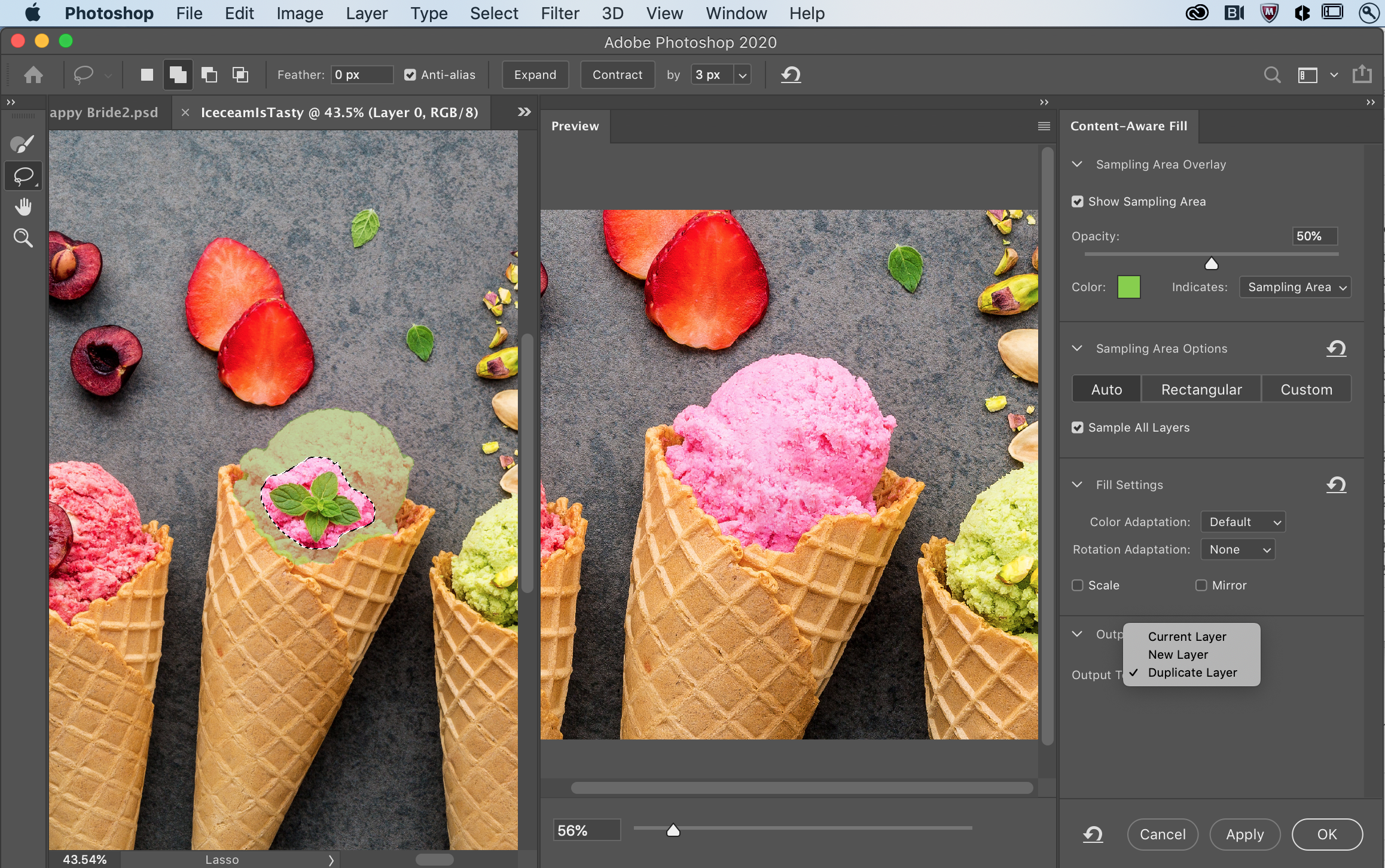
Now you can make multiple selections and apply multiple fills without leaving the workspace. Use the new “apply” button to iterate your fills before committing. Click “OK” only when you are finished. These workflow enhancements are designed to reduce clicks, give you more control, and speed you to great results.
Lens Blur improvements
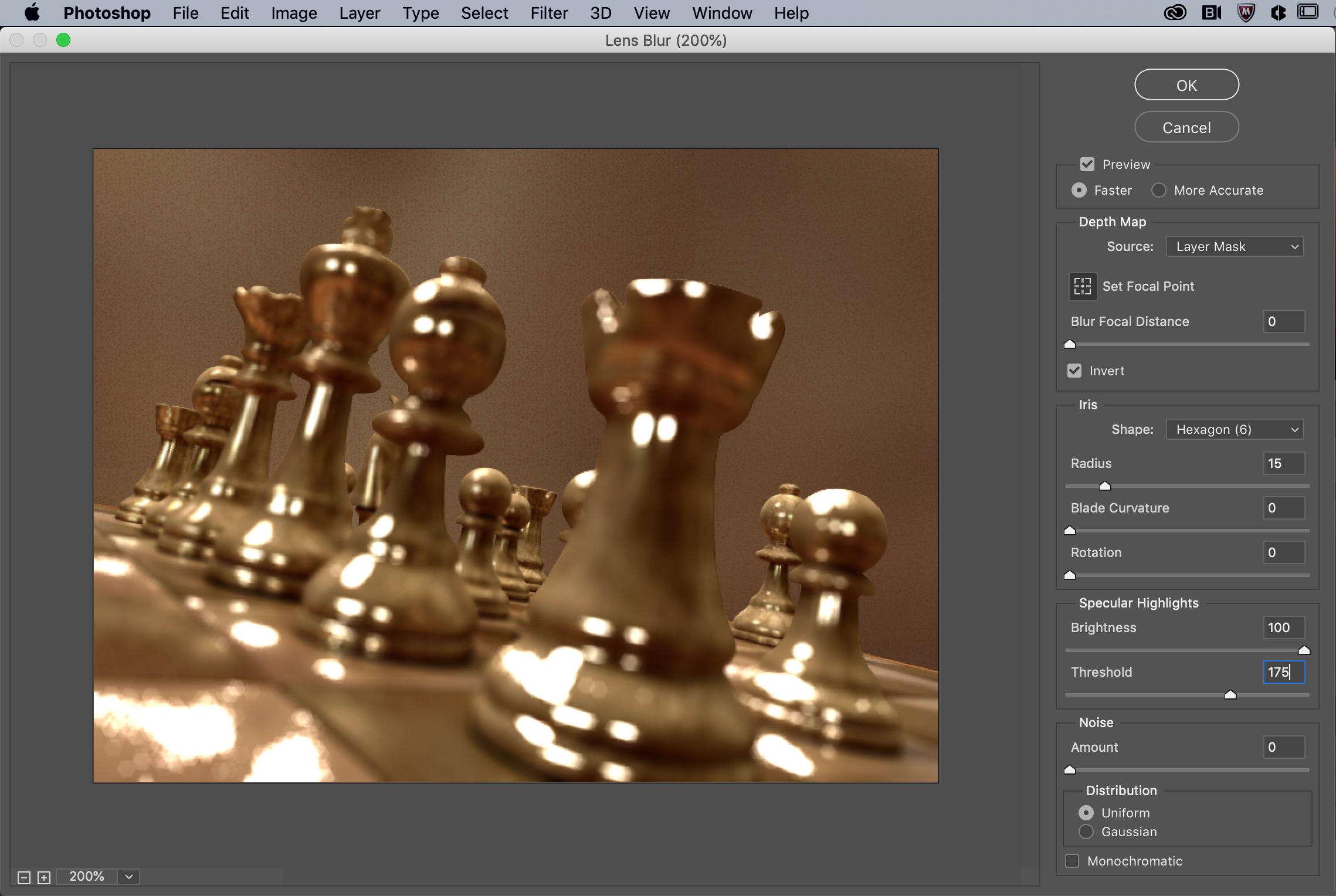
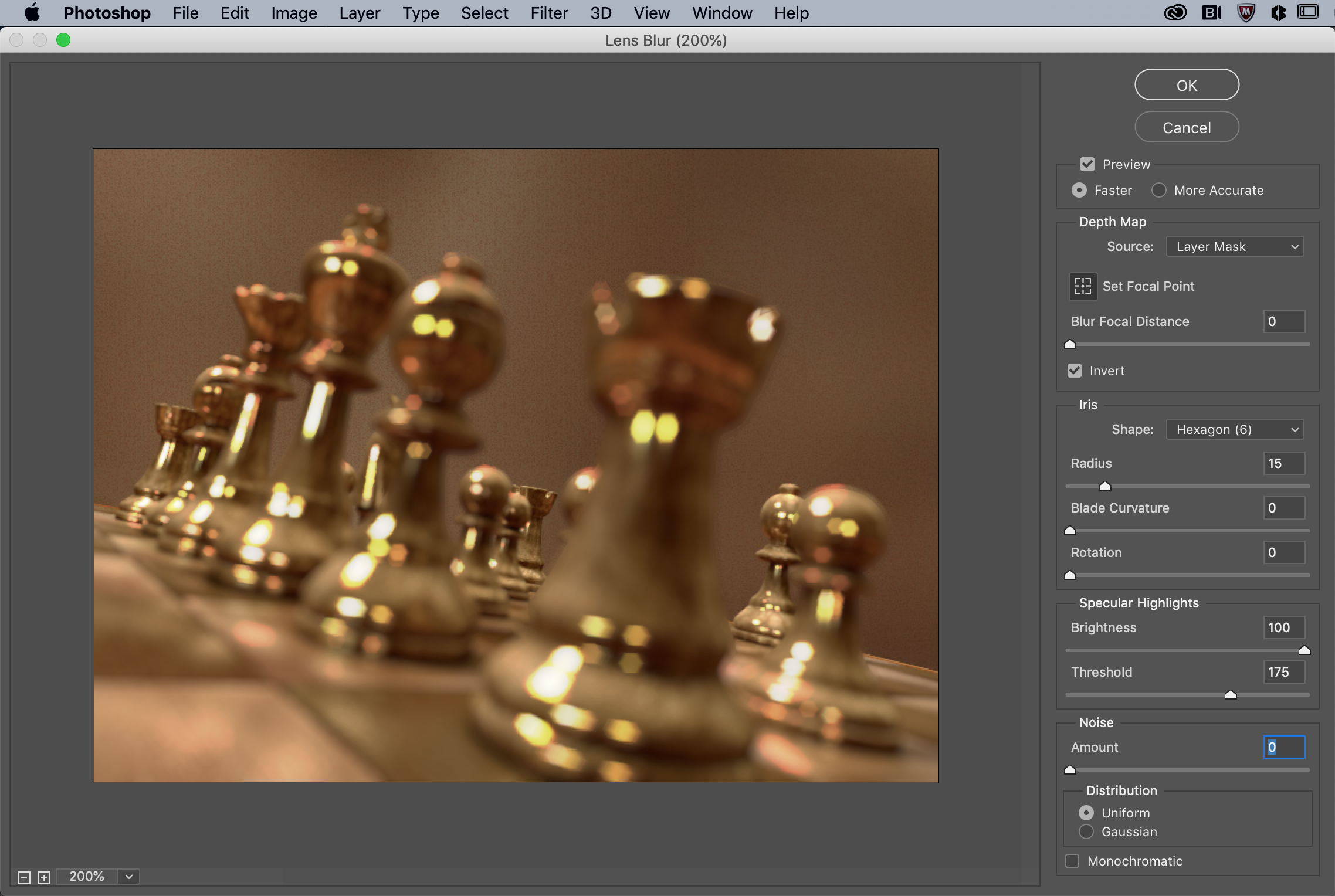
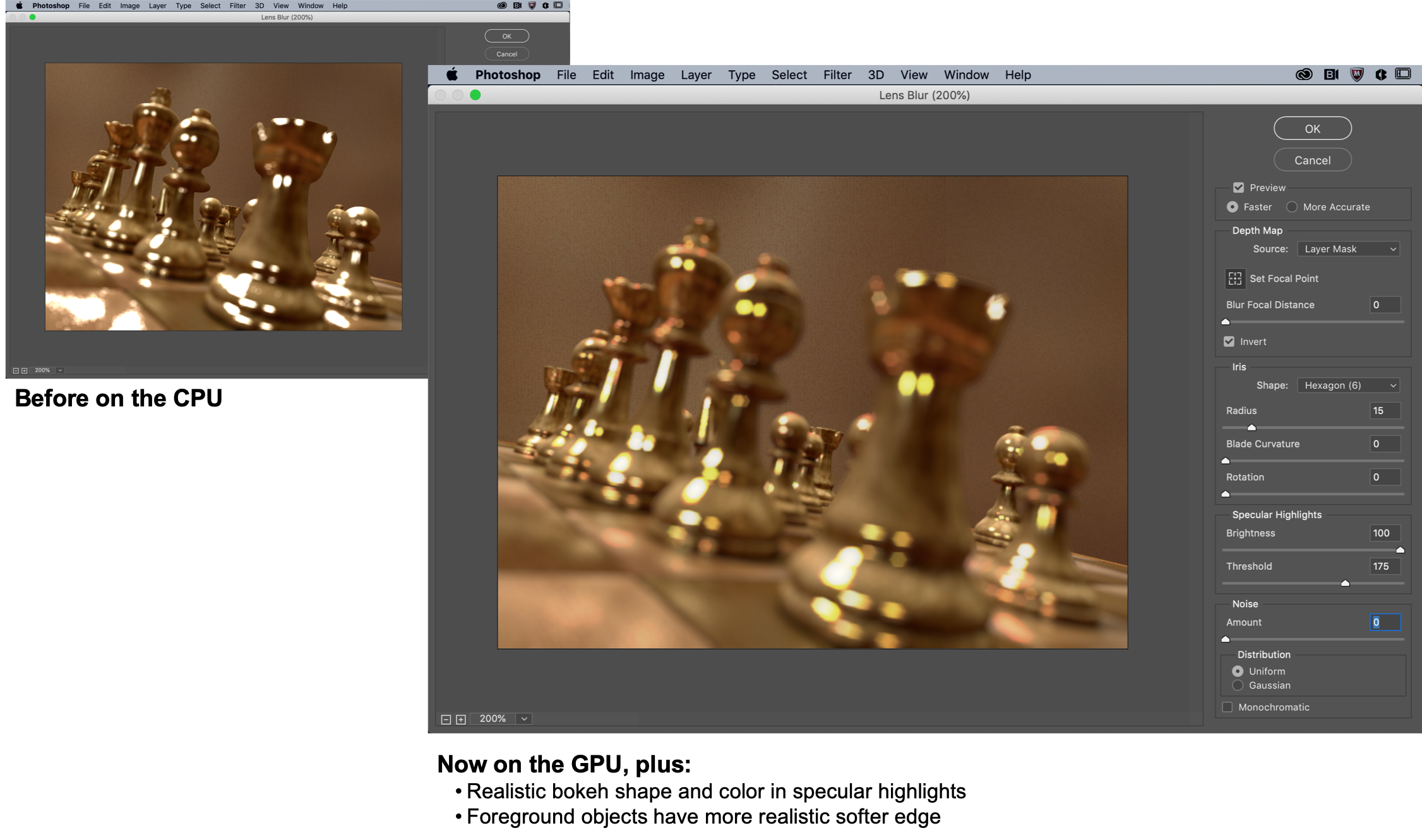
Adobe has improved the output quality and performance of Lens Blur and put it on the GPU. This significantly improves the overall realism, including the sharpness and edges when using Lens Blur to synthetically blur the foreground, background or even the middle of an image.
The feature also now delivers more colorful bokeh via the specular highlights. This produces more realistic and pleasing results.
Mac OS Dark UI support
Dark UI has been one of the more popular features of the Catalina Mac OS. Photoshop now supports the new dark mode. System dialogs like File>Open and File>Save now match the settings of your Mac OS.
If you have dark UI enabled, system dialogs will also be dark.
Performance improvements
You’ll discover some key performance improvements with a more buttery and seamless mousing experience. Clicking interactions like panning and zooming will feel smoother and more responsive. You’ll notice the biggest boosts on larger documents and when using the hand tool to zip around the canvas.
If you want to geek out, for stylus customers on Windows, you no longer need to use WinTab (you know who you are).




