In order for gamers to fully enjoy gaming with their AMD Radeon GPUs, AMD releases a major upgrade to its advanced software suite. Known as Radeon Software Adrenalin Edition, this new software from the guys in red promises to give an even more immersive gameplay setting with many new features included.
One of the newest features include the all-new Radeon Overlay, which is a new interface that allows gamers to keep tabs on their GPU’s performance without having to leave the game. Through Radeon Overlay, gamers can now adjust their gameplay to suit their specific standards of different games. Aside from monitoring your performance, Radeon Overlay also provides one-click access to many other features like Radeon ReLive (Radeon’s streaming feature), Radeon Chill (Radeon’s cooling software), Frame Rate Target Control (FRTC), Radeon FreeSync and Colour settings.
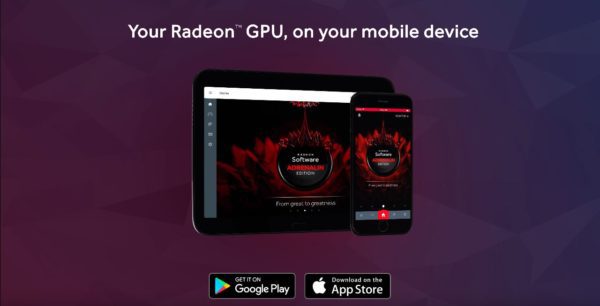
Aside from making life easier for gamers, AMD is also introducing its AMD Link mobile app, which is made available to both Android and iOS users. The mobile app will complement the Radeon Software on your desktop, acting as a secondary screen, if you will. If you’re ever away from your desktop but still want to be able to check on your PC and GPU performance, you can now do so through the app. The AMD Link app will also feature a dashboard with streaming and replay via Radeon ReLive, an AMD news feed and even send you notifications on the latest driver updates and releases.
Plenty of the features mentioned earlier have also received updates to its software. Radeon ReLive now accommodates a chat integration feature when you’re live streaming your gameplay on Facebook, YouTube and Twitch to name a few. Radeon Chill is also another feature with an update, now being able to support games based on the Vulkan API along with DirectX 9, 10, 11 and 12. Living up to its name, Radeon Chill promises to provide a quiet and cool gaming experience like never before.
As AMD’s power-saving technology, Radeon WattMan will now allow gamers to save and access their custom GPU profiles on their PCs at any given time. With the help of the Radeon Software Adrenalin Edition, you can now save custom GPU profiles and share them with fellow AMD Radeon users on the best way to optimise their GPU when gaming.