Opera has long been at the forefront of browser development. Loads of features we take for granted on Chrome and Firefox existed first on Opera. And now, the company has come up with a concept browser for the future of web surfing. It’s called the Opera Neon, and you can try it out for Mac or Windows.
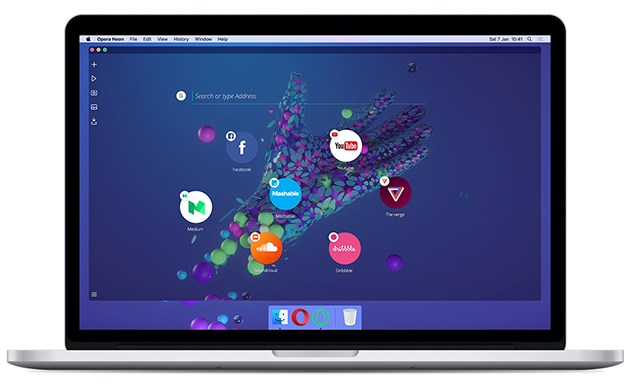
Unlike many other web browsers, the Neon is purely a concept, bringing in a lot of experimental new ways to experience the web. It’s built on the Blink engine, just like the Opera browser, but it’s completely different.
Opera Neon is packed with fun ways to interact with web content, including the ability to drag and push things around, and to even pop content out of the web and save it.
Here are some new features you won’t have seen in a browser before:
- A new start page that uses your desktop wallpaper as its background.
- A sidebar with its own video player, image gallery and download manager.
- A vertical, visual tab bar on the right side of the browser window that makes it easier to distinguish between tabs.
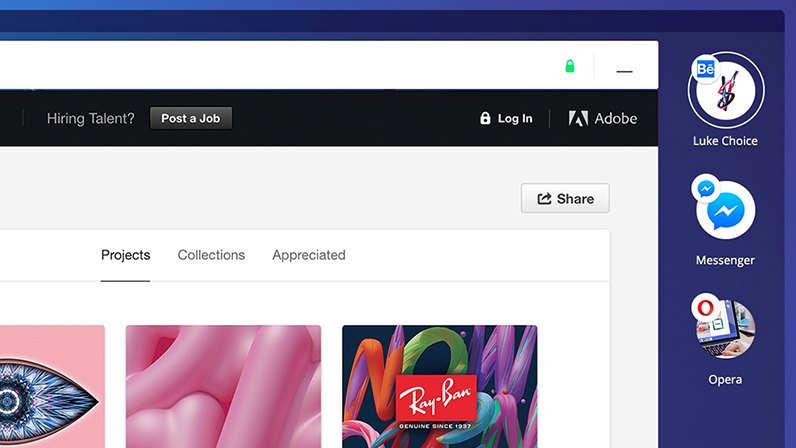
- An intelligent system that automatically manages your tabs. Like gravity, frequently used tabs will float to the top, while less important tabs will sink to the bottom.
- A completely new omnibox that supports top search engines and open search.
- Video pop-out, which lets you play videos while you browse other web pages.

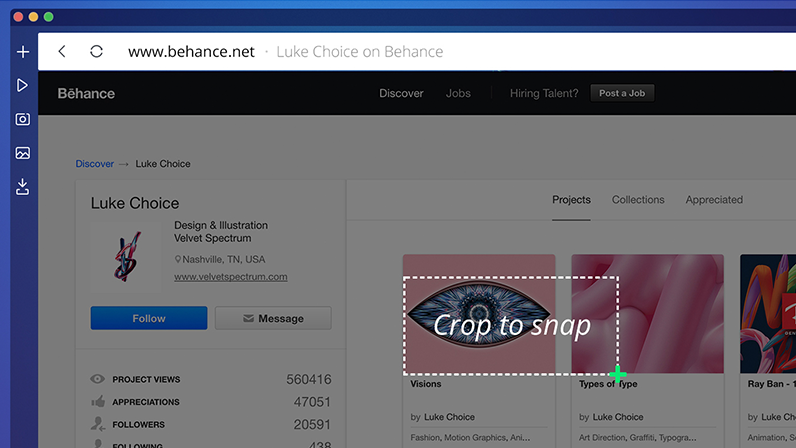
- Snap-to-gallery lets you snapshot and crop any part of a web page and save it to the gallery for later.
- Split screen mode lets you seamlessly view and interact with two pages at once.

It’s beautiful and it’s smart
Here’s how to manage bubble tabs:
- To open a new tab, click the plus icon on the left sidebar (the open tab will be highlighted).
- To add a favourite site to your tab bar, drag and drop the bubble there.
- To minimise a tab, click on the bubble or click the plus icon on the left sidebar.
- To close a tab, click on the x icon next to the bubble.
You’ll find several other icons on the left sidebar; one of these is the player icon. This gathers together tabs that are currently playing music and videos.
The camera icon on the left sidebar lets you to take a snapshot of the page, which then lands in your gallery under the landscape icon. You’ll find all your snaps there.
While Opera Neon has lots of new features – and many of the Opera browser features you know and love – there are some key features they have not included, such as Opera’s native ad-blocker, VPN and the ability to add extensions. The reason for this is simply that Opera Neon is a concept browser, built for experimentation and play.
A little something extra
Opera Neon wipes away your desktop clutter by bringing your computer’s wallpaper into the browser. Or, if you want to go full-Neon, two free Neon-inspired wallpapers by Luke Choice are available.