Samsung has built a series of innovative smartphone camera technology to make taking a perfect snapshot simpler. Just click the shutter and you will have stunning results be it a dreamy landscape or family portrait. As instant as it seems, all credits must be given to the powerful AI onboard Samsung’s flagship Galaxy devices.
Beginning with the Galaxy Note9’s Scene Optimizer, which used deep learning to deliver the best photos and editing effects, Samsung has continued to introduce more powerful AI features to its Galaxy cameras.
The Galaxy S21 series is the latest to feature Samsung’s cutting-edge AI-powered cameras, giving mobile photographers of all skill levels pro-grade tools that work behind-the-scenes to ensure every moment you capture is truly epic.
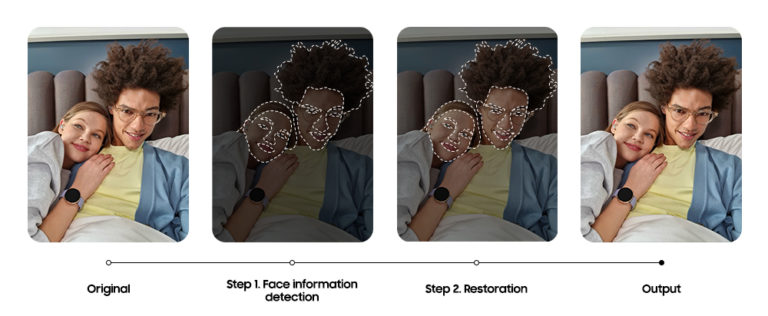
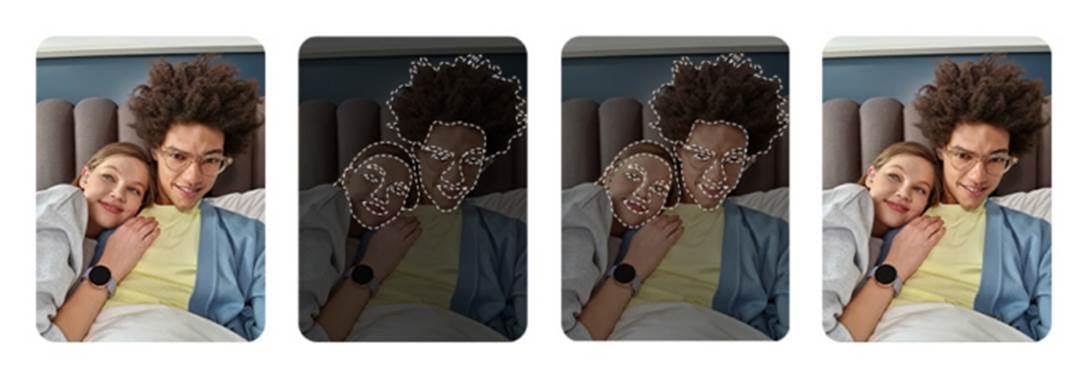
With Galaxy S21 series’ selfie camera, you’ll always look your best with AI that delivers a more natural look and improved details. There are two key parts to the enhanced selfie experience which are face information detection and restoration.
Samsung also included support for third party apps, so you can take images from your favorite camera or social media app and still get the benefits of an AI-powered selfie camera.
The Galaxy S21 series also goes beyond just improving selfies which also allows even beginners to capture studio-quality portraits of your friends, family, and even pets.
The recently advanced Portrait mode, known before as Live Focus also uses the improved 3D sensing to deliver photos with more depth and dramatic effects.
When using Portrait mode, you can select from a variety of special effects to apply to your final image which include Blur, Studio, High-key Mono, Low-key Mono, Backdrop, and Color Point. Right after you click the shutter, the onboard AI begins segmenting, matting, and refining the details of your subjects.
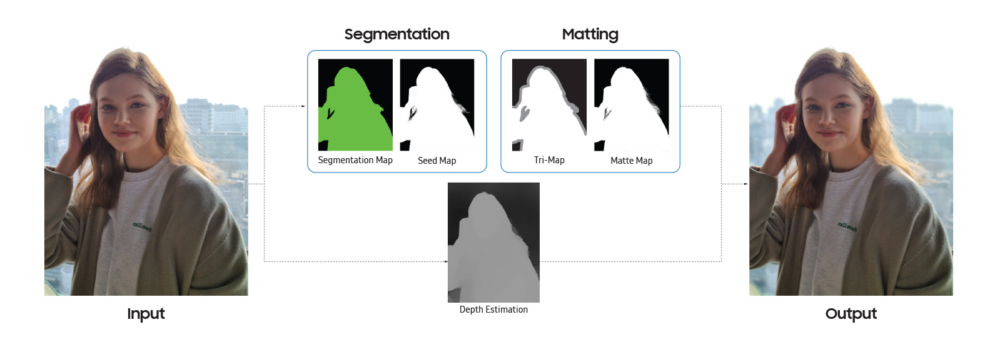
Here’s how it works;
- Segmentation Map: First, the AI immediately recognizes the humans or pets in the scene and generates an instant segmentation map to separate each individual subject.
- Seed Map: Based on this segmentation map, a seed map of the subjects is generated to which your selected effects will apply. In a portrait like in the chart above, a seed map would separate the background from the main subject.
- Tri-map: Image processing then adds a tri-map on top of the seed map, to identify the subject, the background, and the areas where they blend together.
- Matte Map: Matting is then applied to the tri-map to bring out the details in the hair and facial features of your subjects.
- Depth Estimation: Meanwhile, the AI simultaneously measures depth information to refine the background details and depth-of-field.

AI matting plays an important role in ensuring you capture them in as much detail as possible. After segmenting your subjects, the seed map generates a tri-map where black represents the background, white represents the subject, and gray represents areas of the image that are uncertain.
During image processing when the background is blurred out in Portrait mode, this map ensures that the blur doesn’t overlap with your subject.
A matte map is then generated to refine the details in the gray, unknown areas of the scene and to improve the resolution of the image. At the same time matting takes place, the AI uses the seed map to refine the details of the interior parts of the subject.
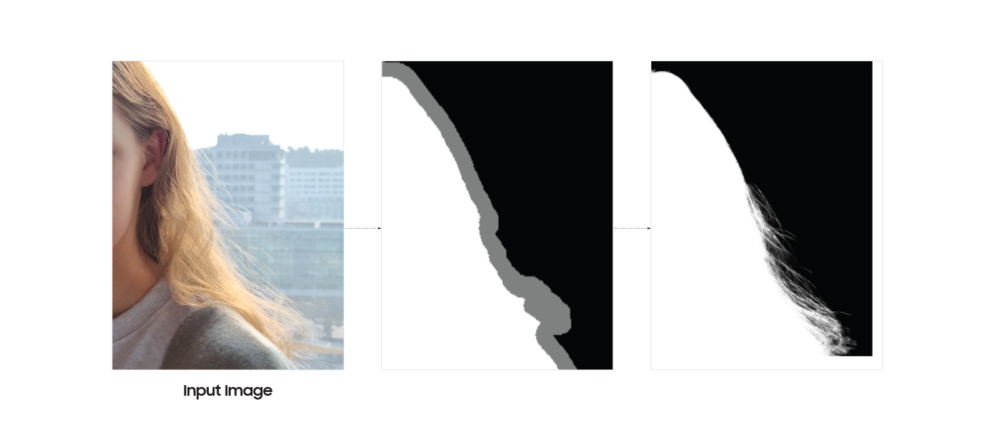
The maps are then combined and upscaled to produce a final, high-resolution portrait where your subjects really pop off the background. Although it seems like quite an extensive process, it all happens within 3 seconds.
To learn more about the intelligent features behind the Galaxy S21 series’ powerful camera, be sure to check out the rest of the Behind the Snapshot series at Samsung Newsroom.