



By the time you read this article, Windows 10 would already be out to the public. If you have an existing legitimate version of either Windows 7, 8, or 8.1, you’ll be able to update to Microsoft’s latest version of the Windows OS for free. For those of you who’ve yet to receive this free upgrade, don’t fret, we at PC.com will assist you with that. For those that have already reserved their copies of Windows 10, we’ll give you a brief rundown of some of the key features of the OS.
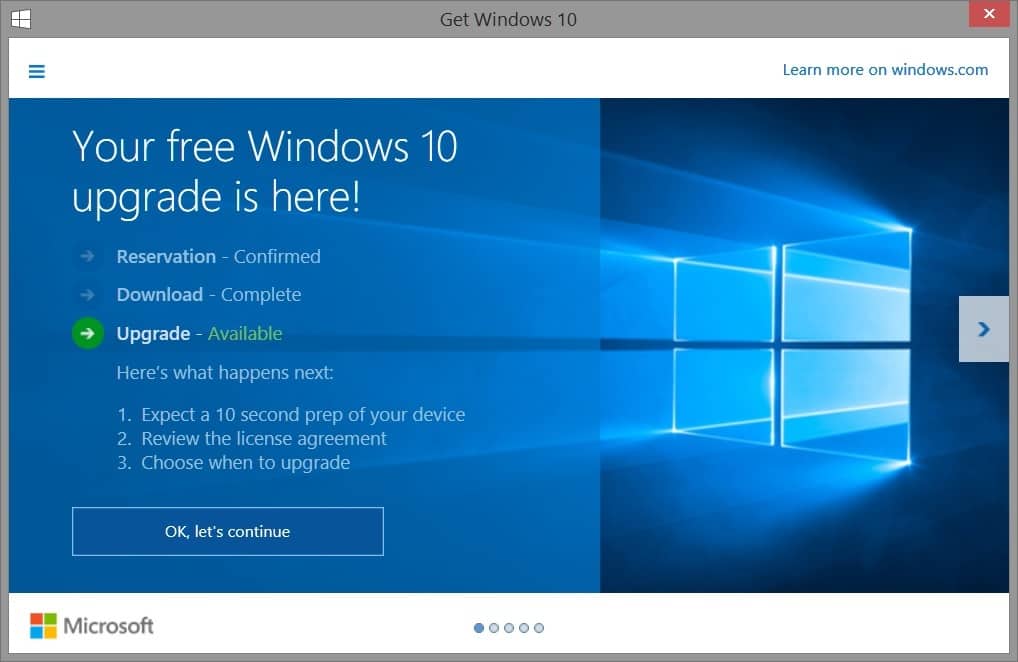
How To Upgrade:
Step 1
To get your free OS, the first thing you need to do is to update your Windows to the latest version via Windows Update. After that, let Windows install the updates as per usual.
Step 2
Upon completing the update, there will be a Windows icon at the bottom-right side of the taskbar. Clicking on the icon would open up a Window that allows you to reserve your copy of Windows 10 for free.
Step 3
Once you’ve reserved your copy, all you need to do is wait for you copy of Windows 10 to download. In the meantime, backup all important data or applications that you need just in case something goes wrong during the installation.
Step 4
When the download finishes, all you have to do is start the installer and follow the prompts on the screen to install Windows 10. After roughly half an hour or so (longer depending on how old your computer is), Windows 10 should be properly installed and ready for use.
Next installation of Tech 101 we will share to you some new features on the new Windows 10.
Byline : by Sia Zhen Ning





