


Ever dreamed of becoming a YouTuber? Or simply want to create video content online? That’s not an unusual job nowadays. With the power of the internet and technology, becoming an online personality is considered a job now.
But if you are a beginner and have never done any video creating whatsoever then you’re gonna need something to get you started. Other than a good camera, you’re gonna need to learn how to edit your videos yourself until you can afford your own editor (if you want one that is).
Whatever content you want to create, it’s best to start off small and simple so you can gain some knowledge and work on your skills for you to move forward to bigger and more complex editing. So today, here is a list of free (and easy?) video editing softwares to get you started:
iMovie

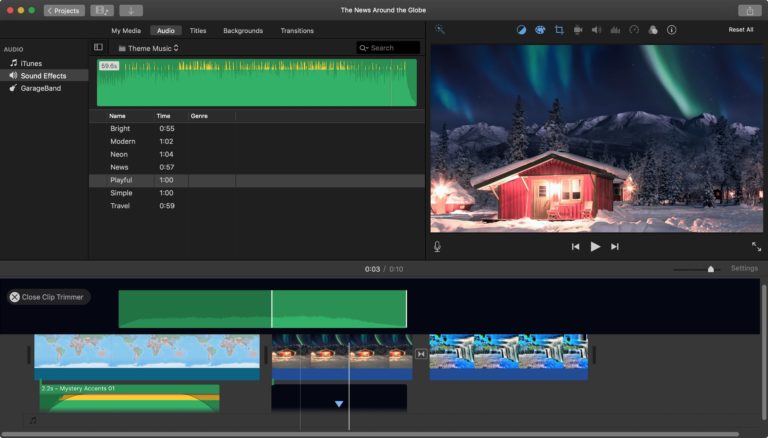
Let’s start off with one of the most simplest video editing softwares out there. iMovie is usually pre-installed in Apple devices such as iPhones, iPads, Macbooks and iMacs but if it’s not there then don’t worry, it’s free on the Apple App Store.
You’d be surprised by how many YouTubers started by using this software. I’ve been using this to edit my YouTube videos since 2015 and I’m very satisfied with the results. It’s fast, simple and there’s a lot of cool tools and features to make your videos better.
OpenShot

Now if you’re familiar with Windows Movie Maker back in the day then this should not be a problem for you. If you’ve never used Windows Movie Maker then don’t worry, the interface and tools on this software and extremely simple.
OpenShot is best for clip resizing, scaling, trimming, snapping, and rotation. It also offers credit scrolling, frame stepping, time mapping, audio editing, and real-time preview.
VideoPad

I’ve had personal experience with this one and I have to say VideoPad is a good starting point for those who are just starting with to learn about video editing softwares. I mean to some the interface may look scary and complicated but it’s not as complicated as you might think so definitely recommend you trying out and play around with it.
Movie Maker 10

Since Windows Movie Maker is no longer here, now it’s changed to Movie Maker 10. Now I don’t much experience wit this one but I have seen a few tutorials and based on those, this editing software looks simple enough. It’s great for making quick edits to short video clips you need ready right away. The interface is a bit different but hey as long as you’re able to play around with it, that’s fine by me.
Keep in mind that sometimes these free video editing softwares have Watermarks on them when you export your file unless you purchase the full version so choose your softwares carefully. If you know more softwares and have any recommendations, please share them in the comments! Happy creating everyone!





