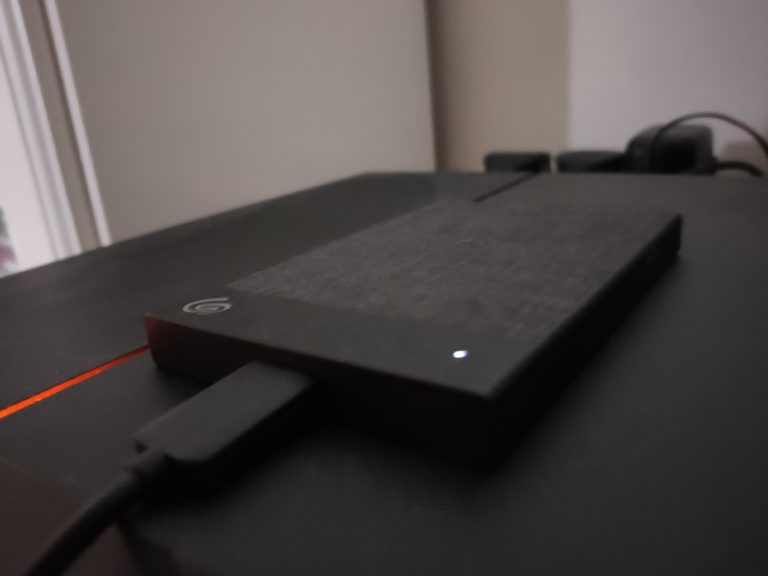

We got our hands on the Seagate Backup Plus Ultra Touch 2 TB HDD, and we’re here to talk about how and if it’s worth the money. There’s not that much we can do with a hard-drive really, but we’ll try to touch base on what’s important. With that, let’s get into our review of the Ultra Touch!
Storage and Speed – Transferring Data At It’s Easiest

The Ultra Touch comes with 2 TB’s of storage, which is adequately big. You don’t realise how much 2 TB’s of storage actually is, until you try to fill it up. While testing, we realised that the raw numbers won’t really make sense to a lot of people, so we decided to focus daily use features and how it works. The main purpose of Ultra Touch is to backup any and everything. It’s primary appeal is you plugging it in routinely, and it backs up your data for you.
Using cloud software to back up data can be somewhat of a burden, especially when you don’t have great internet access. So sometimes you have to rely on good old hardware. And that’s the focus of the Seagate Backup Plus Ultra Touch, as the name so very subtly implies. It’s capable of a one click backup, scheduled backups ranging from an hour to even monthly backups, and mirroring folders for file management.
As soon as you load it up, you can basically access all these things. There isn’t a need to install some software, which makes it a convenient setup. When you connect it to your PC, there’ll be a pop up that shows you what data you can back up, such as pictures, videos, documents, etc. It’s a matter of simplicity, and the Ultra Touch really does makes things simple.
It’s also compatible with USB 3.0, USB 2.0, and USB – C, so safe to say it’s fast enough to handle whatever you can throw at it. The Ultra Touch also focuses on securing your data with advanced password protection and 256 – AES hardware encryption, the same standard used by the U.S. government and other intelligence agencies. So I guess that makes this a pretty secure piece of hardware.
Aesthetics and Add-ons – A Good Looking Drive
The Ultra Touch comes in a pretty sleek form factor. It’s exterior is a woven fabric, so it does stand out, and it’s a pretty good feel in hand. It has a kind of industrial, but modern look. But considering it’s a hard drive, I’m not too sure how much it really counts.
It however, is a bit light. I would have preferred it to be bulkier, and a bit heavier, because that gives me a bit more confidence in it not breaking/malfunctioning if i dropped it. Overall it just seems a bit fragile. It does look sleeker than the others on the market, so there’s that. It comes at 14.8 x 78 x 11.7mm dimensions, and weighs 0.151kg. Which makes it really light, so for people on the go, it would be a preferable choice.
| Capacity | 1TB, 2TB |
| Interface | USB 3.0 (USB-C compatible) |
| Dimensions (LxWxD) | 14.8 x 78 x 11.7mm |
| Weight | 0.151kg |
| Colours | Black, White |
That’s not all too. Seagate have bundled the hard drive with some other software too. There’s a 1 year Mylio Create plan, which basically organises your photos, and automates protection while allowing them to be viewed in all of your devices. There’s also a 2 month membership for Adobe Creative Cloud Photography, so that’s a cool little bonus if you were looking for a new hard drive anyway.

Final Verdict
At the end of the day, you have to ask yourself if you need an external hard drive. If you’re looking for something sleek, fast, with a lot of storage space, I’ll recommend this for you. The RM 379 (At time of writing) price tag makes it quite an expensive addition to your hardware, but it’ll get the work done.