Review by Edward Mass
Another month, another NAS device from Synology. This time around, we have for you the Synology DS213j, a dual-bay network storage solution that is not only easy to use but is also kind towards your wallet.
Simplicity Sells
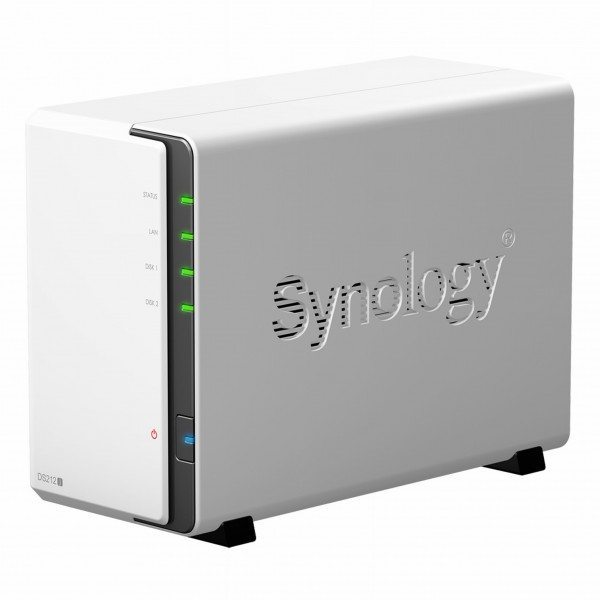
The design of the DS213j does not differ all that much when compared to the DS214 and DS214play we’ve reviewed in the past. The only difference here is that instead of just opening the front panel to take out the rails for the hard drives, you will need to open up the chassis in order to insert the drives. Thankfully however, it uses a screw-less operation method, so opening and closing the chassis was a relatively easy task to perform.
Decently Powered
The DS213j comes equipped with a 1.2GHz Marvell Armada 370 processor, which is capable of doing floating point calculations, which allows for faster multimedia processing, amongst other things. It also has 512MB of RAM built-in, ensuring it is capable of running multiple multimedia applications at the same time. The DS213J also comes with a lot of nice features that definitely makes it worth buying. As with other Synology products, the DS213J runs on the DiskStation Manager operating system, which comes with support for RAID configurations, and supports a wide variety of drive formats, including FAT32, NTFS, EXT3 and EXT4.
Remote Operation
Not only can you access the DS213J at home via your computer, you can also turn it into a downloading machine when you’re away, as it also has an Android and iOS app which you can use to download files remotely to the DS213J. As a standard, it also supports DLNA, meaning you will also be able to play back media on your mobile devices.
Performance Matters
As far as file transfer speeds go, the DS213J is no slouch as we’ve managed to get some relatively good speeds from our file transfer test. In trying to send 10GB files to and from the DS213J, we managed to get it to average at around 45-60MB/s, which is no doubt some spectacular numbers coming from a home network configuration. It does tend to fluctuate a bit here and there at times, but otherwise they peak out at around the 40MB/s mark.
Dimensions (W x H x D): 165 X 100 X 225.5mm
Weight: 0.91kg
CPU: Marvell Armada 370 1.2GHz
Memory: 512MB RAM
Drive Bay(s): 2
Drive Type: 3.5 inch SATA III 6.0Gbps, 2.5 inch SATA III 6.0Gbps
Drive Format: EXT3, EXT4, FAT, NTFS, HFS+ (Read only, max 2TB)
Max. Internal Capacity: 10 TB (5 TB HDD X 2) (Capacity may vary by RAID types)
Internal Drives: EXT4
External Drives: EXT4, EXT3, FAT, NTFS, HFS+ (Read Only, with max. volume size 2TB)
Ports: USB 2.0 x2
Connectivity: Gigabit LAN X 1
Value: 8/10
Features: 8/10
Performance: 8/10
Design: 8/10
Usability: 8/10
Verdict: The Synology DS213j is not only affordable, but also set up and use, and performs impressively.
Total Score: 8/10