


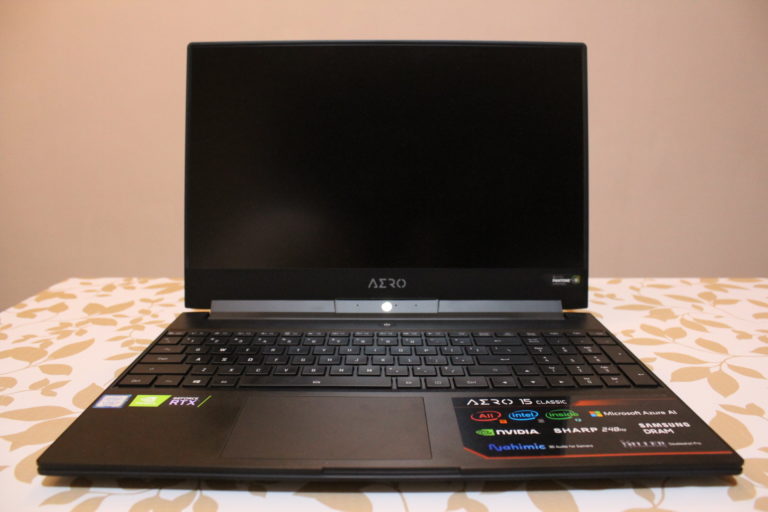

Launched recently on the July 15 th this year in Malaysia, The Aero 15 Classic-XA is one of Gigabytes’ newer iterations of its high-performance laptops. The Aero 15 laptop has a previous model that was launched earlier of this year, but this time around it comes with a different name and an upgraded hardware system to bring its “A” game to the gaming laptop scene.
Design


The Aero 15’s built quality is solid and light for a gaming laptop of its caliber, sporting a rather slim and stark design with its plain black aluminium hood that is contrasted with the carbon fibre arrow shape that is situated at the hinges as well as the nicely lit glossy white Gigabyte logo that sits just right above. With its body made mostly out of aluminium, the 0.7-inch chassis still feels durable, weighing in at 2kg with a frame dimension of 356mm x 250mm x 18.9mm.
Features
DISPLAY

The 15.6-inch matte IPS panel and a 1920 x 1080 resolution display has great color as well as
smooth visuals from its staggering 240-Hz refresh rate, however the screen display is pretty dim
at max brightness but makes up for it for having anti-glare coating and the screen display is so
solid and light that you’re able to lift it up with a single finger. The viewing angles are excellent
with both top and side bezels looking nice and thin.
KEYBOARD & TRACKPAD

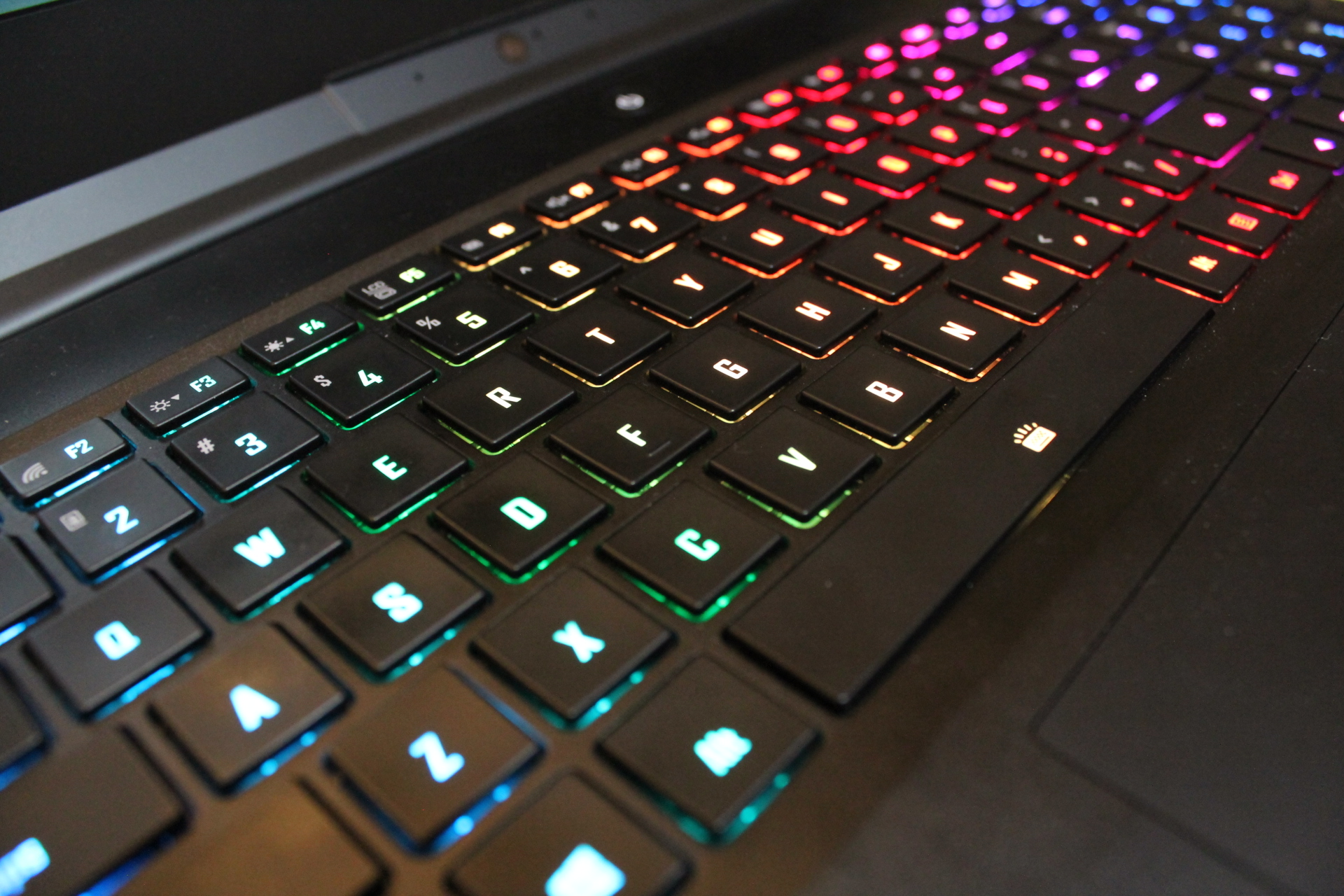
The keyboards are stretched from edge-to-edge with decent spacing, allowing a comfortable typing experience although the key travel isn’t as pleasant and feels rather squishy. Even so, switching from one key to another feels pleasantly quiet and the RGB lighting of the keys are bright and striking, allowing for 7 different colors variations with different types of animations that is customizable through the Gigabytes Control Centre’s Fusion tab. The 4.2 x 2.7-inch trackpad complements the 240-Hz display with its precision and its smoothness to the touch that makes browsing the web a joyful experience.
PORTS
There is a good amount of ports that are necessarily present on the Aero 15 for gamers and regular users alike. On the left side there are RJ45, USB 3.1 Gen 2, HDMI and one USB Type-C ports along with a 3.5mm headphone jack. The right side holds a Kensington lock slot, the power jack input, two USB 3.1 Gen 1 ports and one Thunderbolt 3 port along with a UHS-II SD card reader.
Performance
Within its slim yet sturdy fabrication of a body, The Aero 15 houses an Intel Core i7-9750H processor with speeds of up to 4.5GHz of DDR4 memory along with 16GB of RAM that is more than enough to do your multiple web browsing and gaming at the same time without yielding to the memory load. Powered by Nvidia GeForce RTX 2070 Max-Q GPU with 8GB of VRAM along with the integrated AI system, playing games on this feels invigorating with its 4k playability and also consistent frame rates that are around 40 to 70 fps range.
AZURE AI
The Aero 15 is one of the first gaming laptops that utilizes Microsoft’s Azure AI (artificial intelligence) that optimizes the performance of the laptop by adjusting the power distribution of the CPU and the GPU for you automatically based on the data it collects from the specific applications or games that you use and play without the hassle of manual configuration. The Azure AI comes in three different modes which are the AI Azure Download, AI Azure Download and Upload and AI Edge learning. AI Azure Download basically allows the system to be fully connected to the cloud, but it doesn’t share the settings like the AI Azure Download and Upload, which has the same function. The AI Edge Learning adjusts the performance based on the data
that has been collected from ongoing usage. The in-game performance only increases ever so slightly with the use of these modes as compared to the AI being disabled, and you don’t see that much of a difference when it is turned on or off.
AUDIO
The built-in stereo speakers with Nahimic 3 are situated at the bottom of both sides of the laptop, firing a clear sound quality but lacks proper depth and you would need to increase the volume to a certain level to be able to listen to your music or in game sounds as it is quite hollow and quiet.
HEAT & SOUND EMISSION
It is not advisable to put the Aero 15 anywhere near plastic or your body because after playing a game, the bottom and top parts of the laptop can get to an extreme temperature, rising from around 40-50°C to an approximate of 90°C or so. This is more apparent at the area where the hinges and the power button are, and you could possibly burn yourself if you put your hand over there. The cooling fans do reduce the amount of heat to a certain degree, however the amount of noise coming from the fans at maximum level is pretty off putting if you’re the sort of person who enjoys some music or in-game sounds in general.
BATTERY LIFE
The Aero 15’s 94.24 WH, 6200 mAh Lithium-Polymer, 15.2 V battery has a really good life span of over 6 hours of purely browsing the web with multiple tabs running while unplugged. The large battery and power efficiency makes the Aero 15 an exceptional gaming laptop. The rated output of its AC adapter is 230 watts.
Camera Performance
The Aero 15 houses a 720p camera that has decent color but low resolution even when upscaled to 4K, which doesn’t do justice to the laptop in all respects. This coupled with the fact that the camera sits at the bezel of the hinge, which in my opinion isn’t the best position for taking pictures or making video calls because of its awkward viewing angle.
Speed Test
It took the Aero 15 about 1 minute and 15 seconds of upload a 3GB movie through its 3.1 USB Gen 2 port and the download speed of a 24GB game took about 50 minutes or so for completion.
Final Verdict
The Aero 15 is a great addition to Gigabytes’ line of high-performance laptops with a sleek design and A great performance to boot, although the Microsoft’s Azure AI in my opinion isn’t really the selling point here but nonetheless it is a good feature that showcases the capabilities of AI technology. What truly makes this laptop stand out is its 240-Hz display, deep travel keyboard, long battery life and great performance in gaming, justifying its RM 9,699 price tag.
Despite that, it is hard not to ignore its flaws such as the quality of the webcam, the high temperatures, the sound emissions from the cooling fans and the slight dimness of the screen. Even so, the Aero 15 has tons of great features that makes it a considerable purchase for gamers, content creators or regular users alike.




