



The beauty of Netflix is how seamless it is across all their platforms. You watched something on your smart TV? It’s there on your laptop. Watched something on your laptop? It’s there on your smartphone, or tablet. But the one thing that has seen a rise, especially in Malaysia, is the amount of mobile only users out there. Late last year, Netflix released a new mobile only plan which cost RM17.
Now, that in mind, we know how many people actually use Netflix, just on their mobile devices. Netflix understands the need, and has now released a new update that introduces a new “Screen Lock” button in the Android app.
I could think of any number of uses for this, so I’m particularly glad this is a thing now. Maybe you’re a parent, with kids constantly interrupting your Comedy movie, or you’re lying down weird in bed and the buttons keep popping up on screen because you touched your phone screen.
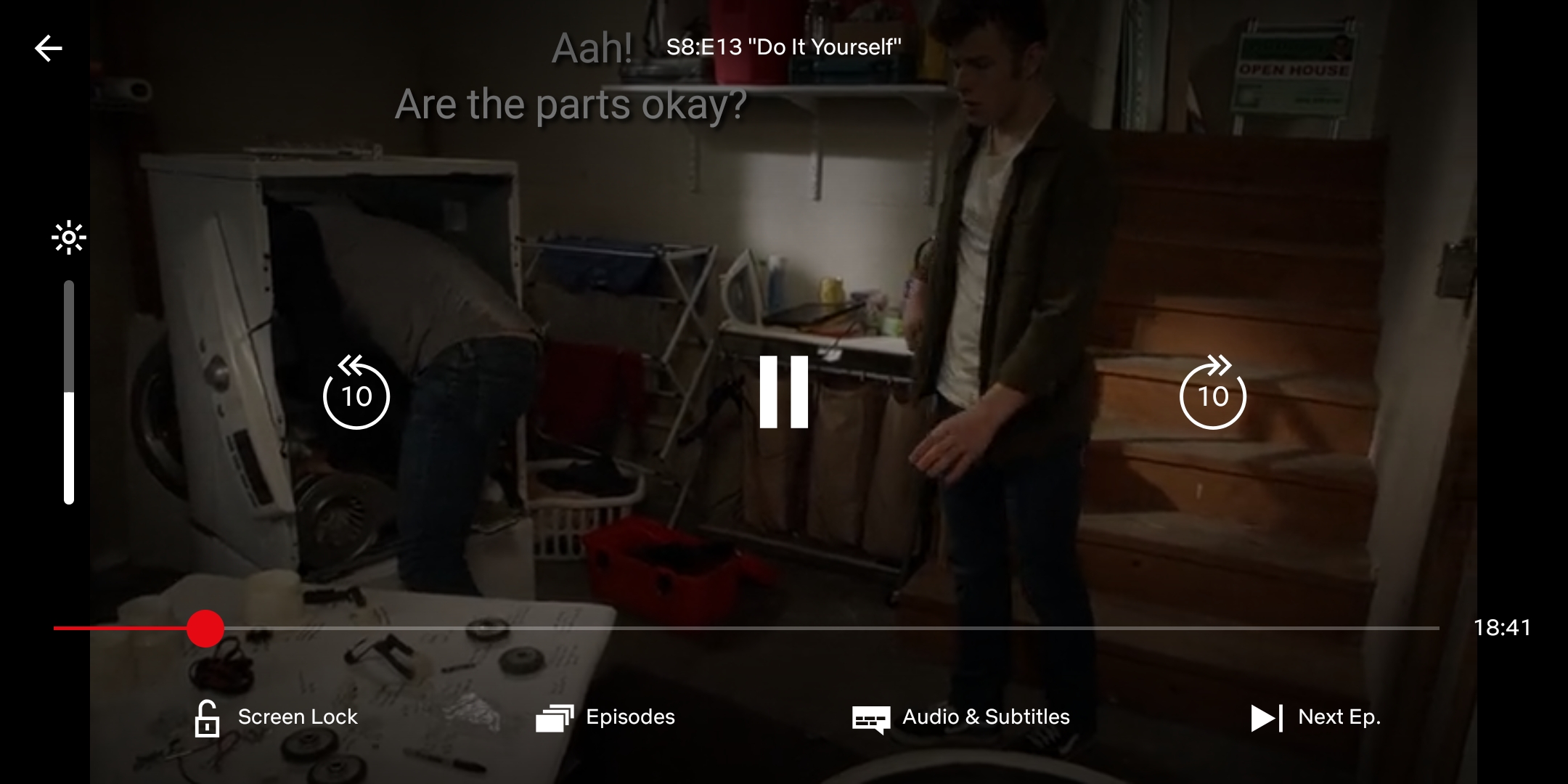
This new “Screen Lock” button pops up when you start a show/movie on Android, and is in the bottom left-hand corner of the screen. When you tap the button, it’ll hide all other on-screen buttons, such as the play/pause, skip 10 seconds, or next episode buttons, among others.
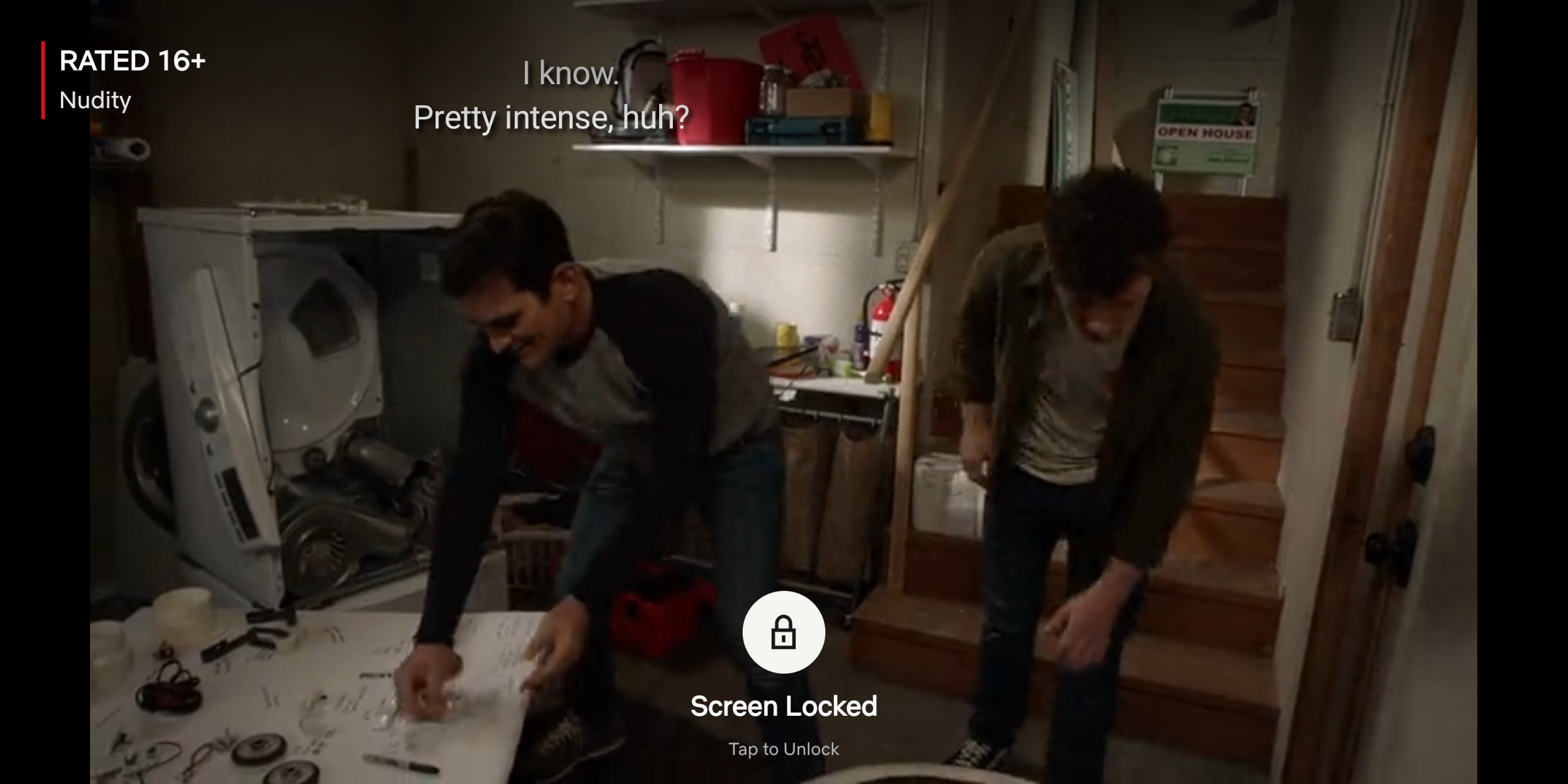
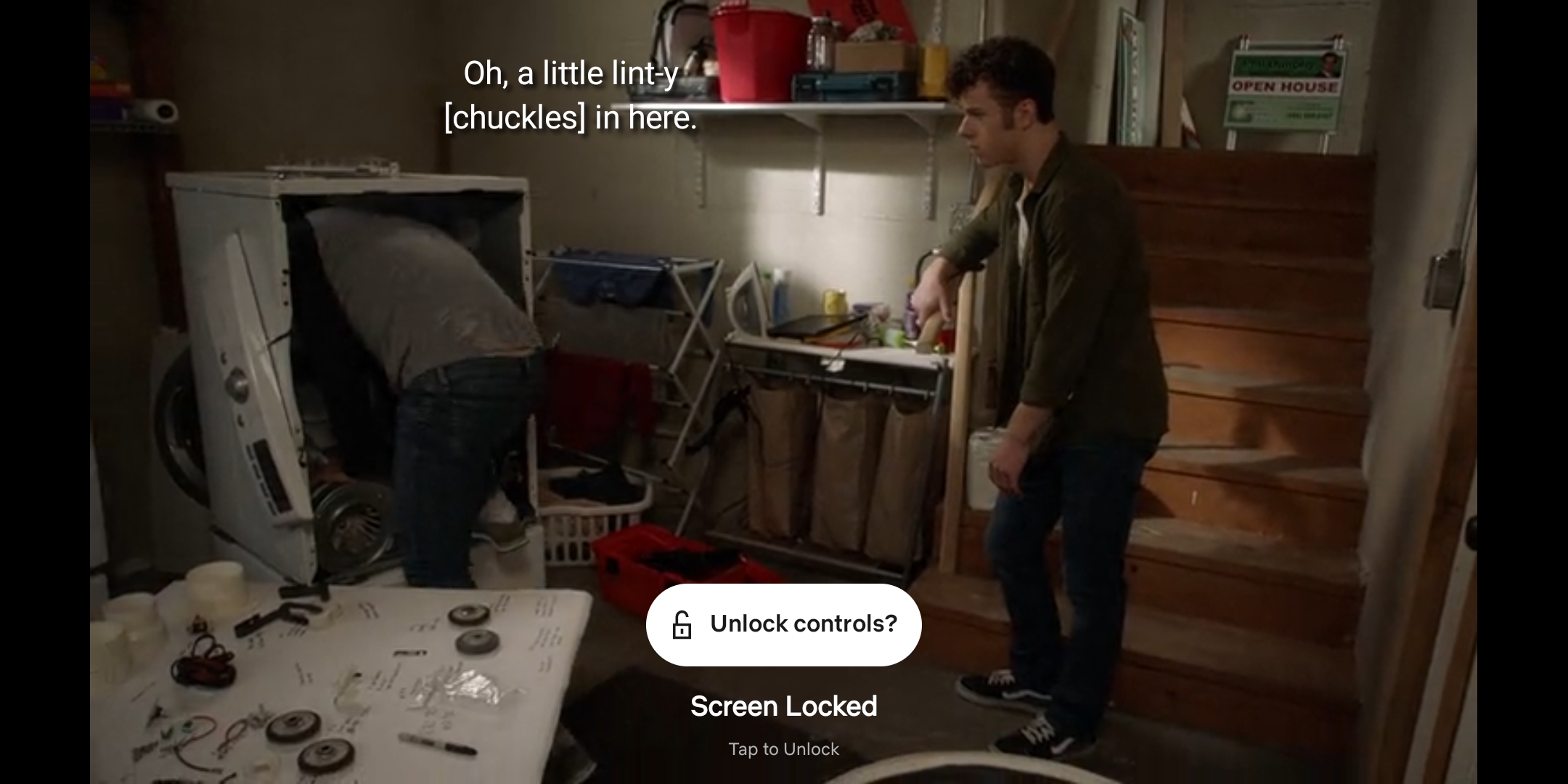
Once you’ve locked your screen, there’ll be prompt that says “Screen Locked”, which you can tap on to unlock the screen. You will have to confirm the unlock once more, to see the other controls and buttons on Netflix. The pop up will then disappear so you can watch whatever it is you want to. Though when I tested it out, you can still use gesture navigation or navigation buttons, as well as the status/notification bar.
It’s not substantial, but it is a welcome quality-of-life upgrade that mobile Netflix users will be sure to appreciate. I know I will. Though 9to5Google does mention the feature is rolling out as part of a server-side update to the Android app. No word on the availability on iOS just yet. If you still can’t see the feature, check the Google Play Store to see if you’ve updated to the latest version of Netflix.




