



There are a number of you who are looking forward to take advantage of the USB-C on your laptop. Sooner or later, USB-C become a standard port across devices. Apple is the first to standardize their latest line-ups of Mac computers to use USB-C. Other companies like Dell for instance, are slowly implementing more USB-C ports into their computers. However, the only drawback of companies beside Apple is that they are not including Thunderbolt technology into every computer despite having USB-C.
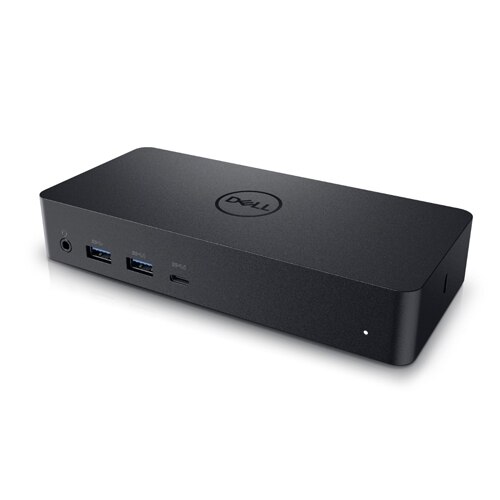
Notebooks these days are getting slimmer and thinner thus having to delete certain ports. Companies seem to overlook the importance of these ports. Although these ports are mostly replaced with the inclusion of USB-C, consumers would still want to take advantage of those legacy ports. There are adapters which can go with the USB-C on our notebooks. Unfortunately, regular USB-C ports are not capable of fully utilizing the adapter to extend displays or even charge the notebooks. This is just a minor concern for me in my opinion because there are universal docks out there which can overcome such problems pretty easily. Introducing, the Dell Universal Dock D6000.
Design
The packaging is pretty simple with just the dock, power cable and the adapter. Take note that adapters are different from docks. One of the biggest differences is that docks require power. The D6000 has a rectangular shape which is almost the size of its power adapter, except thicker. You’ll love how the thick dock gives a pleasurable experience when using it.
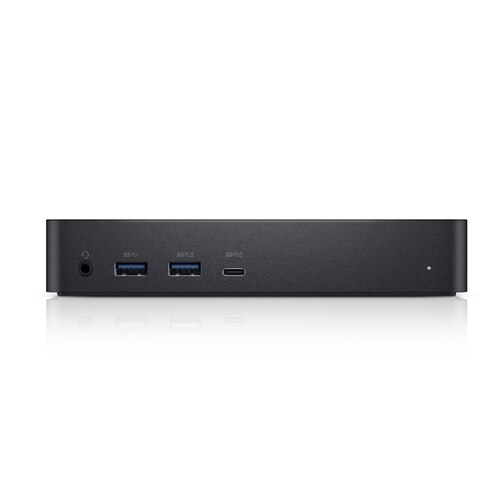
Ports are laid out at the front and back of the adapter. In front, there is a 3.5mm headphone jack, two SuperSpeed USB-A 3.0 with one of it having PowerShare capability and a USB-C with PowerShare as well. PowerShare is a technology which is capable of charging your devices.

At the back, there are two DisplayPorts, a HDMI port, two SuperSpeed USB-A 3.0, an Ethernet port and a power port. A cable runs from the left side of the dock with one end having either a USB-C or USB-A connector. On the right, there is a Kensington lock slot available.
Usability
The universal dock is pretty straightforward to use without having to crack your head. All you need to do is just power up the dock and you’re pretty much good to go. You can expect less cables connecting to your laptop from this moment forth because the dock does all the connectivity for you. The dock supports up to three 4K displays at once to increase productivity and get work done in a faster pace. If you do plan on using three displays, you can connect the third display to the USB-C port on the dock.
At the same time, you can listen to music using your choice of headphones or speakers connected to the dock. Need to connect to an external hard drive or a regular USB drive? Don’t bother looking at the sides of your laptop and struggle to connect because the dock just right in front of you. Moreover, it could save you some time because all the USB ports on the dock support SuperSpeed. If your WiFi connection is terrible, just connect an Ethernet cable to the dock even if you have an Ethernet port on your laptop.
Conclusion
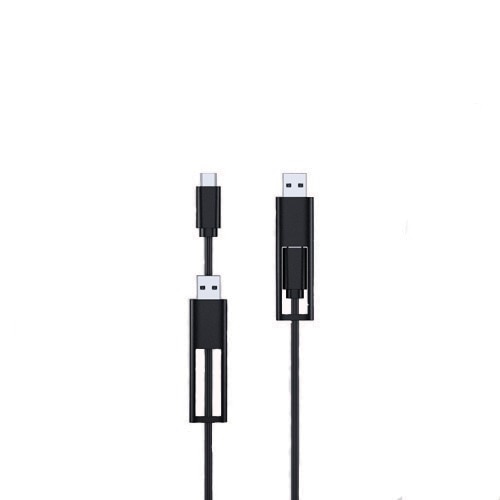
I personally find this dock to be very useful and would love to own one. Simply because, all the connections run to the dock itself and all it takes is a single cable to connect my laptop to the dock. This makes it easier to setup my laptop and unplug the cable if I choose to take the laptop with me elsewhere. Moreover, Dell has put enough thoughts when coming up with the design. Safe to say that anybody can take advantage of the dock because of the ability to connect using either USB-C or USB-A. It may not be the most reasonably priced dock station because it is priced at RM1062. If there are other docks with similar features for a cheaper price, I’d go for it. Else, I would choose the Dell Universal Dock D6000 without a doubt for what it is capable of.




