First Looks
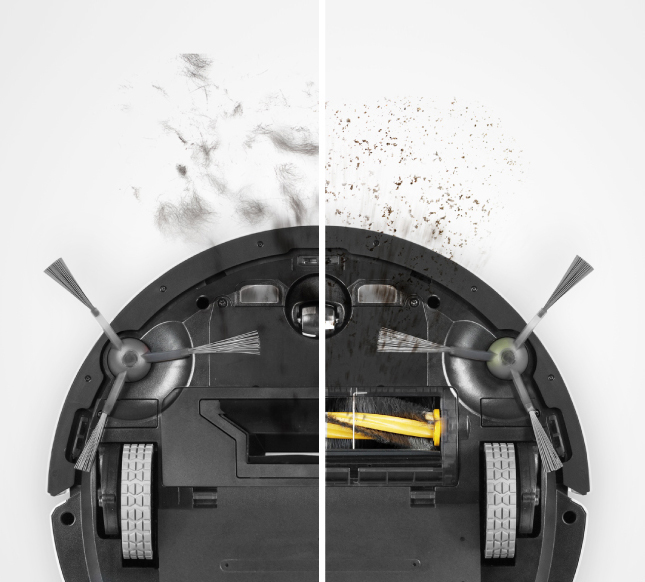
Doing household chores is a chore and we try our best to avoid doing them if possible. They are not only a must but they are tiresome. Luckily for us, technology helps us so we don’t have to face them. Ecovacs released a robot vacuum called the Deebot 900 and we enjoyed having it cleaning our home. This is my first time using a robot vacuum so I can say there were no expectations. Looks wise it is a round design and it’s not too heavy. Having a round shape makes it easy to clean corners. The Deebot 900 features a bumper to protect it from bumping into walls or furniture. Thankfully, its sensors are good enough to know when it is nearing obstacles. Two detachable side brushes are located under the robot vacuum to push dirt from the edges of the room. The interface is clean and simple with an Auto button. Most of the functions are controlled using my iPhone so I hardly used the Auto button. Based on the specifications the Deebot 900 is 13.27 inches in diameter and 3.74 inches in height. It weighs 3.5kg. It can get under most tables and chairs for thorough cleaning. The robot vacuum comes with a charging dock and we will cover that later in the review.
Clean and Clear
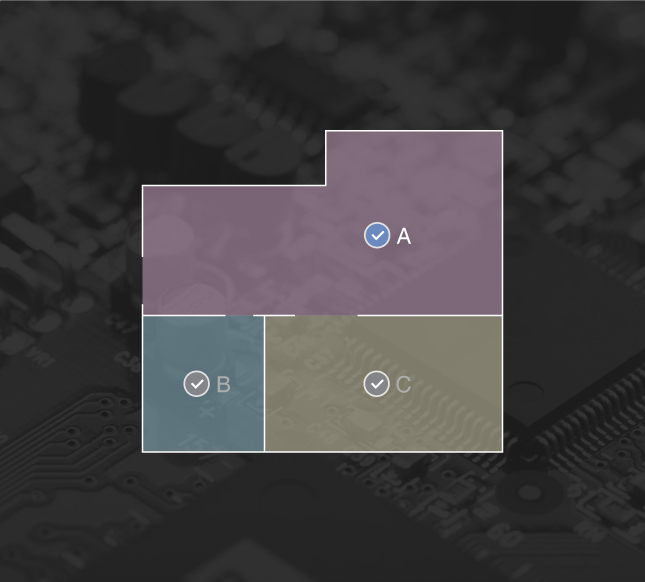
The first thing you do when you unbox is to make sure it is fully charged. Next, download the Ecovacs app into your phone via the Apple App Store or Google Play Store. Make sure that the Wi-Fi network in your home is connected. You need Wi-Fi to connect the robot vacuum to your phone. At first it was hard to detect the robot vacuum due to some technical issues but that cleared up after I downloaded another app. There are two Ecovacs apps, one that worked and the other one that didn’t. Once you are connected, it’s good to go. From the app you can turn on the robot vacuum and it will start instantly. The app will show the robot vacuum on your phone and you can view a live map. This feature is really cool because it can show you where it has cleaned and where it has not.
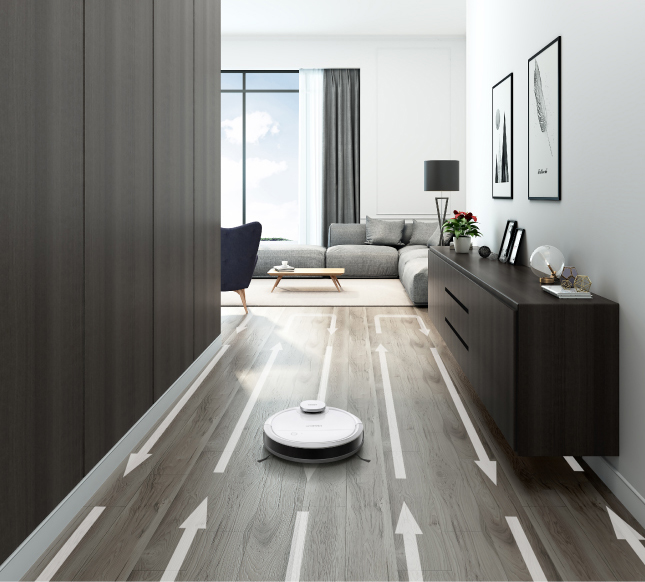
The Deebot 900 maps the area and it moves in a zigzag motion. When it comes across an obstacle, the sensors will pick it up and the robot vacuum will avoid the obstacle. It can also remember the previous mapping and follow the same route another time. You can schedule when to clean and also use the Do Not Disturb mode. One thing good about the Deebot 900 is that it also has a mop feature. Just add water (no detergent) into the robot vacuum and it is good to go. We were advised not to use detergent as it might damage the electronics of the robot vacuum. So far, the Deebot 900 does a good job whether it is just sweeping or mopping. It is not that loud but the noise is definitely noticeable. I like the fact that it will announce if it gets stuck or if it is charging.
Smart and intuitive
Just as promised, more about the charging function – the robot vacuum can go back to the charging dock by itself when you click on the function in your phone. It could be the mapping technology that makes it remember where the charging dock is. The Deebot 900 would also alert you if it got stuck at an obstacle. Do not forcibly pick up the robot vacuum in the middle of it running as it will also cause the map to reset and other errors. To clean a regular ground floor, about 500 square feet it takes half an hour for the robot vacuum to go through it. When it reaches stairs, it will automatically stop and avoid the stairs. As for rugs and carpets, it may not be able to clean it smoothly. The thickness of rugs and carpets might be friction for the robot vacuum so it will not work. To continue, remove the rugs and carpets and the robot vacuum will continue its job. After all the cleaning, remove the dirt from the bin. The mat that’s attached to the robot vacuum can be removed for cleaning. It has to be dry before you install it back.