



360fly 4K
Reviewer: Sharil Abdul Rahman
 Standard mountings
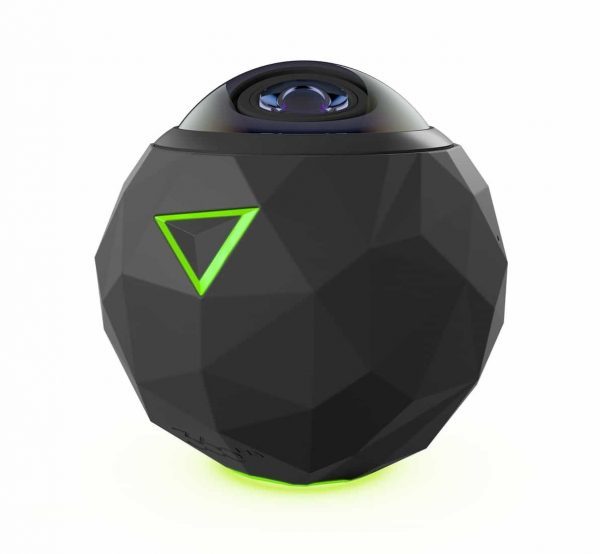
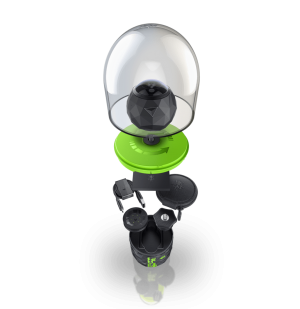
The 360fly 4K is one of the many 360-degree cameras that is now flooding the market. What makes this camera different is the design – the lens is situated on the top of the device and captures everything with only a single lens. Plus, the camera comes with a standard 1/4inch thread so it can be screwed into any tripod with ease
 All-around photo
Connect the 360fly 4K to your smartphone, and snap away. Our big comment is that the pairing step can take a bit of time to establish – we once had to wait over 30 seconds for the app to see the camera. But once it is set up, the image taking is as simple as pressing a button.
Simple operation
The 360fly 4K is easy to use, as there is no other button than the power/record button on the unit itself. It is purely done with the app, so the operator can be away from the device as it records. Plus, the 64GB of internal storage means that your 4K video files will have enough space in the device even if you are away from a computer for the day.
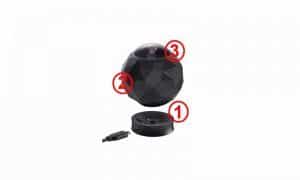
1 – Magnetic charging
Powering the 360fly 4K is easy – dock it onto the included magnetic base and it will charge of a microUSB connection
2 – Futuristic design
The angular design of the 360fly 4K is surprisingly comfortable in the hand, as there are no real sharp corners
3 – Live-stream in 360
Connect the 360fly 4K to your smartphone, and then stream the video as a live stream – in 360 degrees
Specs
Price: RM
Dimensions (HxWxD): 169.4 x 225.8 x 59.9 mm (each)
Weight: 172g
Wireless: 2.4GHz & 5GHz 802.11 b/g/n
Bluetooth: Bluetooth Smart Device (BT LE)
Storage: 64GB
Video format: H.264
Video resolution: 2880 x 2880 @ 30FPS Max @ 50Mbps
Supported Mobile O/S: iOS 9+, Android 4.4+
Environment resistance: Dust (IP6X), Water (1ATM), Shock (1.5m)
Score
V – 8
P – 8
F – 8
D – 8
U – 7
Total – 7.8
Verdict: This ball of a camera will capture all your memories in surround imagery – 360 degrees in fact. It is a bit slow, but it is easy to use once the app connects to your phone.





