



Instead of searching for an entire image, Bing is one upping Google – letting you search part of the image.
Say you’re interested in an object in a picture – you can now search for objects that resembles that object with Bing Visual Search.
Now in Bing’s Detail View, you will now see a magnifying glass symbol in the top left of the image. They called it the visual search button.

Clicking the visual search button displays a visual search box on the image. You can click and drag this box to adjust it to cover just the object of your interest. You can also simply draw a box around the chandelier.

Every time you adjust the visual search box, Bing instantly runs a visual search using the selected portion of the image as the query.
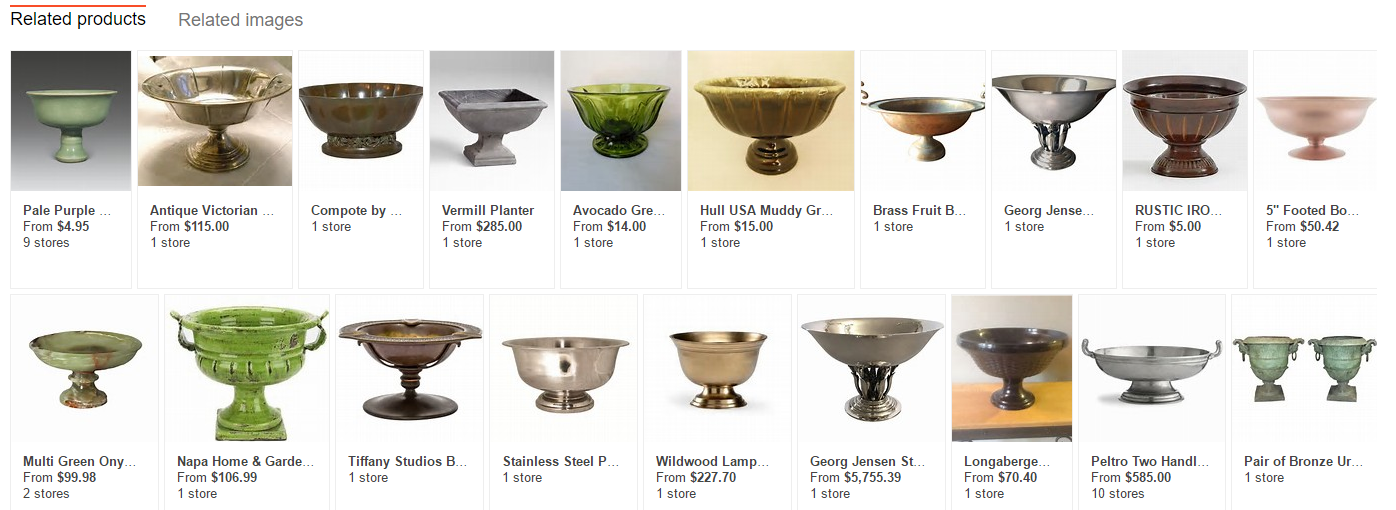
As the most obvious reason for using this feature is perhaps for shopping, Bing suggests, Bing image search automatically detects the shopping intent and run a product search to find matching products:

And then you can go about doing usual online shopping business. That’s Bing’s view for it anyway.
For those who really aren’t shopping, you can click on “Related Images” to explore similar images.

After the initial search, users can return to the same image to search for another section of the image. In this case, Bing is noting a bowl – and you go through the same processes again.

However, Bing is aware they can’t do everything. “Visual search is in its infancy, and we are aware of cases where there is still room for improvement. For example, you may need to tweak your visual search box to fully capture the object of interest to get the best results.”
So it’s not perfect, but they are trying to get there.
This functionality is available on desktop or mobile devices. Developers can build visual search into their app using Bing APIs.
Would this finally draw more users to use Bing instead? (at least until Google catches up)





