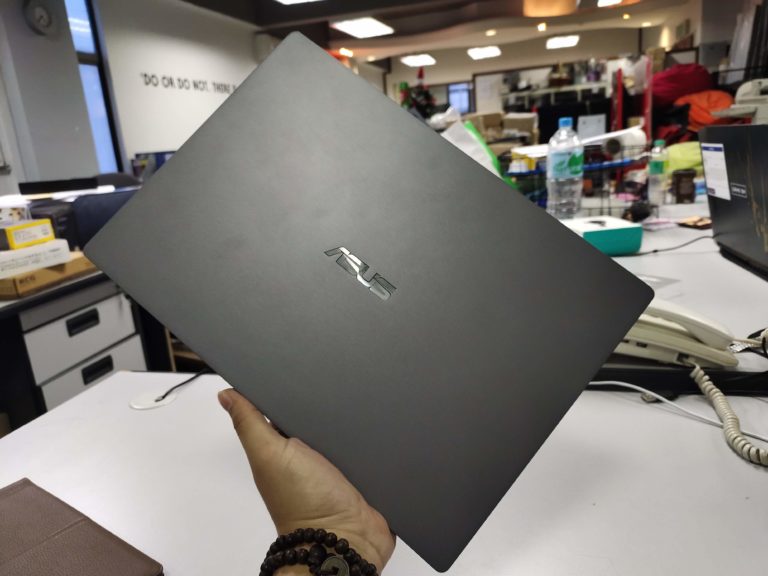

The ASUS ExpertBook P5440F is a laptop geared towards those on the go (as many are these days) and is light, compact, does what you need to do when you need it. I’m not gonna lie, I really did enjoy this laptop for all it’s worth, but there are issues I found with some of what’s included in the package. But you’ll get what I mean when we get there. That being said, let’s get straight into the review of the ASUS ExpertBook P5440F laptop!
Design & Aesthetics; Simple And Light

The best part about the P5440F is how light, and sleek it looks. This is truly one of the lightest laptops I’ve ever used, and that’s saying something. I’m not quite sure how to go back to using the huge, heavy gaming laptop I’ve got back home. The ASUS ExpertBook P5440F features a 14.0″ (16:9) LED-backlit FHD (1920×1080) 60Hz Anti-Glare Panel display. It’s not the greatest, not gonna lie, but it was clear, and sharp enough for daily use, and I didn’t have much of a problem with it.
It weighs in at 1.23kg, and has a thinness of 18.5mm, making it a pretty portable notebook to bring around to keep your workstation mobile. Keeping it in a bag, and carrying it around all day really didn’t give me much of a problem. Sometimes it was even hard to keep track that it was around, to be honest. That’s basically one of my favourite things about the P5440F.
But just because it’s light and thin, doesn’t mean it’s not a well built machine. Matter of fact, the P5440F was built and strictly quality-tested in accordance with US MIL-STD 810G military standards, alongside ASUS’s own internal quality tests. I didn’t really test that out, but I’ll take their word for it. Also, something that was interesting was that anytime I bumped the laptop, or set it on a table, there’d be a popup that came out. This pop-up basically says that “The hard disk drive is protected”, because it felt there was some sort of impact. That’s a cool little in-built feature that I appreciated. Seems there’s a layer of protection for the internals as well.
There are also multiple arrays of ports to connect to pretty much anything you’d need to. This includes a USB-C port (DisplayPort & PowerDeilvery) as well as the all important HDMI port, making it easy to connect to a display, or projector for presentations.


Performance; About What You’d Expect
Close to what you’d think, it basically did everything I needed it to. Opening docs, sending emails, writing stories, and watching videos/Netflix. Didn’t really try to game on it though, but that’s mainly because that’s not what this laptop is for. The ExpertBook performed admirably, and I appreciate that. It comes with 512GB of SSD storage, Intel Core i5-8265U CPU, and 8GBs of RAM. It isn’t exactly the most high specced device around, but you don’t really need it considering this is a ‘business’ laptop.

Besides that, it didn’t really do anything all too special, besides be a good laptop. I felt more productive just using. Fancy. But because there’s an SSD rather than a HDD, you’ll be getting the laptop to start up pretty quickly. That paired with the included fingerprint sensor next to the trackpad, it made getting to vital documents easy as ever. That was one of my favourite things about the ExpertBook, just how fast I could get to things.
Typing on the P5440F was also pretty great. Key travel was reasonably good, but I did notice because they keyboard is smaller than I’m used to (because of a 14″ screen) I could feel a cramp every once in a while. Nothing too severe though.
Another thing, the speakers and audio aren’t the best around, but honestly, they’ll get the job done. I don’t think you’re looking at this laptop, if you were wanting something for the entertainment value. But hey, it’s pretty okay.
Battery Life; Amazing Battery

Another thing I just loved about this laptop is the fact that it’s battery could really last. Like, I mean, really last.
ASUS claimed that it would last 10-hours on a single charge, making it convenient to carry it around, and not be tethered to a charging port. This is thanks to the Li-ion Polymer 50wh battery, making it a powerhouse in the battery department.
This was especially true when we tested it out ourselves. On average, we’d get 8 hours of battery life, depending on how hard we’re pushing the laptop, as well as our settings on the device. But that alone was impressive enough. I even fell asleep once while on YouTube, and the videos were still playing after I woke up, with some battery left to boot. It really does have great battery life. This is probably also attributed to the not so intensive screen. While it looks good, it’s not the best, or sharpest around.
Final Thoughts
With all that being said, that’s not going to change the fact that I did really enjoy the ExpertBook P5440F business laptop. It was sleek, slim, lightweight, and did what I needed to, when I needed to. And not to mention the fact that the battery just lasts. I mean, I’m sure over prolonged use, say over a few months, it’ll deteriorate, but till then, I’m just going to enjoy it. I really recommend it for anyone who needs to work on the go, or someone who just wants a lightweight, pretty good laptop.