



Microsoft has released Windows 10 Insider Preview Build 15025 for PC to Windows Insiders in the Fast ring with x64 PCs. They’ve decided to hold off on the 32-bit version after discovering a small bug.
Here’s what’s new in Build 15025
Braille Support
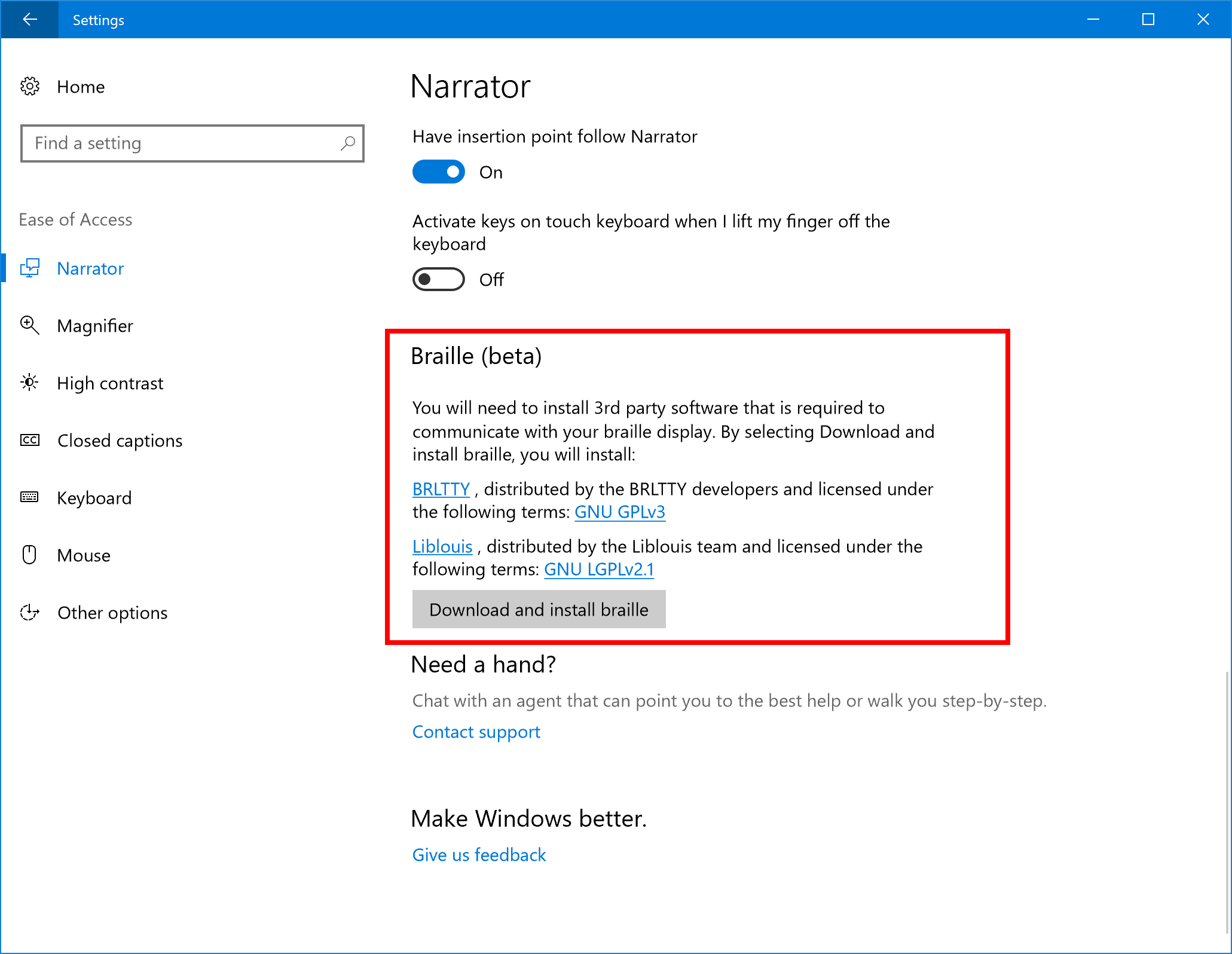
This beta experience relies on customer feedback but it’ll be important for the sight-impaired. Here’s how to activate it:
Ensure Narrator is running, then go to Settings > Ease of Access (WIN + U) and under the Narrator settings, activate the “Download Braille” button. You will be prompted to install braille support.
Under Settings > Ease of Access, activate the “Enable braille” button and add a braille display. Note that USB and serial connections for the display are supported.
Under Settings > Ease of Access, choose the language and braille table you want to use.
New mono audio option in Ease of Access settings
Visually impaired users use a screen reader application to read the PC screen content and information to them, and frequently use headphones or earbuds to hear the computer when in meetings or having conversations with others. When doing so, they generally use only one earbud to hear the PC in one ear so the other ear is free to hear conversations and sounds around them.
You can now switch your audio to mono straight from the new Audio section under Settings > Ease of Access > Other options.
Collections in Feedback Hub
A Collection groups together feedback for similar problems and suggestions into single items that bring together all the voices who expressed that sentiment in one place. All of your individual voices will be amplified when your feedback and upvotes are joined together into collections, and you’ll be able to see just how big your voice can become.
Same as with individual feedback, you’ll be able to upvote Collections, upload screenshots to show the engineering team a problem you’re seeing or a suggestion you have, and comment on the feedback with others
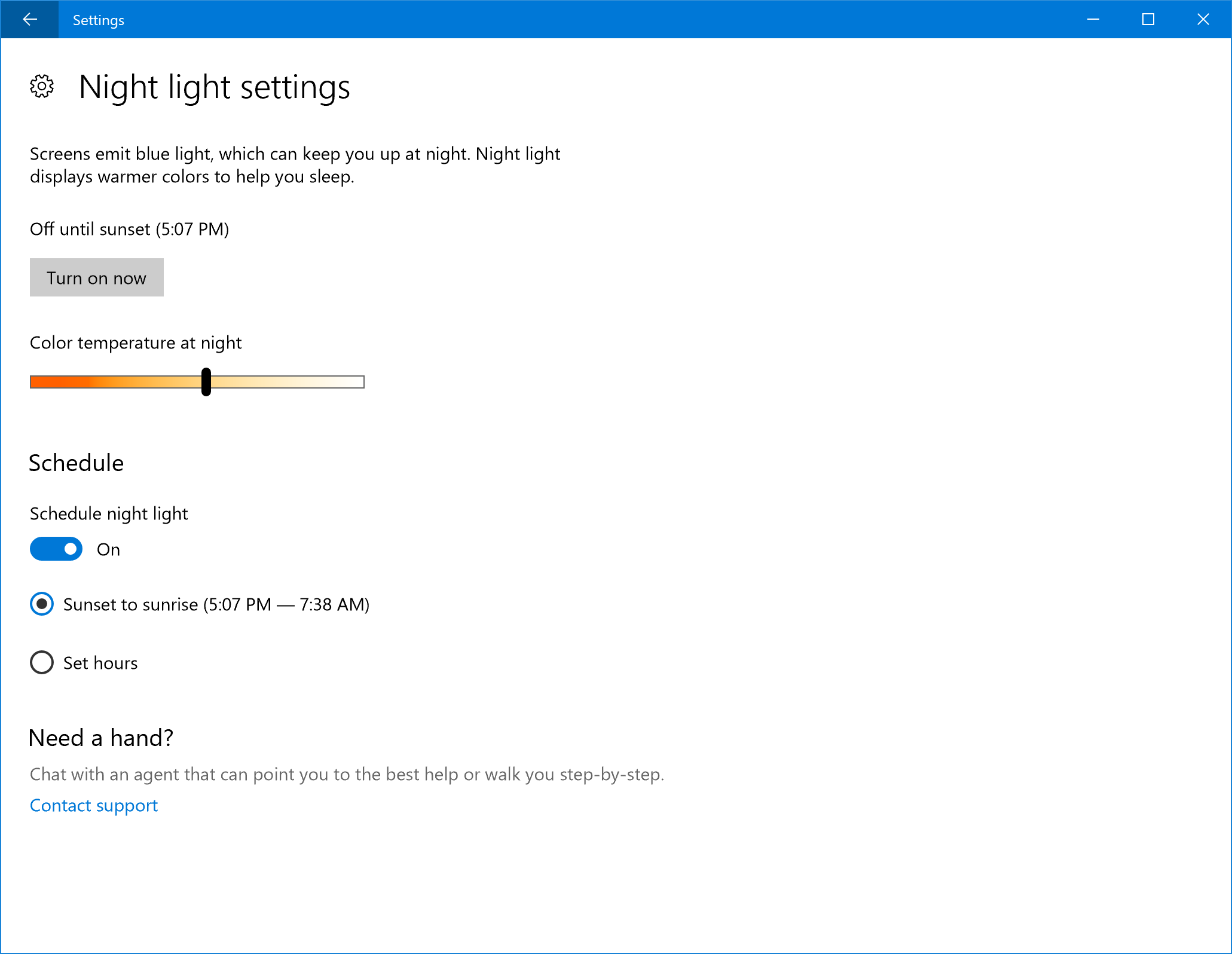
More night light improvements: The night light colour temperature range has been extended to go down to very red (1200 K) and the entire range of the slider now works correctly.
Various Fixes
Loads of fixes concerning gaming, Google websites, Microsoft Edge Extensions, live tiles, Quicken 2017, Colour Settings, Themes, the Windows Store and others have been done.





