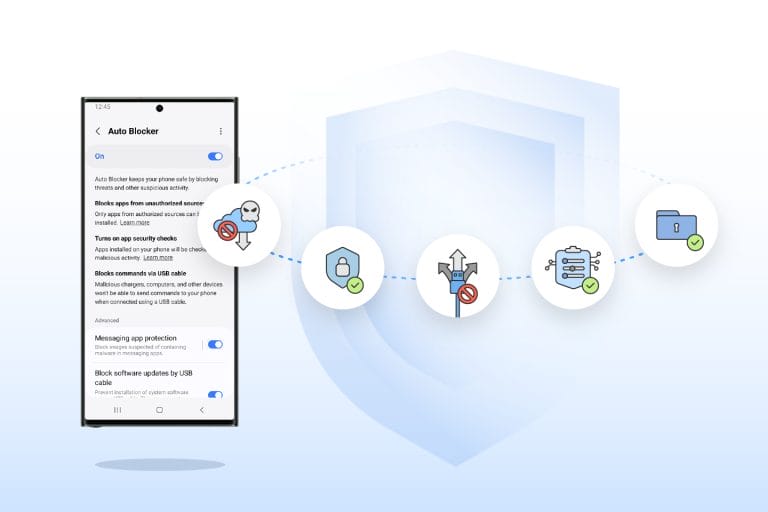
Samsung Electronics Co., Ltd. has introduced a new security tool for Samsung Galaxy users known as Auto Blocker, aimed at enhancing device protection.
Auto Blocker is an optional package of security measures available on One UI 6, offering users greater control over their device’s security.
The primary feature of Auto Blocker is the prevention of app installations from unauthorized sources, commonly referred to as sideloading.
While sideloading can provide enhanced customization and control over a device’s functionality, Auto Blocker allows users to activate this feature to protect against potential security threats associated with sideloading, such as voice phishing attacks.
Auto Blocker also includes additional controls, such as app security checks to detect potential malware and prevent harmful commands and software installations via USB cable.
This feature is particularly useful in scenarios where someone might have physical access to a user’s device, such as charging a phone at an airport.
An update to Message Guard is also part of Auto Blocker, offering protection against Zero Click attacks, which involve direct image messages hiding malicious code.
Initially launched for Google and Samsung messaging apps, it now extends its protection to popular third-party apps, giving users more flexibility in choosing secure apps.
Samsung’s Auto Blocker combines industry-leading security standards with user choice, allowing customers to control their device’s security according to their preferences.
This latest addition to Samsung’s suite of security and privacy innovations is designed to optimize the mobile experience for users within the Galaxy ecosystem.
Auto Blocker is currently available on Samsung Galaxy devices compatible with One UI 6.