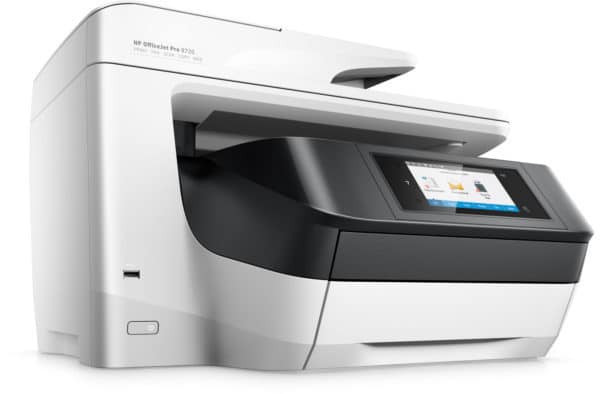
When it comes to printing solutions for both consumers and businesses, HP has always been one of the top brands of choice. The HP OfficeJet Pro 8730 may look small but it is marketed as all-in-one designed for high-volume enterprises. Working in a Small-to-Medium Business where printing is done every day, what better way to put this particular printer to the test.
Easy From A to Z
The OfficeJet Pro 8730 is one of the easiest printers I’ve had to set up. It was so easy that HP didn’t even included a guidebook in the box – just an installation CD. If that doesn’t demonstrate how easy peasy it is to set up, then I don’t know how else to convince you.
Upon start-up, I was greeted with a colourful and bright Graphic User Interface that is also touch-enabled. It was easy to use and navigate; perfect for small businesses that do not have their own technical support team on hand. It even has a short video clip to help users to troubleshoot the different parts on the printer.
First Impression
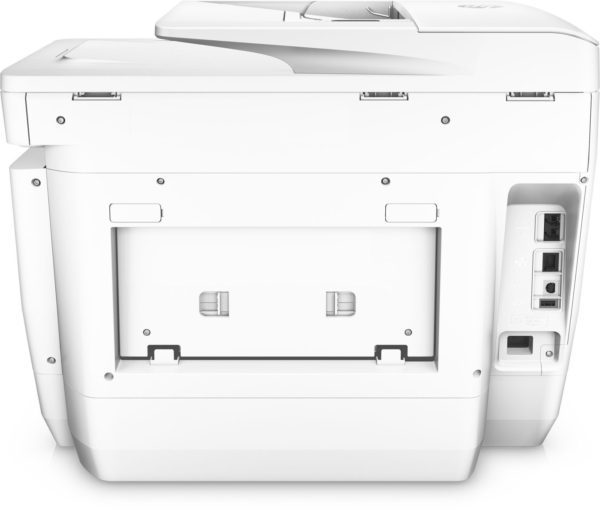
The design looks a little unorthodox because of the finish tray is fixed and not compactable. For a printer that supposedly prints high-volume, it is pretty small in footprint with the lack of multi-trays that we often see in office/enterprise printers. Its lack of height is however offset by the width of the printer, where the front display is jutting out from the rest of its body. Though smaller than the average enterprise printer, the awkward amount of space taken can pose to be an annoyance to some.
It churns out prints – both monochrome and coloured – quicker than I was anticipating, though it was a little noisy. If you’re trying to stealthily print something without your officemates noticing, the jig is up. Should the high speed printing sound bothers you, HP allows its users to set the OfficeJet Pro 8730 to quiet mode. However, this will slow down performance…just a smidgen.
Here’s The Deal
Aside from the negligible printing sounds, there is more to the OfficeJet Pro 8730 than how it looks. When it comes to performance and quality, this particular model is on the ball. No time wasted waiting for print-outs to come out – fast, efficient and best of all, user-friendly. Due to the high volume nature of the printer, it requires a little bit more frequent print head cleaning and maintenance for users to achieve the best print quality. Is that a downfall? Perhaps, but really, you should perform maintenance on your printer ever so often if you print the amounts we do here at the office.
Price: RM 1,379
Dimensions (HxWxD): up to 531 x 500 x 327.7 mm
Weight: 15.2kg
Print Speed: BW ISO 24ppm, Col ISO 19ppm
Resolution: BW 1200 x 1200 ppi, Col 2400 x 1200 ppi
Processor: 1.2Ghz
Memory: 512 mb
Warm-up Time: approximate 36.5 sec
First Print Out Time: BW 12 sec, Col 13 sec
Paper Size:
Connectivity: 1 x USB 2.0, 1x Host USB port, 1 x Ethernet port, 2x RJ-11 modem ports, Wireless 802.11 b/g/n
Value: 8/10
Features: 8/10
Performance: 9/10
Design: 7/10
Usability: 8/10
Verdict: Easy to use; an all-rounder for SoHo
Total Score: 8/10