



In today’s day and age, working on-the-go has become a constant norm. As a writer, we would need to write at just about anywhere, especially when inspiration strikes. The ASUS ZenBook Flip S has allowed me to do just that with its lightweight, portable and compact design along with its steady performance ratings.
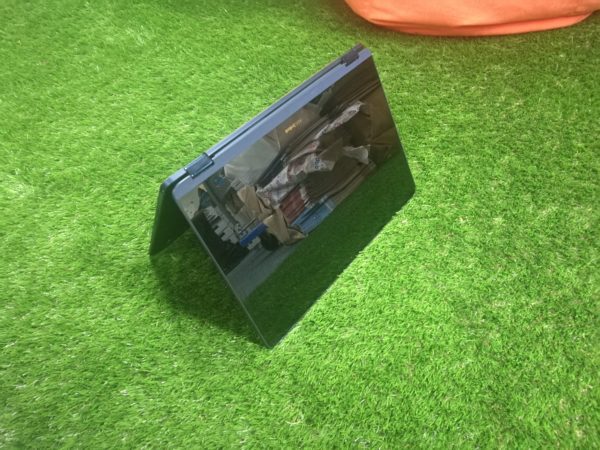
Flip it Four Ways

What makes the ZenBook Flip S a worthy laptop to have is its ultra-thin and lightweight design. At just 1.1 kg light and 10.9 mm thin, the ZenBook Flip S can fit into your satchel or messenger bag with ease. Even the charger for it is small and portable.
Made from premium, aerospace-grade aluminium, the ZenBook Flip S promises to be lighter and stronger than the usual laptop alloy standard. They aren’t wrong as the ZenBook Flip S is the thinnest and lightest of all the ZenBooks. Surrounding the laptop is also ASUS’ signature Zen-inspired spun-metal finish on its all-metal unibody. Sadly, this aesthetic is only available in the Royal Blue colourway.
This is a nod towards the older ZenBooks as well as a few of the older ZenFones, which all featured the spun-metal finish. A great touch of class if I must say so myself.
The ZenBook Flip S also comes with new hinges developed by ASUS known as ErgoLift. While the hinges are sturdy, it still doesn’t provide great support for the display screen. After one too many flips, I can see the hinges losing its grip and becoming flimsy in the long run.
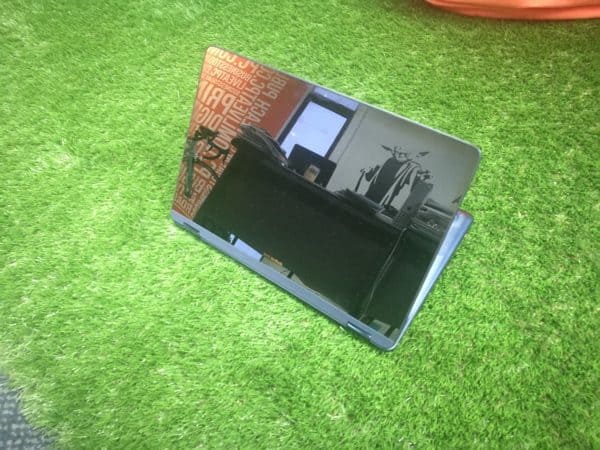
However, the hinges are great when you don’t want to be stuck in the conventional laptop position. You can now set the ZenBook Flip S in three other positions: Tablet, Tent and Movie.
The Pen is Mightier

The ASUS Pen also has some serious weight in it to resemble an actual pen. This makes it easier for you to write, draw and basically to anything else that you would with a normal pen.
If you’re not interested in using the pen, your finger will do just fine, but be prepared for smudge city. No matter which is your preferred mode of usage, the touchscreen is accurate. On the other hand, I would advise against using your fingers and stick with the trackpad to get better accuracy and precision.
A Productivity Beast
Beneath the ZenBook Flip S is the Kaby Lake i7-7500U processor with 8GB of DDR3 memory and 512GB SATA3 SSD. Starting it up and shutting down is quick and having multiple programs and tabs open on Google Chrome doesn’t even bog down the system. Typing on the ZenBook Flip S is also a joy to behold; there’s very little travel time and the keys have very little protrusion. Much like what you can expect from laptop keyboards, ASUS does everything right with this.
The screen is a 13.3-inch Full HD display with 178° wide-viewing angle. This allows you to have a greater field of view of the laptop from almost any possible angle. This makes watching movies a breeze as the screen also comes with NanoEdge display. This allows the ZenBook Flip S to maximise in screen size while minimising in the overall size of the body.
Some Added Titbits
On the right side of the body lies a fingerprint sensor. Sadly, it takes quite some time to set up the fingerprint as the sensor is very slim and slender, unlike the sensors you get with a smartphone. On the plus side, it is insanely quick. Using your fingerprint to unlock the laptop takes less than a second, or probably about the same amount of time as a blink of an eye.
There are also two USB 3.1 Gen1 USB-C ports on both sides of the ZenBook Flip S. ASUS also provides you with a dongle that can connect to various other USB ports, seeing as other external hard drives aren’t with the times yet.
Even the touchpad on the ZenBook Flip S feels great; it comes with smart gestures that further improves your productivity levels. For example, a four-finger tap shows the notifications bar, a two-finger tap executes a right-click and a three-finger swipe down shows the desktop.
Verdict:
The price may seem a bit steep, but you do get a great ultra-compact laptop with decent performance ratings.




