



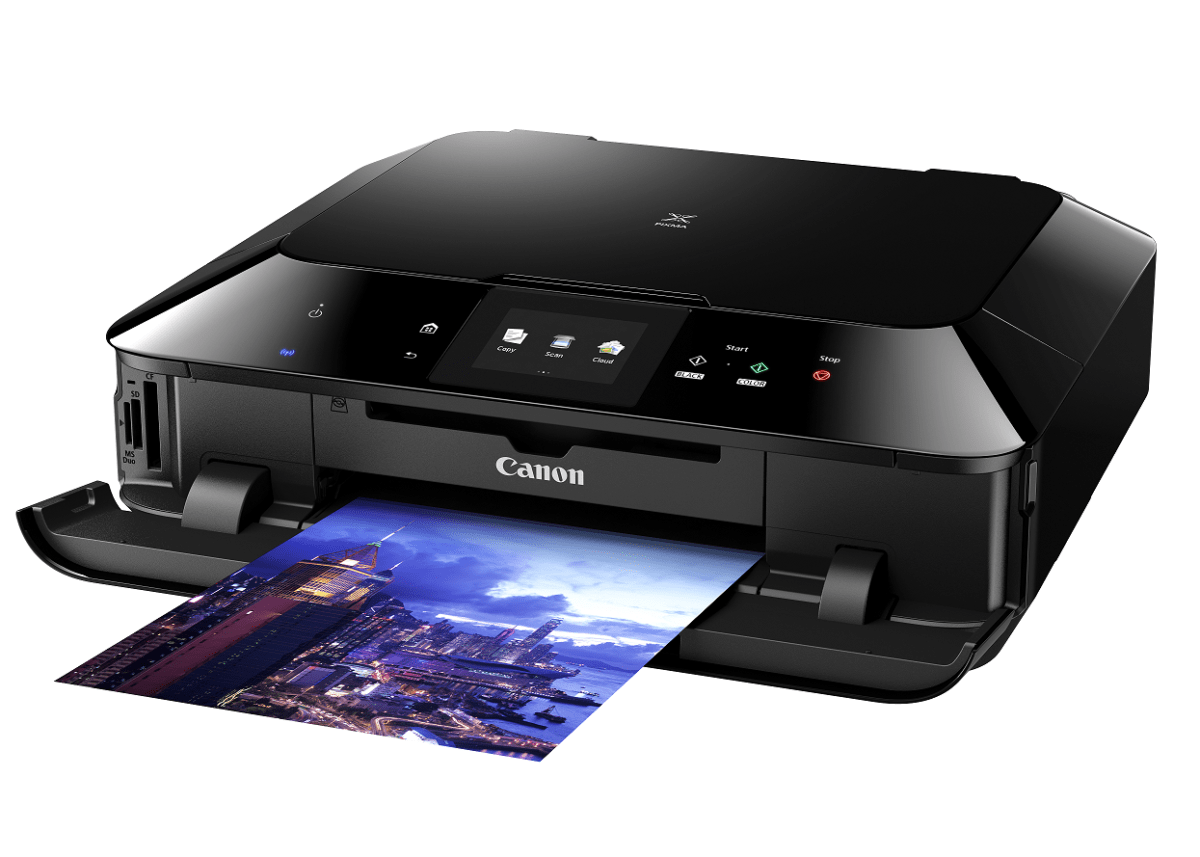
What’s black all over, looks like a monolithic space cube when not in operation, and has a dizzying array of slots, trays, and ports when deployed for active duty? Why the Canon PIXMA MG7170 ofcourse! No, the MG branding is not a subtle tip-of-the-hat towards a certain videogame with a guynamed Snake. That’s purely coincidence. Even so, many would wonder if this printer is worth its salt and is not just all looks. Read on and find the answer within.
Big Makeover
Now who says an All-in-One (AiO) printers cannot be cool, stylish and fun to use? Seems the trend for touchscreen controls have even spilled over outside the common areas they are prevalent in as the newest printers – of all shapes, functions, and sizes – now sport full touch enabled controls. The Canon PIXMA MG7170 is not an exception as it offers not just the touch control functions but also feature add-ons and functionalities that make full use of the touch-enabled control 0panel. Just a quick tap and the system will wake up be on stand-by for further instructions. What more do you need?
Picturesque Copy
The MG7170 is no slouch when it comes to printing performance. Thanks to the 4-tank configuration it uses and proprietary ink technology, colours turned out pretty nice in prints. There’s even borderless format for print-outs, which allow it to produce photo-prints that are exceptionally vivid and sharp. Paired with a fast page output (less than two minutes for high-res prints in full colour, around one minute for normal colour prints, and 10 seconds for black/white text) and a speedy start time from cold, makes it a pretty good to have in the office. Less waiting time is always a good thing!
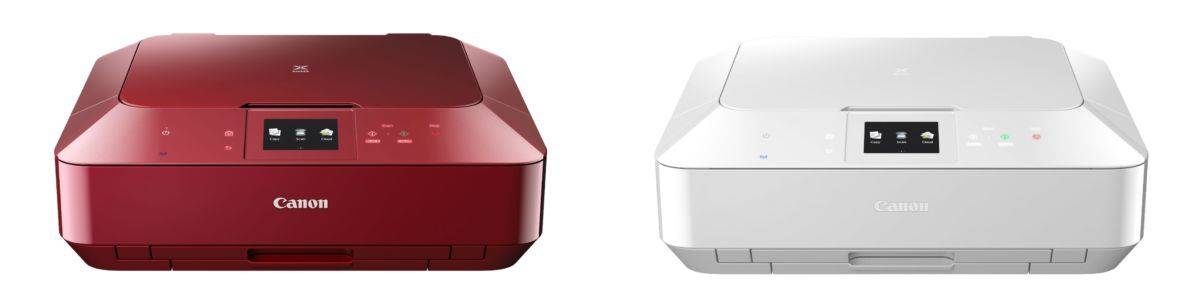
Wireless Mix
Plug-and-play take on a different meaning now thanks to the coming of seamless wireless connectivity. This is very apparent with the MG7170 as it is able to link up with smart devices via PIXMA Printing Solutions App to print pictures remotely as well as print from devices via WiFi Access Point Mode. This is literal plug-and-play people and it can’t get any easier than this. You can also print from Cloud-based services, allowing for pictures and documents to be printed from a variety of services that have cloud enabled printing capabilities. Does it work in reality? Suffice to say, yes but I needed to fiddle with the system for a bit before I could really do all that. The only one that really wowed me is the PictBridge printing, which let the printer connect to any WiFi enabled Canon camera.
Made Multifunctional
Like all AiOs, the MG7170 comes with scanning and copying modes. Both are complementary to the primary printing function of this AiO giving it the extra functions needed to be perfect for the office environment. Making use of these features are easy enough and with the touch panel, everything feels intuitive. I like the fact I can save scans directly to USB thumbdrives – an option usually found only in larger AiOs.
Dimensions (W x D x H): Approx. 466 x 369 x 148mm
Weight: Approx 8.2kg
Quick Start: Est. 6 seconds
Interface: USB 2.0 Hi-Speed, Flash Cards
Print Speed: Approx. 10ipm for colour, Approx. 15ipm for B/W, and Approx. 21 seconds for Photos
Paper Size: A4, A5, B5, LTR, LGL, 4 x 6″, 5 x 7″, 8 x 10″, Envelopes (DL, COM10)
Scanning Function: Flatbed with Contact Imaging Sensor
Scanning Bit Depth (I/O): 16-bit / 8-bit (Grayscale), 48-bit / 24-bit (Colour)
Scanning Speed: Approx. 14 seconds
Copy Speed: Approx. 14 seconds (sFCOT Colour), 7.7ipm (sESAT Colour)
Connectivity: 10/100Mbps LAN, 802.11b/g/n 2.4GHz
Apps: Apple AirPrint, Google Cloud Print, PictBridge, PIXMA Cloud Link, Access Point Mode
Value: 8/10
Features: 9/10
Performance: 8/10
Design: 9/10
Usability: 10/10
Verdict: The MG7170 defines All-in-Ones with style
and substance.
Total Score: 8.8/10





