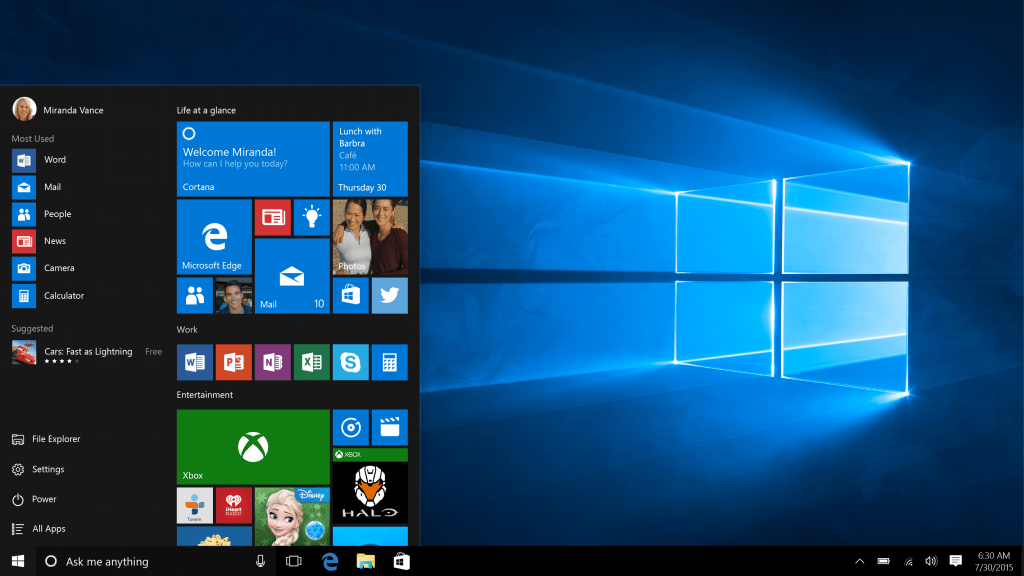
Microsoft is creasing all the kinks and has made some major updates to the recently launched Windows 10 operating software. With this update, there are improvements in all aspects of the platform and experience, including thousands of partners updating their device drivers and applications for Windows 10 compatibility. Windows 10 also starts rolling out to Xbox One today and select mobile phones soon.
Terry Myerson, executive vice president of the Windows and Devices Group made the announcement which you can see already on your new OS. Here are some of the improvements made.
- Performance in everyday tasks, such as boot time now nearly 30% faster than Windows 7 on the same device.
- With Cortana, you can use your device’s pen to just scribble a note in the Cortana Notebook and Cortana will recognize the phone number, email address, and even physical address to help you set reminders. Cortana can also now keep track of your event and movie bookings too, sending you helpful reminders to know where to go and get there on time, plus the option to book and track an Uber**. We’re excited to make Cortana available in Japan, Australia, and Canada and India (in English) with features and experiences customized for each market.
- Microsoft Edge offers improved performance and security, along with tab preview, which allows you to hover over your open tabs and get a preview of what’s on those websites without leaving the page you’re on. Microsoft Edge now syncs your Favorites and Reading list items across devices so you can easily get back to the content you’re interested in most. And, Cortana will now notify you of the best coupons** from your favorite retailers such as Staples, Macys and Best Buy when shopping in Microsoft Edge.
And much more with improvements to Mail, Calendar, Photos, Groove, Xbox, Store, OneNote, Solitaire, and more!
For The Enterprise
Simplifying IT for Continuous Innovation
Today Microsoft introduced two free services, designed for IT to bridge from today’s complexity to the modern workplace, maintaining control and delivering reliable quality of services:
- Windows Update for Business provides IT controls over the deployment of updates within their organizations, while ensuring their devices are kept current and their security needs are met, at reduced management cost. Features include setting up device groups with staggered deployments and scaling deployments with network optimizations.
- Windows Store for Business provides IT a flexible way to find, acquire, manage and distribute apps to Windows 10 devices – both Windows Store apps and custom line of business apps. Organizations can choose their preferred distribution method by directly assigning apps, publishing apps to a private store, or connecting with management solutions.
Mobility
- Mobile Device Management, empowers IT to use the full power of Enterprise Mobility Management to manage the entire family of Windows devices, including PCs, tablets, phones, and IOT. Windows 10 is the only platform that can manage BYOD scenarios from the device to the apps to the data on those devices – safely and securely. And of course, Windows 10 is fully compatible with the existing management infrastructure used with PCs, giving IT control over how they bridge between two capabilities.
- Azure Active Directory Join, empowers IT to maintain one directory, enabling people to have one login and securely roam their Windows settings and data across all of their Windows 10 devices. AAD Join also enables any machine to become enterprise ready with a few simple clicks by anyone in the organization.
Security
Data breach is a big problem– costing organization’s productivity, customer’s trust and driving a real impact to their business. These breaches often take 200+ days to detect and the tremendous costs of them. Industry experts predict there will be over two million new malware apps by the end of the year. Windows 10 has been designed to protect customers from these modern threats, and continue to strengthen Windows 10 as the most trusted platform ever with features like:
- Credential Guard safeguards credentials inside a hardware-based virtualized environment and breaks the popular “pass the hash” used in many major breaches.
- Device Guard uses Trusted Boot to prevent intruders from installing malware, helping to keep company devices secure.
- Windows Hello*** enables people to say goodbye to passwords with enterprise-grade biometrics including fingerprint and facial recognition.
- Windows Defender, our free anti-malware service protecting almost 300 million Windows devices every day.
Coming soon, enterprise data protection will help protect corporate data by separating and containing corporate data from consumer data. Currently in testing with a number of enterprise customers today, enterprise data protection becomes available to Windows Insiders soon.
Also in today’s update, enterprise customers can turn off all telemetry data if they choose. However its strongly recommend against this, as this data helps Redmond deliver a secure, reliable, and more delightful personalized experience.