The CM Storm goes full mechanical.
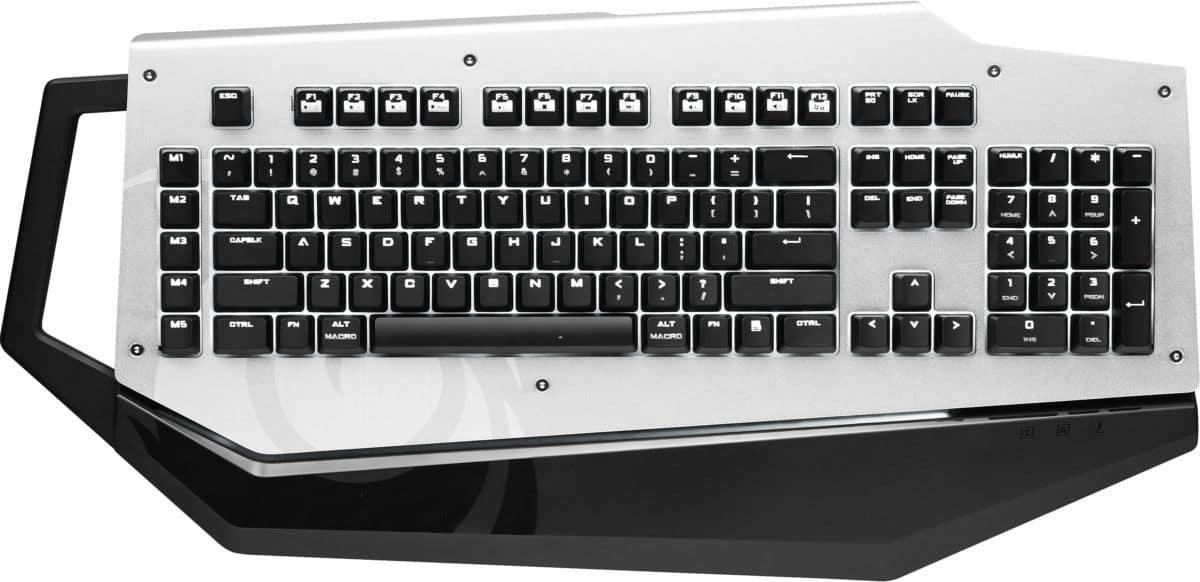
After having experienced typing and gaming on a mechanical keyboard, I am finding it hard to go back to a non-mechanical keyboard. That said, they all look rather generic, with your standard rectangular frame followed by your standard-sized keys. You can’t really depart from the given ‘template’, since changing it will incur the wrath of potential buyers. It does look a bit boring though. Cooler Master and its CM Storm gaming arm, in following market trends, isn’t changing the layout. However, it has made the bold move to change the frame to make for a keyboard that’s more… travel-friendly. Enter the CM Storm MECH.
Handle it
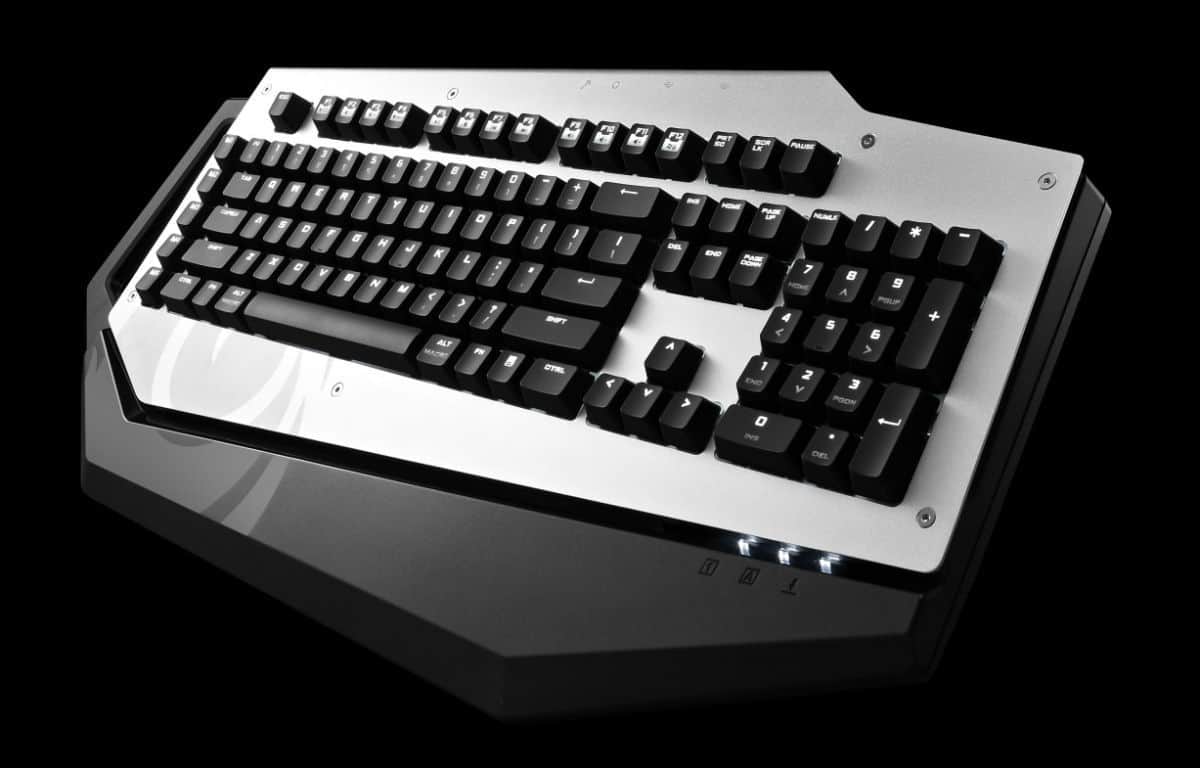
The most prominent feature of the MECH is its asymmetrical frame – gone is the rectangular frame of old in lieu of something that looks like it came from a sci-fi flick. On the left of the frame is a handle for easy carrying to your next event, while the protrusions at the bottom form wrist-rests for a more comfortable typing experience. If you look to the upper left, you will find the absence of the ‘Num Lock’, ‘Caps Lock’, and ‘Scroll Lock’ indicators. Instead, they are found at the bottom right, right where the grey plate meets the black plastic. While cool, it does take some getting used too.
Heavy Metal
Some mechanical keyboards have metal frames out of the box, while some enthusiasts can decide to swap out their default frame with a metal one. The CM Storm MECH is the former, with a steel plate holding everything together and an aluminium plate as the cover. There are Allen key screws on the sleek, lightweight cover, and it’s not for show: you can use the bundled tool and remove the cover for easier clean-up.
Well Connected
The CM Storm MECH connects to your host device via USB 3.0, and in return, you get a pair of USB 3.0 hubs to work with. That’s not all, as the MECH also has 3.5mm mic-in and audio out jacks, for the times you want to connect your headset through the keyboard instead. However, the positioning of the ports are odd as they are at the top, rather than the sides, making connecting and disconnecting peripherals a bit difficult.
Seeing Red
The CM Storm MECH uses Cherry MX Red switches, where it requires less force for actuation, and doesn’t produce that ‘shlock-shlock-shlock’ sound found in Blue switches. Typing on the MECH is a pleasant experience, with me writing this review with no problem whatsoever.
Dimensions: 553 x 267 x 43mm
Weight: 1.7kg
Ports: 2 x USB 3.0, mic-in, audio out, miniUSB
Key switch: Cherry MX Red
N Key Rollover: 64
Polling rate: 1000Hz
Onboard memory: 128KB
Value: 8/10
Features: 8/10
Performance: 9/10
Design: 9/10
Usability: 9/10
Verdict: A unique-looking keyboard that doesn’t compromise on what matters – performance.
Total Score: 8.6/10