




HP’s Envy lineup has a distinct and even some would say iconic design, which makes the devices, quite a looker. Sleek, slim, and attractive colour options paired with great features like the backlit keyboard, overall form factor, and geometric pattern speaker grill make it an all around device. The matte finish, minimalist designs on the back and logo, as well as geometric patterns, even on the bottom firing speaker grills, combine to make a refined machine.
A Focus On Aesthetics, Entertainment & Mobility
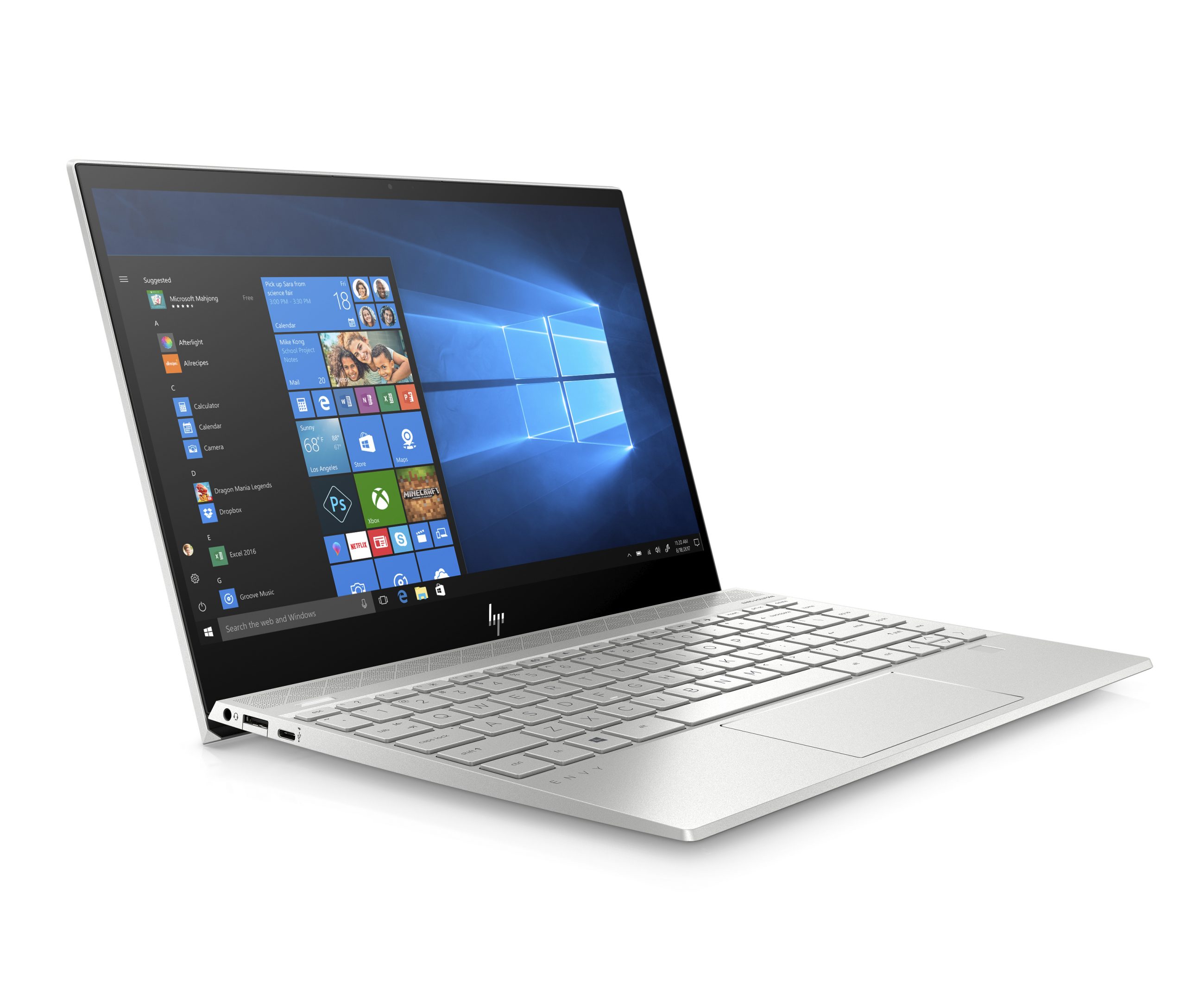

Before getting to the main features of the laptops, let’s talk about some other, arguably as important features. The aesthetical and entertainment value these devices bring. They both feature distinct materials for their builds, as well as a design that gives it that extra oomph aesthetically. Not only does it look good, but it feels good as well, as it’s built thin, and light for people on-the-go, which complements the security features for people on the go. 
They both feature a 13.3-inch display, making it more than sufficient for the modern worker. It also features premium design features such as a backlit keyboard, seamless profile, as well as a unique geometric pattern speaker grill.
The laptops also feature a high-resolution and an accompanying 3-way micro-edge display making it the perfect entertainment companion. And the display isn’t the only thing about the Envy series that makes it an entertainment powerhouse, because of the quad HP speakers, that were custom-tuned in collaboration with the experts at Bang & Olufsen, which helps the Envy deliver rich, authentic sound.
But That’s Not All Folks; Envy Has Got You Protected
But these laptops aren’t just all looks and no function because of a myriad of reasons. Firstly, the emphasis of privacy and security of your data, as well as the laptop itself. But you might ask yourself, why? Is there really that much cause for concern? Are there enough issues to warrant extra protection?
There’s always issues with privacy, and security as you browse the web. Hackers abound, dangerous and malicious websites, and even real life securities and issues such as someone accessing your computer, or even the dreaded webcam turning on by itself. Often times, you would be unaware if you’re being tracked, listened in on, or even to extremes, the webcam actually being on, and watching everything you do.
This is a real, and very pervasive issue, to the point that even former FBI Director in the U.S. James Comey himself said that he taped over his personal laptop’s webcam. He says that he did so because he wanted to prevent “shady hackers” from using his webcam, and acting as a peephole to spy on him.

Malicious hackers use something called a Remote Access Trojan (RAT) (very aptly named) to take control of your laptop. This includes recording Skype or basically any conversations and chat services on your laptop, or they’re just a pervert using your webcam to spy on you.
HP’s Envy 13 and Envy x360 are built with security in mind, as well as protecting your privacy. They both have HP Sure View options, which essentially makes it harder for people to see into your screen from various angles, except straight on. An efficient way of making the work you do in public, stay private. There’s also a built-in Privacy Camera Kill Switch to stop your camera from working totally, and the best part is that you do it yourself, manually.
There’s often too many things to take into account when you’re minding your own business on the web. But thankfully, there’s laptops like HP’s Envy lineup, which focuses on keeping you safe, both online, and offline. The major differentiator between the two is that the Envy 13 uses a 10th Gen Intel Processor, where as the Envy x360 uses an AMD Ryzen processor. And of course, the fact that the x360 can flip itself to a tablet mode.
This basically renders hacks using RAT software, useless, as you have full control over your camera. Also, this means you can keep your laptop looking aesthetically pleasing, without the need for that God awful looking tape over your webcam.
And if your PC was still somehow compromised, HP includes an HP BIOS Recovery in the laptop, which makes it easy to revert to a previous BIOS version, which inadvertently protects and saves your data. As well as heartache from buying a new computer. However, security isn’t the only thing that the Envy series of laptops provide you with, but rather efficiency. There’s an integrated fingerprint reader, which makes logging into your laptop, easy, fast, and secure.
The HP Envy Series; The Right Combination Of Security And Aesthetics
At the end of the day, the Envy series of laptops complements the lifestyles of many, be it the jetsetting trendsetter, or the conscientious businessman. You don’t have to sacrifice security to look good, as the HP Envy x360 & Envy 13 so clearly demonstrates.
For more information on the products, check out the links here for the Envy x360 and Envy 13.
Post Sponsored by HP.





