



Quite surprisingly, an overhaul to a certain popular email service has arrived at our doorstep. Google’s own Gmail redesign introduces new features and a change to the interface we are all familiar with. Aside from the visual overhaul, features such as email snoozing, nudging, AI integration, and more make their debut. The changes target business customers that use G Suite, but personal Gmail users can also opt in for the changes.
The new Gmail has a confidential mode to help users protect sensitive information. With this mode, users set expiry dates for messages and revoke previously sent ones. A Built-in Information Rights Management (IRM) feature also controls messages that can be forwarded, copied, downloaded or printed.
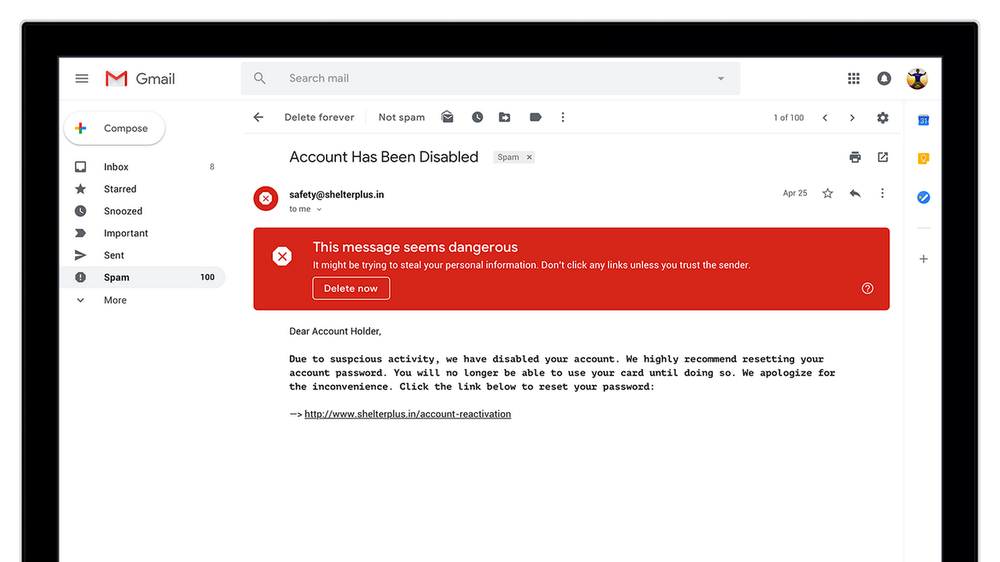
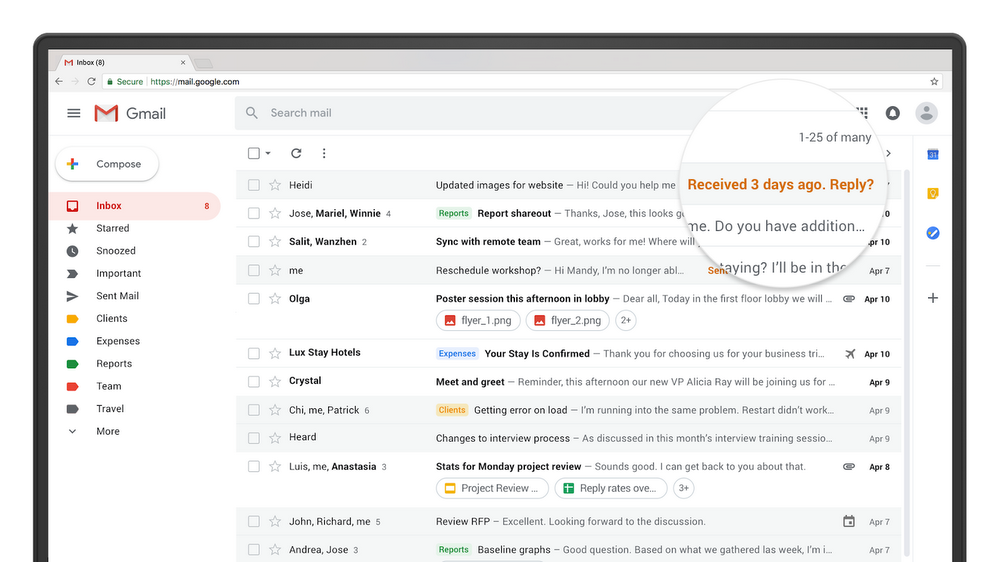
Google integrates a handy hover menu over messages with the new Gmail. Without clicking, users can archive, reply, delete, or snooze messages. The Gmail also features brighter, bigger, and bolder security warnings. This will further safeguard users from phishing scams. Furthermore, message nudges remind users of time-sensitive emails. An AI processes the nudge feature, however, so Google assures that nobody is reading these emails.
Speaking of AI, Smart Reply also heads to the web version of Gmail from its mobile counterpart. The tool suggests quick responses to messages for those with little time to spare. Smart Reply already drives more than 10 percent of replies on the mobile Gmail app.
Most notably, the new Gmail has a collapsible side menu on the right. Here, users may quickly access various apps to keep track of dates, notes, and to-do lists. More apps are addable, allowing users to customise as they see fit.
Google is still rolling these features out, but users who can’t wait to try the Gmail redesign can enable it now.
For personal Gmail users, visit your Gmail account and click on the gear icon at the top-right of the screen. An option to “Try the new Gmail” should appear. Check back at a later time if it hasn’t been added.
G Suite accounts require the permission of the administrator. Admins must partake in Gmail’s Early Adoption Program when prompted. After enabling it, employees under the admin can switch freely from the gear icon.




