There’s a massive scam mail coming through Gmail and you might want to be careful on what you’re clicking. As with many scams – the email impersonates someone in your contacts list and invites you to click on a google docs link. Although the actual email resembles a name that consists of just a string of ‘h’.
Please for the love of everything holy, do not click the link. Just delete the email.
While we haven’t seen any (thank god) here is how it looks like, as seen on the screenshot from New York Times and Fortune.
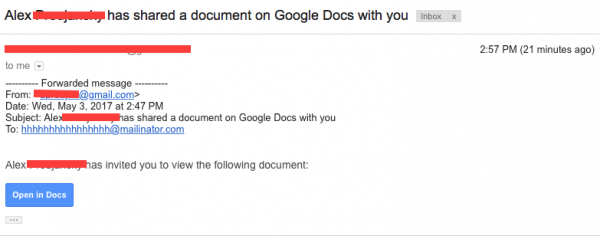
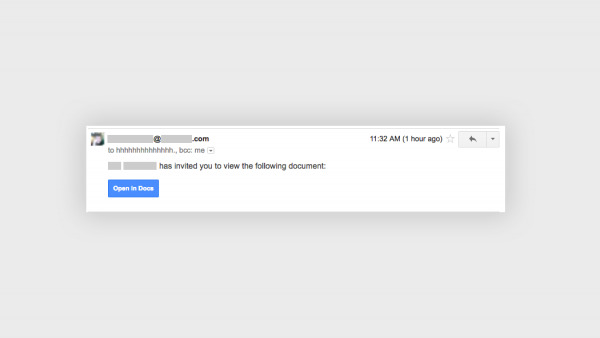
Recipients who clicked on the links were prompted to give the sender access to their Google contact lists and Google Drive. In the process, victims allowed spammers to raid their contact lists and send even more email. In fact, lucky you – someone decided to do a demo to show you what happens.
Just got this as well. Super sophisticated. pic.twitter.com/l6c1ljSFIX
— zach latta (@zachlatta) May 3, 2017
The latest update comes with an official statement from Google.
“We have taken action to protect users against an email impersonating Google Docs, and have disabled offending accounts. We’ve removed the fake pages, pushed updates through Safe Browsing, and our abuse team is working to prevent this kind of spoofing from happening again. We encourage users to report phishing emails in Gmail.”
It is not clear who created the spam email or how many people it has affected.
While Google was fast to react, it’s going to do little in damage control, given the wide spread nature of the attack, a handful of victims could’ve given attackers probably millions of emails from the victim’s contact lists.
Suggestions to double up on security includes setting up two-factor authentication on your Google accounts.
Finally, if you did click on the nasty link, you can go to your Google account settings, which will allow you to revoke access to apps—including the fake Google Docs one.