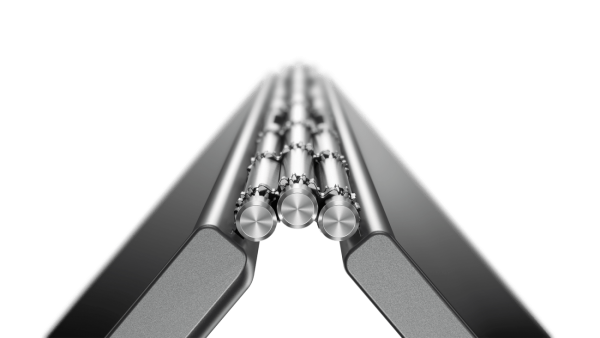
 Having officially launched the device just, the Lenovo Yoga Book is a thing of beauty. It’s incredibly slim at 4mm thick when unfolded and at only 690g, the 2-in-1 ‘convertible’ laptop is certainly svelte. A luxurious magnesium-aluminium alloy shell encases the device with a chrome edged power button and volume rocker. All this is topped off with the same gorgeous watchband-style hinge that’s found on other Yoga laptops. The device overall feels very well built and sturdy despite its sleek styling.
 Versatile Modes
It’s hard to pinpoint what the Yoga Book really is; it’s not quite a laptop but it’s not just a tablet either. The hinge opens 360º and allows the Yoga Book to be used in 4 different modes, you can fold it into a tablet, prop up the display with the keyboard, lay it flat to draw or take down notes and just use it in the classic laptop mode. While a lot of this isn’t ground-breaking, the small size of the Yoga Book makes a lot more sense when utilising these modes.
Hello Keyboard!
The Halo keyboard looks like it came from the future and replaces the physical keyboard in favour of a completely flat surface which lights up as a keyboard when required. There’s a learning curve – like typing on a touchscreen – though its haptic feedback will help you ease into using a digital keyboard such as this one. Lenovo spent a lot of time perfecting the feel and accuracy of the Halo keyboard and it’s certainly one of best digital capacitive keyboards I’ve ever tried.
 Real Penmanship
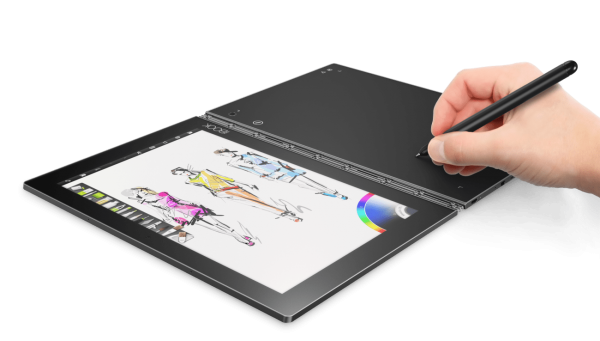
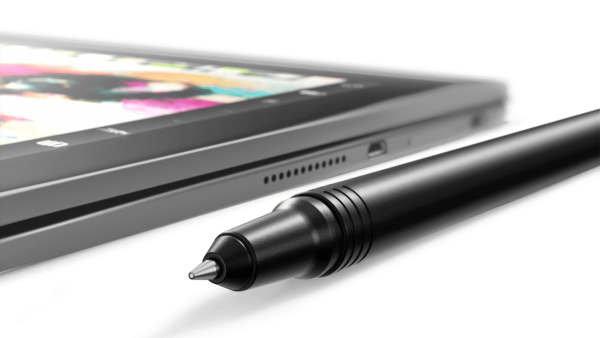
Another reason for the flat keyboard is that it also doubles as a Wacom surface. The Yoga Book comes with Lenovo’s ‘Real Pen’ stylus, which is also a real pen so you can make physical notes or sketches that can captured digitally on screen at the same time via the included Book Pad clipboard. As someone who scribbles his notes in a very haphazard way, this is a good way to archive my notes for later reference.
 Multitasking Android
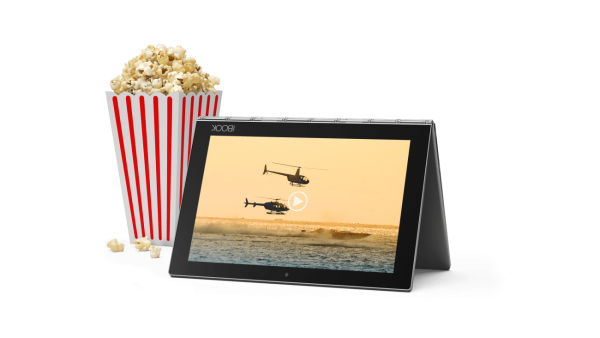
As an Android convertible laptop, Lenovo’s Yoga Book is incredibly capable with Lenovo adding on its own software layer, Book UI to give it a more desktop feel. There is multi-window support and a taskbar to switch between applications to make the Yoga Book a capable productivity tablet. There was a bit of compatibility issues when it came to multi-window use but as updates roll in, it shouldn’t be an issue.
Points to ponder
1: Natural Note Taking
The Real Pen stylus allows you to write or drawn in ink on paper while simultaneously digitising it into your Yoga Book for later reference.
2: 13 Hour Battery Life
Its 8500mAh capacity battery will provide the Yoga Book with power for up to 13 hours on a single charge so power users will rest easy knowing the Yoga Book will power through the day.
3: Dolby Atmos Speakers
Despite its small size, the Dolby Atmos speakers are very capable of pumping out range and volume for your streaming video binge-watching needs.
4: 360º Hinge
The watchband-style hinge allows for 360º movement to easily switch between modes for your lifestyle needs.
The first 24 hour
Impression
Ooh, it’s so shiny! The keyboard looks amazing! This feels nice to touch! I kept flipping and folding it every few minutes to get a feel for the device.
After 4 hours
The keyboard is starting to annoy me and I keep glancing at my full sized cherry keyboard. To distract myself, I tried writing stuff with the Real Pen.
After 12 hours
The Real Pen has helped me blitz through some work. Well impressed with productivity tools! I’ve also gotten used to the Halo keyboard thankfully. Battery life is still decent.
After 24 hours
Productivity has certainly surged with the Yoga Book and I can see the device as part of my everyday carry.
Byline: By Amir Rothman
Price: RM2599
Dimensions (HxWxD): 9.6 x 256.6 x 170.8 mm
Weight: 690g
Processor: Intel® Atom™ x5-Z8550 Processor(2M Cache, Quad-Core, Up to 2.4 GHz)
Memory: RAM : 4 GB LPDDR3; ROM : 64 GB
Card Slot : microSD™; Supports Up to 128 GB
Operating System: Android™ 6.0.1 Marshmallow
Display: 10.1″ FHD IPS(1920 x 1200)
Graphics: Intel HD Graphics 400
Camera: Rear: 8 MP Auto-Focus; Front: 2 MP Fixed-Focus
Connectivity: WiFi 802.11 a/b/g/n/ac; Dual Channel (2.4 GHz and 5 GHz), 2/3/4G, LTE
RATING
Value: 9/10
Features: 9.5/10
Performance: 8.5/10
Design: 10/10
Usability: 8/10
Verdict: A powerful tool for productivity and creative junkies on the move in a slim and svelte body.
Total Score: 9