





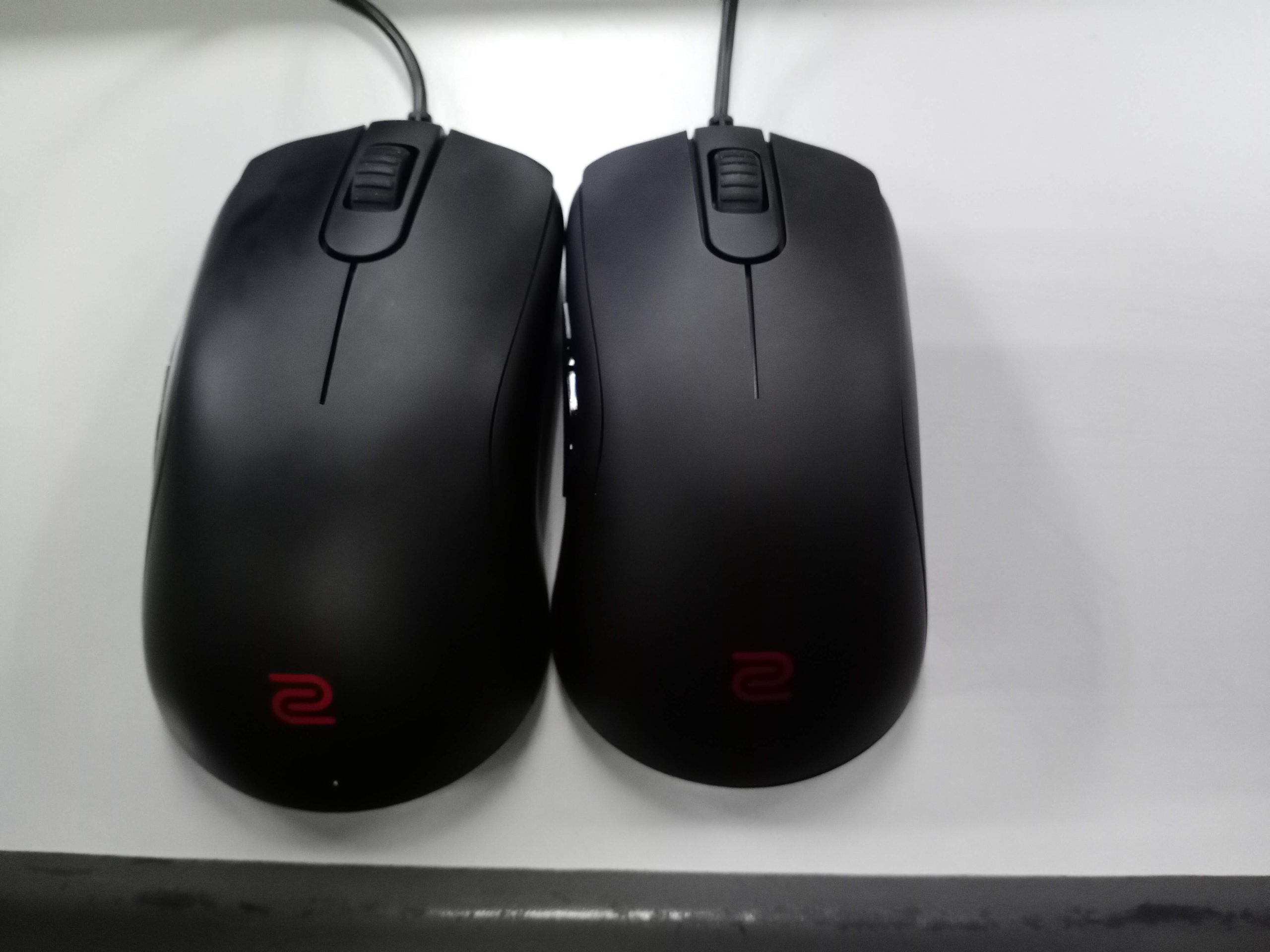
BenQ Zowie’s latest lineup of gaming mouses, the ‘S’ series comes to serve you the very best that it can, with a few customisation options. While it doesn’t conventionally capture the ‘gamer’ aesthetic, it does a good enough job for RM 299. The thing about the S series lineup of mouses, is they main difference is the size. That to me seems like a pretty unique selling point, as they tailor certain mouses to fit different hand sizes. The units we got with us are the S1 and S2, and considering it’s only the size that’s the main differentiatior, we’ll be putting it into one! With that in mind, sit back, relax, and check out our review of BenQ Zowie’s S1 Gaming mouse!

Design and Fit
In all honesty, this mouse doesn’t scream ‘gamer’, and not just because of the missing RGB lighting that we’ve grown accustomed to. It comes in a plain matte black colour, and the Zowie logo at the centre bottom of the mouse. It doesn’t exactly match into my gaming peripherals lineup, but it did do the job well. The main appeal of the mouse is that it’s a “completely new shape” according to BenQ Zowie. It’s a more symmetrical design, and is relatively shorter compared to other Zowie lineup of mice. It also features a raised lip design at the tip of the front end, so you don’t have to stretch your finger when using it, and it also makes it easier to rest your 4th finger on the mouse. It’s subtle, but it’s noticeable when you don’t have to click down so much.

And with that, the shorter design makes it easier to perform the “Up ‘n Down” Movement which is more prevalent in the latest FPS genre of games. These include Overwatch, PUBG, Fortnite, and a bunch of other games. The edge also is more rounded on the S series, so this helps to prevent your palm sliding under your mouse when you move downward. There’s to customisable buttons on the side, a DPI switch on the bottom, as well as a polling rate switcher. We’ll get back to what that means, later on.

But otherwise, I still can’t get over the fact that the mouse is just too plain looking. Safe to say there’s been some improvements made to make the mouse more appealing, in more practical terms than aesthetics itself. I’ll give Zowie that at least.
Performance
I tried out the mouse with one of my all time favourite shooters, Overwatch. And considering that this series of mouse from Zowie was meant to move away from the focus towards Counter Strike, so I thought it was apt. I honestly felt no difference against any other gaming mouse I have. The one thing I instantly disliked was not being able to change my DPI on the go. I’ve had mouses which had switches right next to the scroll wheel, which made it convenient if I was changing from a DPS, to a sniper for example. Sometimes you need the on-the-go precision, which you can’t do with this mouse. So that’s a minus for the mouse.
But the thing about the mouse that differentiates it from others is something called the “Lift-off Distance” (LOD). It essentially the height that a mouse sensor will detect the surface below it. This refers to when players need to lift-off their mouse and preposition to the centre, and for FPS games, you do this very often. So considering that, Zowie took advantage where others don’t think about it as a ‘feature’. It certainly makes a difference in gameplay. You don’t have to recenter your mouse as often, as the LOD is very low.

Another thing I found somewhat useful is an adjustable polling rate. The polling rate switch at the button allows for 3 separate modes, being 125, 500, and 1000. Now, a polling rate is basically the rate at which the device reports back to the motherboard. So 125Hz means the mouse sends the signal 125 times a second. A normal USB device’s default is 125Hz. It’s more precise at 500-100 rather than 125, so I kept it at 1000. So basically, it changes the speed at which your mouse reacts as well. But I didn’t noticed as much of a difference from the 500 to the 1000 setting, and no discernible difference could be seen.
Final Verdict
The mouse is pretty much a performer in every aspect that I could test it. In practical terms, it does have it’s value, but the mouse just doesn’t scream “gamer” enough. However I’ve come to understand that the mouse is catered to a different, more professional audience. And Zowie contacted me saying that it’s catered to e-Sports athletes, and they had said that RGB lighting was distracting from Zowie’s previous iterations of gaming mice. So there’s a reasoning behind it, even though I still don’t agree. But then again, I’m not who the mouse is catered for.
The least they could have done, was let the Zowie logo at the base of the mouse light up. That would’ve added a bit of flair to a pretty much standard looking mouse. But where it loses out on design, it makes up for with functionality. If you were looking for something that’s a bit more subtle, but can perform as a gaming mouse, this one’s for you.




