Benq’s Gaming range of monitors, Zowie released a new itereation of their beastly displays. The monitor has a 144Hz refresh rate, 1920×1080 resolution, and features to make you game better. All of this, for the price of RM 1800. Is it too good to be true, or is it a steal? Well that’s what we’re here to find out. So sit back, relax, and check out review of BenQ’s ZOWIE XL2720 Gaming Monitor.
Design: A Bit Too Basic For A Gaming Monitor
This monitor honestly has a pretty basic and standard design, from the front it looks like your average monitor that you will see in offices. If you look at the back of the monitor however, then you’d probably realise its not just an average looking monitor. When you think of gaming, you think flashy lights, Chroma, and other stuff. Not such a bland, boring, design.
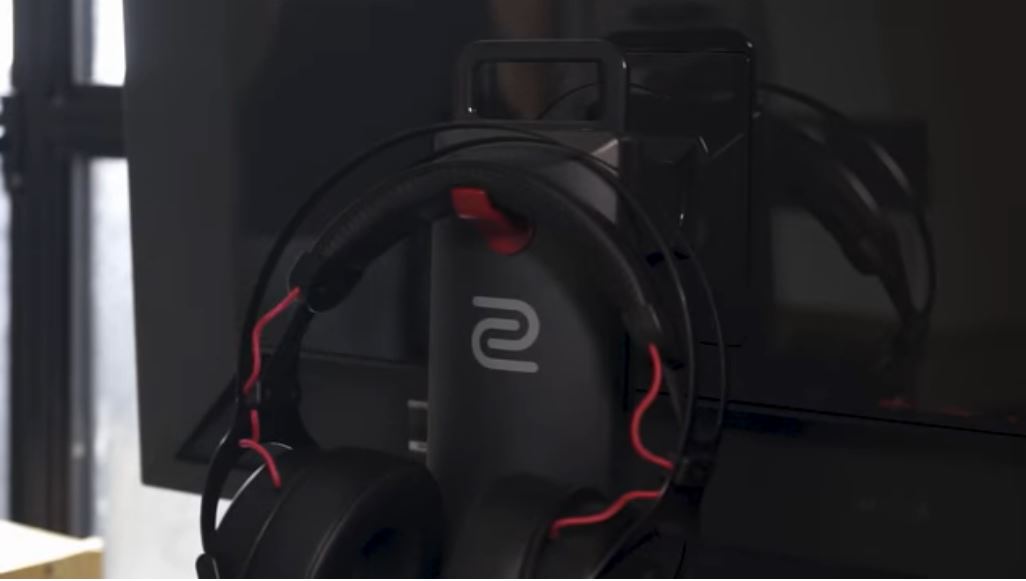
It has a design which allows you to have an improved cable management, there’s a hook for you to hang your headphones as well at the back of the monitor. So all together, these features do differentiate the XL270 amongst other, normal monitors.
The Zowie XL2720 is designed in a way where the screen can be tilted about 60 degrees both left and right, its able to be lifted upwards or downwards according to your preference and finally it’s able to be rotated 90 degrees from landscape to portrait.
Features and Specs: Something To Enhance Your Game
This monitor has way to many ports, but then again how many is actually too many? It has two USB 3.0 on the left side with a headphone jack. At the back there’s your usual power supply, a USB B upstream, two HDMI ports, a d-sub port, one display port and a Digital Visual Interface Dual Link (DVI-DL) port.
There’s a capacity touch menu with pretty user friendly UI that gives you many presets & modes to choose from depending on you’re viewing on this monitor. You can choose one suitable for gaming, there’s one for movies, eco mode and its even customizable to your own preference..
There’s an accessory called the “S – switch” that comes with the monitor which is essential a single dial with 4 physical buttons that gives quick control over your monitor’s settings.
The Black eQualizer settings increase visibility of dark scenes in games or videos without overexposing the bright areas. This feature in particular is quite useful, especially with games who’s brightness is too low, or movies with the same issue. It really does make a difference.

Gaming: A Good Experience, But Only For Some
You only can experienced the 144Hz refresh rate if you connect your PC to the monitor via display port or DVI-DL port, the rest of the ports will display a maximum of 60Hz only. And that is honestly quite disappointing, as this includes the HDMI ports as well. Therefore, if you were planning on using the ZOWIE to connect your PS4, you won’t be able to experience of the 144Hz.
Gaming on 144hz is tremendous, especially with games shooter games like COD, CSGO and Apex. All of these games feel so buttery smooth and will definitely give you an advantage over all of the 60hz monitors. You see things faster, and therefore respond faster. It should give you a little boost over others, but again, you need to use the DV-DL or display port. On that, the monitor loses out, but even so it doesn’t hurt it too much.
The XL2720 monitor has a really fast response time of 1 ms that gives gamers that edge over other players when it comes to fast paced games like Apex Legends where every milisecond matters
Final Verdict:
So with all of these cool features this monitor is equipped with, you’d think it would have a price point of nearly RM3000. But in reality its only RM1800 which is honestly if you compare to many monitors out there, this monitor is a huge steal. So yeah, this is a monitor that I would personally get for myself.
For more information, and to see the monitor in action, check out our video review!