



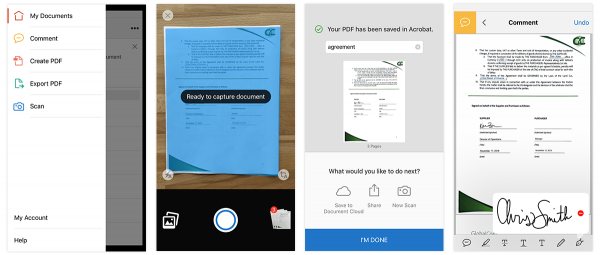
Adobe released a new scanning functionality in Adobe Acrobat Reader mobile for iOS and Android smartphones and tablets, allowing customers to work faster and more effectively with Adobe Document Cloud.
Scan lets you digitize anything that lives on paper. It quickly capture multiple scans of forms, receipts, contracts, post-its, whiteboards, and more, and turn them into storable and shareable PDFs. You can do the usual – add annotations or signatures and store PDFs with built in connections to public cloud drives without leaving the mobile app. Scan is enterprise-ready, and allows the digitised PDFs to be incorporated into existing digital workflows. The free mobile scanning is now available to users already using Acrobat Reader on iOS and Android.
The scan functionality in Reader relies on Adobe’s AI system, Adobe Sensei. The intelligence is integrated into Document Cloud, Creative Cloud and Marketing Cloud, to automate repetitive tasks, boost productivity and pave the way for the workplace of the future. In the case of Scan, Sensei is used to automatically detect document boundaries, correct perspectives, enhance text sharpness and make everything beautiful, usable and digital.
At present, the free Acrobat Reader mobile app draws in over 300 million users, using it to view, annotate, send and save PDFs at home and in the office. With the new scanning component directly integrated into the Reader mobile app, users can now snap a picture of anything and turn that ‘scan’ into a signable, shareable, storable and secure PDF.





