



Buy a mini photo printer, become a new person.
Ok, let me start off by saying that I’ve never been the type to take lots of photos or even print them out for that matter. The thought of a mini photo printer seems pretty redundant to me. I mean, everything is digital now. We snap a picture and upload it for the world to see on Instagram or Facebook and that’s that, for me at least.
That being said, I was tasked to review the Canon PV-123 Mini Photo Printer. I figured why not! I’ve seen enough polaroids stuck on the walls of my friends’ houses to know that there is a demand for this sort of thing. In theory, this should be even better than a Polaroid as you would be able to print out literally any photo from your photo library, all via bluetooth. Lets get to it then!
So when my I was handed the PV-123 Mobile Printer (Canon markets it as IVY in the US), I thought I was being given a power bank to review. The size of the packaging suggested as much. The printer (it feels weird calling it a printer because its so small) has the exact same look and size as a conventional power bank. It’s about 12×8 cm and only weighs 160g! It’s actually lighter than some power banks.


The printer utilizes zink tech photo paper to print photos, thus making ink cartridges obsolete. No one likes messy cartridge changes, right? Being the size it is, the printer churns out photos that are 2×3′ in size, so about the same dimensions as a Polaroid.
Ease of use
So before you can start printing photos, you’ll need to first download the Canon Mini Print app. It’s available on both Android and iOS so no worries there. Once you’ve installed the app, all you’ve got to do is turn on bluetooth on your device and you’re good to go. It’s literally that simple. The app interface is not only user friendly, but also easy on the eyes. The entire process, from snapping a photo to getting it printed out is so straightforward, no instructions are needed. It is literally 4 taps of your phone and you’ve got a physical copy of that one photo you love from your last beach trip. That’s not all, there are even options to connect the app to your social media accounts so you can take images straight off the your profile!
Jam packed with features
One thing that I really like about the printer is that it is jam packed with features. Not only can you edit the photos with your preferred filter, you can also add frames, stickers, text and all kinds of other fun stuff to personalize each photo photo. There is even an option that lets you tile your photos, which basically divides one image into four or nine photos, making an even larger photo once you stick them back together. Yes, these print out photos come wit a peel-to-stick adhesive layer on the back of the paper. Essentially, every photo is a sticker! Its worth noting however that this is the norm for many other zink based printers. Still cool, though.
Photo quality
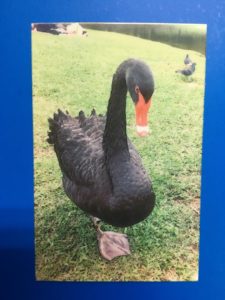
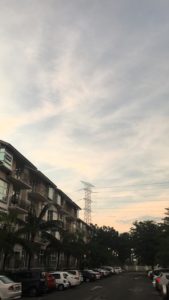
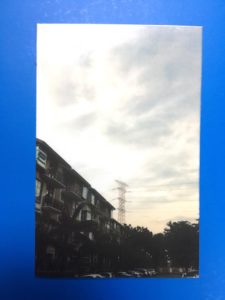
In terms of photo quality, the colours tend to come out a little bit darker than the images on your phone. I wouldn’t recommend printing pictures that were taken in low light. I don’t know if this is the norm for all other zink tech mini printers but I wasn’t very impressed with the picture quality if i’m being honest. It definitely lacks depth, but then again I don’t think I should be expecting much given the type of printer it is. These are the kind of photos you keep in your wallet or on your fridge. The kind you give to friends or relatives to commemorate an occasion. They’re fun and very much integrated to the digital landscape, which i’m sure will make it a hit with teenagers.



Final thoughts
After using the printer for about a week, I found myself looking at the world through a different lens. A more dare I say it, quirky one. Everywhere I looked, I saw a photo op. To be honest at this point, I didn’t know what to do with myself. This isn’t me!!! Who is this person?!
Running out of film was either the best, or worst thing that could’ve happened. On the one hand, I was back to my normal camera shy cynical self. On the other hand, the joy that came with being able to print cool stickers was gone. No longer did I see photo ops at every turn. It was all good though.
Verdict : With a price point of RM499 for the printer and RM40 for 20 sheets of photo paper, I don’t think it’s really worth the money for someone like me. However, if you’re one of those people who feel like there’s nothing quite like having a physical photograph in your hands, this printer will change your life, it is almost too easy to print things. It should come with a warning label for how addictive it is.
A solid 8/10




