


 Sleek Spaceship
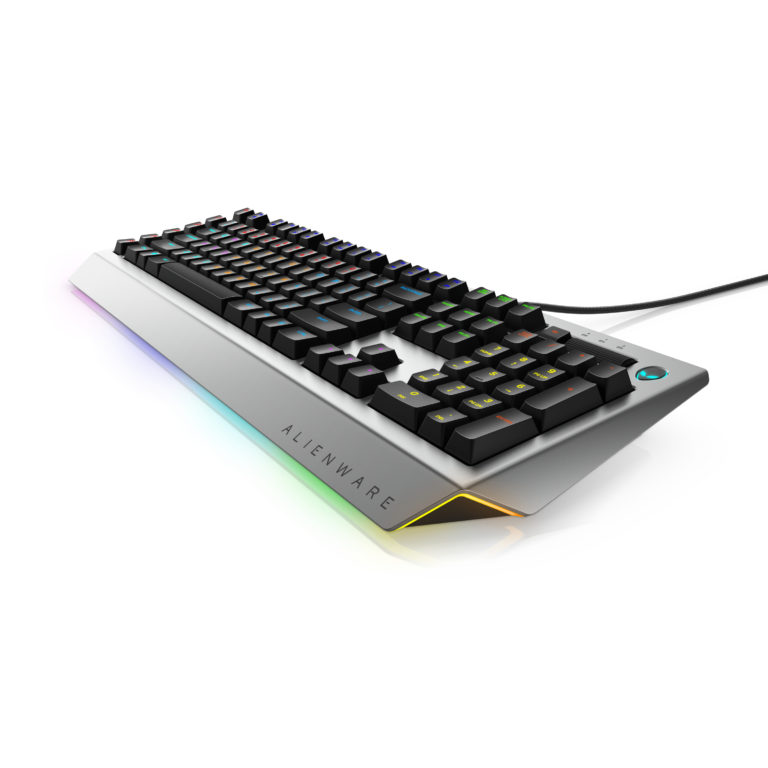
Nowadays, many PC brands are releasing their own mechanical keyboards, all due to an influx of more affordable high-quality switches. Thusly, it’s not surprising to see Alienware with its own version of a mechanical gaming keyboard. Intriguing as it is, it’s also important to find out if this new peripheral is up to the task. Design wise, with a silver and black colour scheme, the Alienware AW768 Gaming Keyboard looks sleek yet minimalistic. Most interesting is how Alienware opted for Kailh Brown Switches.
Quality Cruise Control
A gamer’s favourite of late, the Kailh Brown Switches feature similar tactile feedback to Cherry Blues but without the loud clacking effect. Removing the keycaps confirms these switches are Cherry MX compatible. This means that the keycaps can be replaced easily. For what it’s worth, the default keycaps seem to be using double-shot ABS, meaning they will last longer. The keys are translucent just so the RGB LED underneath can shine through. This makes it easy to see the keys, especially in a dark room.

Alien Nation
Plugging in the keyboard into a PC will immediately download the Alienware AlienFX Control Centre. It is through this app that users can control a number of functions. This incudes LED effects and setting up the Macro Keys. As there are 15 programmable keys on the keyboard, most will certainly want to plan out their macros configurations on this platform. All in all, the Alienware AW768 is a robust and well-built mechanical keyboard that performs admirably. Personally, typing on this keyboard is great as the key-travel is simply awesome.
(Text by: Din)





